<?xml version="1.0" encoding="utf-8"?><feed xmlns="http://www.w3.org/2005/Atom" ><generator uri="https://jekyllrb.com/" version="3.10.0">Jekyll</generator><link href="https://mwc360.github.io/feed.xml" rel="self" type="application/atom+xml" /><link href="https://mwc360.github.io/" rel="alternate" type="text/html" /><updated>2026-06-19T23:51:23+00:00</updated><id>https://mwc360.github.io/feed.xml</id><title type="html">Miles Cole</title><subtitle>A Microsoft data &amp; analytics blog</subtitle><entry><title type="html">Mastering Spark: DataFrameWriterV2 vs. DataFrameWriterV1</title><link href="https://mwc360.github.io/data-engineering/2026/06/19/DataFrameWriterV2.html" rel="alternate" type="text/html" title="Mastering Spark: DataFrameWriterV2 vs. DataFrameWriterV1" /><published>2026-06-19T00:00:00+00:00</published><updated>2026-06-19T00:00:00+00:00</updated><id>https://mwc360.github.io/data-engineering/2026/06/19/DataFrameWriterV2</id><content type="html" xml:base="https://mwc360.github.io/data-engineering/2026/06/19/DataFrameWriterV2.html"><![CDATA[<p>Most Spark developers learn to write data with <code class="language-plaintext highlighter-rouge">df.write</code> long before they ever encounter <code class="language-plaintext highlighter-rouge">df.writeTo</code>. It is simple, familiar, and everywhere: choose a format, pick a mode, add a few options, and save the result to a table or path. For years, that mental model worked well enough. Spark was often writing files first and tables second.</p>

<p>But modern lakehouse systems have changed the contract. A Delta table is not just a folder of Parquet files. It has transaction metadata, protocol features, table properties, constraints, generated columns, clustering metadata, schema evolution rules, and catalog-level behavior. In that world, the older <code class="language-plaintext highlighter-rouge">DataFrameWriter</code> API starts to show its age. A call like <code class="language-plaintext highlighter-rouge">mode("overwrite").saveAsTable(...)</code> can hide several different intentions: create the table, replace the table, overwrite the data, change the schema, or update existing metadata. The code is compact, but the semantics are overloaded.</p>

<p><code class="language-plaintext highlighter-rouge">DataFrameWriterV2</code> was introduced to make those intentions more explicit. Instead of saying “write this DataFrame somewhere using this mode,” the V2 API says “perform this specific table operation.” Create, append, replace, create-or-replace, overwrite-by-expression, and overwrite-partitions become distinct actions rather than behaviors inferred from a combination of mode, format, options, and table existence.</p>

<p>That distinction matters more as Delta and Spark add richer table capabilities. Features like explicit table properties, dedicated schema-evolution semantics, and catalog-managed tables fit more naturally into a table-oriented API than a file-oriented one. Some features Spark exposes (like <code class="language-plaintext highlighter-rouge">clusterBy</code> on the writer) aren’t fully wired into Delta yet, but the direction of travel is clear: V2 is where new table-level capabilities land.</p>

<p>In this post, we will compare the two writer APIs, look at the concrete differences in behavior, and highlight what is new in V2 as of Spark 4.2 and delta-spark 4.2.</p>

<h2 id="the-old-mental-model-dfwrite">The old mental model: <code class="language-plaintext highlighter-rouge">df.write</code></h2>

<p>Most Spark developers start with the original <code class="language-plaintext highlighter-rouge">DataFrameWriter</code> API:</p>

<div class="language-python highlighter-rouge"><div class="highlight"><pre class="highlight"><code><span class="n">df</span><span class="p">.</span><span class="n">write</span> \
  <span class="p">.</span><span class="nb">format</span><span class="p">(</span><span class="s">"delta"</span><span class="p">)</span> \
  <span class="p">.</span><span class="n">mode</span><span class="p">(</span><span class="s">"overwrite"</span><span class="p">)</span> \
  <span class="p">.</span><span class="n">saveAsTable</span><span class="p">(</span><span class="s">"dbo.orders"</span><span class="p">)</span>
</code></pre></div></div>

<p>The core ingredients are:</p>

<div class="language-text highlighter-rouge"><div class="highlight"><pre class="highlight"><code>format + mode + options + path/table
</code></pre></div></div>

<p>That design makes sense when the output is primarily a set of files. But Delta tables are more than a directory of files. They have transaction logs, table metadata, features, schema rules, constraints, and catalog behavior. When the write target is a table, the question is no longer just “where should these rows go?” It is also “what table operation am I performing?”</p>

<p>That is where the older writer API becomes less clear. The biggest source of ambiguity is <code class="language-plaintext highlighter-rouge">mode("overwrite")</code>. Depending on table existence, catalog behavior, provider implementation, options like <code class="language-plaintext highlighter-rouge">overwriteSchema</code> or <code class="language-plaintext highlighter-rouge">replaceWhere</code>, and Spark configuration, the same line can mean: create the table, replace the table definition, keep the definition but overwrite the contents, replace only matching partitions or a <code class="language-plaintext highlighter-rouge">replaceWhere</code> predicate, or change the schema. The code is short, but the intent is overloaded.</p>

<h2 id="the-newer-mental-model-dfwriteto">The newer mental model: <code class="language-plaintext highlighter-rouge">df.writeTo</code></h2>

<p>The V2 writer starts from a different place:</p>

<div class="language-python highlighter-rouge"><div class="highlight"><pre class="highlight"><code><span class="n">df</span><span class="p">.</span><span class="n">writeTo</span><span class="p">(</span><span class="s">"dbo.orders"</span><span class="p">)</span>
</code></pre></div></div>

<p>Instead of saying “save this DataFrame somewhere,” V2 says “write this DataFrame to this table.” From there, the operation is explicit:</p>

<div class="language-python highlighter-rouge"><div class="highlight"><pre class="highlight"><code><span class="n">df</span><span class="p">.</span><span class="n">writeTo</span><span class="p">(</span><span class="s">"dbo.orders"</span><span class="p">).</span><span class="n">create</span><span class="p">()</span>
<span class="n">df</span><span class="p">.</span><span class="n">writeTo</span><span class="p">(</span><span class="s">"dbo.orders"</span><span class="p">).</span><span class="n">append</span><span class="p">()</span>
<span class="n">df</span><span class="p">.</span><span class="n">writeTo</span><span class="p">(</span><span class="s">"dbo.orders"</span><span class="p">).</span><span class="n">replace</span><span class="p">()</span>
<span class="n">df</span><span class="p">.</span><span class="n">writeTo</span><span class="p">(</span><span class="s">"dbo.orders"</span><span class="p">).</span><span class="n">createOrReplace</span><span class="p">()</span>
<span class="n">df</span><span class="p">.</span><span class="n">writeTo</span><span class="p">(</span><span class="s">"dbo.orders"</span><span class="p">).</span><span class="n">overwrite</span><span class="p">(</span><span class="n">col</span><span class="p">(</span><span class="s">"order_date"</span><span class="p">)</span> <span class="o">==</span> <span class="s">"2026-01-01"</span><span class="p">)</span>
<span class="n">df</span><span class="p">.</span><span class="n">writeTo</span><span class="p">(</span><span class="s">"dbo.orders"</span><span class="p">).</span><span class="n">overwritePartitions</span><span class="p">()</span>
</code></pre></div></div>

<p>With V1, intent is inferred from <code class="language-plaintext highlighter-rouge">mode</code>, <code class="language-plaintext highlighter-rouge">format</code>, <code class="language-plaintext highlighter-rouge">options</code>, and target. With V2, intent is the method you call.</p>

<blockquote>
  <p>Note: <code class="language-plaintext highlighter-rouge">format</code> (V1) and <code class="language-plaintext highlighter-rouge">using</code> (V2) are both optional. If you don’t specify the provider, the default catalog format is used. In Microsoft Fabric, this is <code class="language-plaintext highlighter-rouge">delta</code>. The rest of the examples in this post omit <code class="language-plaintext highlighter-rouge">format("delta")</code> and <code class="language-plaintext highlighter-rouge">using("delta")</code> to avoid being unnessesarily verbose.</p>
</blockquote>

<h2 id="a-simple-comparison">A simple comparison</h2>

<table>
  <thead>
    <tr>
      <th>Operation</th>
      <th>V1</th>
      <th>V2</th>
    </tr>
  </thead>
  <tbody>
    <tr>
      <td>Create</td>
      <td><code class="language-plaintext highlighter-rouge">df.write.saveAsTable("t")</code> (errors if exists, depending on mode)</td>
      <td><code class="language-plaintext highlighter-rouge">df.writeTo("t").create()</code></td>
    </tr>
    <tr>
      <td>Append</td>
      <td><code class="language-plaintext highlighter-rouge">df.write.mode("append").saveAsTable("t")</code></td>
      <td><code class="language-plaintext highlighter-rouge">df.writeTo("t").append()</code></td>
    </tr>
    <tr>
      <td>Replace table</td>
      <td><code class="language-plaintext highlighter-rouge">df.write.mode("overwrite").option("overwriteSchema", "true").saveAsTable("t")</code></td>
      <td><code class="language-plaintext highlighter-rouge">df.writeTo("t").replace()</code></td>
    </tr>
    <tr>
      <td>Create or replace</td>
      <td><code class="language-plaintext highlighter-rouge">df.write.mode("overwrite").option("overwriteSchema", "true").saveAsTable("t")</code></td>
      <td><code class="language-plaintext highlighter-rouge">df.writeTo("t").createOrReplace()</code></td>
    </tr>
    <tr>
      <td>Overwrite by predicate</td>
      <td><code class="language-plaintext highlighter-rouge">df.write.mode("overwrite").option("replaceWhere", "order_date = '2026-01-01'").saveAsTable("t")</code></td>
      <td><code class="language-plaintext highlighter-rouge">df.writeTo("t").overwrite(col("order_date") == "2026-01-01")</code></td>
    </tr>
    <tr>
      <td>Overwrite matching partitions</td>
      <td><code class="language-plaintext highlighter-rouge">df.write.mode("overwrite").insertInto("t")</code> (with <code class="language-plaintext highlighter-rouge">partitionOverwriteMode=dynamic</code>)</td>
      <td><code class="language-plaintext highlighter-rouge">df.writeTo("t").overwritePartitions()</code></td>
    </tr>
  </tbody>
</table>

<p>The V2 versions separate ideas that V1 conflates: <code class="language-plaintext highlighter-rouge">replace</code> requires the table to exist, <code class="language-plaintext highlighter-rouge">createOrReplace</code> does not, and <code class="language-plaintext highlighter-rouge">overwrite(condition)</code> and <code class="language-plaintext highlighter-rouge">overwritePartitions()</code> are no longer encoded as side-channel options on top of <code class="language-plaintext highlighter-rouge">mode("overwrite")</code>.</p>

<h2 id="table-properties-vs-options-v2-gives-them-separate-seats">Table properties vs. options: V2 gives them separate seats</h2>

<p>This is the single biggest semantic improvement, and it is often misunderstood. <strong>In V2, <code class="language-plaintext highlighter-rouge">tableProperty(...)</code> and <code class="language-plaintext highlighter-rouge">option(...)</code> are not interchangeable.</strong> They are stored in two distinct internal maps and are routed to two different places (<a href="https://github.com/apache/spark/blob/master/sql/core/src/main/scala/org/apache/spark/sql/classic/DataFrameWriterV2.scala"><code class="language-plaintext highlighter-rouge">DataFrameWriterV2.scala</code> in Spark 4.2</a>):</p>

<div class="language-scala highlighter-rouge"><div class="highlight"><pre class="highlight"><code><span class="k">private</span> <span class="k">val</span> <span class="nv">options</span>    <span class="k">=</span> <span class="k">new</span> <span class="nv">mutable</span><span class="o">.</span><span class="py">HashMap</span><span class="o">[</span><span class="kt">String</span>, <span class="kt">String</span><span class="o">]()</span>
<span class="k">private</span> <span class="k">val</span> <span class="nv">properties</span> <span class="k">=</span> <span class="k">new</span> <span class="nv">mutable</span><span class="o">.</span><span class="py">HashMap</span><span class="o">[</span><span class="kt">String</span>, <span class="kt">String</span><span class="o">]()</span>
</code></pre></div></div>

<ul>
  <li><code class="language-plaintext highlighter-rouge">tableProperty(k, v)</code> populates the <strong>table metadata</strong> that the catalog persists when creating or replacing the table. For Delta, that means it lands in the <code class="language-plaintext highlighter-rouge">Metadata</code> action in the transaction log and shows up under <code class="language-plaintext highlighter-rouge">SHOW TBLPROPERTIES</code> and in <code class="language-plaintext highlighter-rouge">DESCRIBE DETAIL</code>. Examples: <code class="language-plaintext highlighter-rouge">delta.enableChangeDataFeed</code>, <code class="language-plaintext highlighter-rouge">delta.appendOnly</code>, <code class="language-plaintext highlighter-rouge">delta.deletedFileRetentionDuration</code>, <code class="language-plaintext highlighter-rouge">delta.feature.timestampNtz</code>, <code class="language-plaintext highlighter-rouge">delta.checkpointPolicy</code>.</li>
  <li><code class="language-plaintext highlighter-rouge">option(k, v)</code> populates <strong>write options</strong> that are passed to the data source for this particular write. They do not become table metadata. Examples: <code class="language-plaintext highlighter-rouge">mergeSchema</code>, <code class="language-plaintext highlighter-rouge">replaceWhere</code>, <code class="language-plaintext highlighter-rouge">txnAppId</code>, <code class="language-plaintext highlighter-rouge">txnVersion</code>, <code class="language-plaintext highlighter-rouge">userMetadata</code>.</li>
</ul>

<p>In V1, both of these had to be funneled through <code class="language-plaintext highlighter-rouge">.option(...)</code>, which blurred a real distinction:</p>

<div class="language-python highlighter-rouge"><div class="highlight"><pre class="highlight"><code><span class="c1"># V1: everything is just an "option"
</span><span class="n">df</span><span class="p">.</span><span class="n">write</span> \
  <span class="p">.</span><span class="n">option</span><span class="p">(</span><span class="s">"delta.enableChangeDataFeed"</span><span class="p">,</span> <span class="s">"true"</span><span class="p">)</span> \  <span class="c1"># actually a table property
</span>  <span class="p">.</span><span class="n">option</span><span class="p">(</span><span class="s">"mergeSchema"</span><span class="p">,</span> <span class="s">"true"</span><span class="p">)</span> \                  <span class="c1"># actually a per-write option
</span>  <span class="p">.</span><span class="n">mode</span><span class="p">(</span><span class="s">"append"</span><span class="p">)</span> \
  <span class="p">.</span><span class="n">saveAsTable</span><span class="p">(</span><span class="s">"dbo.orders"</span><span class="p">)</span>
</code></pre></div></div>

<p>In V2, the two roles are visible at a glance:</p>

<div class="language-python highlighter-rouge"><div class="highlight"><pre class="highlight"><code><span class="n">df</span><span class="p">.</span><span class="n">writeTo</span><span class="p">(</span><span class="s">"dbo.orders"</span><span class="p">)</span> \
  <span class="p">.</span><span class="n">tableProperty</span><span class="p">(</span><span class="s">"delta.enableChangeDataFeed"</span><span class="p">,</span> <span class="s">"true"</span><span class="p">)</span> \
  <span class="p">.</span><span class="n">tableProperty</span><span class="p">(</span><span class="s">"delta.feature.timestampNtz"</span><span class="p">,</span> <span class="s">"supported"</span><span class="p">)</span> \
  <span class="p">.</span><span class="n">option</span><span class="p">(</span><span class="s">"mergeSchema"</span><span class="p">,</span> <span class="s">"true"</span><span class="p">)</span> \
  <span class="p">.</span><span class="n">createOrReplace</span><span class="p">()</span>
</code></pre></div></div>

<p>This separation is also what allows V2 to round-trip a real table definition. The properties map is what the catalog stores; the options map is what the writer hands to the data source for this specific operation.</p>

<blockquote>
  <p>Practical note: V2 still accepts <code class="language-plaintext highlighter-rouge">option(...)</code>. The improvement is not that options went away — it is that table-level metadata is no longer pretending to be a per-write option.</p>
</blockquote>

<h3 id="paths-still-work--they-just-arent-the-headline">Paths still work — they just aren’t the headline</h3>

<p>V2 is table-first, but it has not dropped path support. <code class="language-plaintext highlighter-rouge">option("path", "...")</code> is still honored and is used as the table location at create time:</p>

<div class="language-python highlighter-rouge"><div class="highlight"><pre class="highlight"><code><span class="n">df</span><span class="p">.</span><span class="n">writeTo</span><span class="p">(</span><span class="s">"dbo.orders"</span><span class="p">)</span> \
  <span class="p">.</span><span class="n">option</span><span class="p">(</span><span class="s">"path"</span><span class="p">,</span> <span class="s">"/lakehouse/silver/orders"</span><span class="p">)</span> \
  <span class="p">.</span><span class="n">create</span><span class="p">()</span>
</code></pre></div></div>

<p>That is useful for external tables. The shift is one of emphasis: in V1, paths and tables were two equally prominent ways to call <code class="language-plaintext highlighter-rouge">save(...)</code> / <code class="language-plaintext highlighter-rouge">saveAsTable(...)</code>; in V2, the identifier is the table and the path is just one more option that influences where the table lives.</p>

<h2 id="liquid-clustering-on-the-api-surface-spark-40">Liquid clustering on the API surface (Spark 4.0+)</h2>

<p><code class="language-plaintext highlighter-rouge">CreateTableWriter.clusterBy(...)</code> was added in <a href="https://github.com/apache/spark/blob/master/sql/api/src/main/scala/org/apache/spark/sql/DataFrameWriterV2.scala">Spark 4.0.0</a> and Spark enforces that <code class="language-plaintext highlighter-rouge">partitionedBy</code> and <code class="language-plaintext highlighter-rouge">clusterBy</code> aren’t both set on the same writer (it throws <code class="language-plaintext highlighter-rouge">clusterByWithPartitionedBy</code>). That matches Delta’s rule that a table is partitioned <strong>or</strong> clustered, not both.</p>

<p>The caveat: on the Delta side, <code class="language-plaintext highlighter-rouge">clusterBy</code> from the DataFrame writers (V1 <em>or</em> V2) is <strong>not wired in yet</strong>. There is an open PR — <a href="https://github.com/delta-io/delta/pull/7060">delta-io/delta#7060 “support accepting clusterBy from both v1 and v2 dataframe writers”</a> that adds this support. Until it lands, the only first-class way to create a liquid-clustered Delta table is via SQL:</p>

<div class="language-sql highlighter-rouge"><div class="highlight"><pre class="highlight"><code><span class="k">CREATE</span> <span class="k">OR</span> <span class="k">REPLACE</span> <span class="k">TABLE</span> <span class="n">dbo</span><span class="p">.</span><span class="n">orders</span>
<span class="k">CLUSTER</span> <span class="k">BY</span> <span class="p">(</span><span class="n">customer_id</span><span class="p">,</span> <span class="n">order_date</span><span class="p">)</span>
<span class="k">AS</span> <span class="k">SELECT</span> <span class="p">...</span>
</code></pre></div></div>

<p>Or, write and then alter the table:</p>

<div class="language-python highlighter-rouge"><div class="highlight"><pre class="highlight"><code><span class="n">df</span><span class="p">.</span><span class="n">writeTo</span><span class="p">(</span><span class="s">"dbo.orders"</span><span class="p">)</span> \
    <span class="p">.</span><span class="n">create</span><span class="p">()</span>

<span class="n">spark</span><span class="p">.</span><span class="n">sql</span><span class="p">(</span><span class="s">"ALTER TABLE dbo.orders CLUSTER BY (customer_id, order_date)"</span><span class="p">)</span>
</code></pre></div></div>

<p>This is a good example of the gap noted earlier: Spark’s V2 API can express the intent, but the table provider still has to implement it.</p>

<h2 id="explicit-schema-evolution-spark-42--delta-spark-42">Explicit schema evolution (Spark 4.2 + delta-spark 4.2)</h2>

<p>The <code class="language-plaintext highlighter-rouge">withSchemaEvolution()</code> method on <code class="language-plaintext highlighter-rouge">DataFrameWriterV2</code> is new in <a href="https://github.com/apache/spark/blob/master/sql/api/src/main/scala/org/apache/spark/sql/DataFrameWriterV2.scala">Spark 4.2.0</a>. It only applies to write operations against an existing table — <code class="language-plaintext highlighter-rouge">append</code>, <code class="language-plaintext highlighter-rouge">overwrite(condition)</code>, and <code class="language-plaintext highlighter-rouge">overwritePartitions</code> — and throws on <code class="language-plaintext highlighter-rouge">create</code>/<code class="language-plaintext highlighter-rouge">replace</code> (where schema evolution is implicit in the new definition):</p>

<div class="language-python highlighter-rouge"><div class="highlight"><pre class="highlight"><code><span class="n">df</span><span class="p">.</span><span class="n">writeTo</span><span class="p">(</span><span class="s">"silver.orders"</span><span class="p">)</span> \
  <span class="p">.</span><span class="n">withSchemaEvolution</span><span class="p">()</span> \
  <span class="p">.</span><span class="n">append</span><span class="p">()</span>
</code></pre></div></div>

<p>On the Delta side, this is gated by a <code class="language-plaintext highlighter-rouge">TableCapability.AUTOMATIC_SCHEMA_EVOLUTION</code> flag. Delta’s <a href="https://github.com/delta-io/delta/blob/master/spark/src/main/scala-shims/spark-4.2/SparkTableShims.scala">Spark version shims</a> only enable this capability on the <strong>spark-4.2</strong> build:</p>

<ul>
  <li>spark-4.0 shim: capability not available at all.</li>
  <li>spark-4.1 shim: capability exists in Spark but is intentionally not advertised by Delta because MERGE/INSERT schema evolution wasn’t yet properly wired.</li>
  <li>spark-4.2 shim: capability is advertised, and <code class="language-plaintext highlighter-rouge">df.writeTo(...).withSchemaEvolution().append()</code> works end-to-end on Delta.</li>
</ul>

<p>In other words: if you are on delta-spark built against Spark 4.2, <code class="language-plaintext highlighter-rouge">withSchemaEvolution()</code> is the new, explicit replacement for <code class="language-plaintext highlighter-rouge">.option("mergeSchema", "true")</code> on V2 appends and overwrites.</p>

<h2 id="merge-finally-has-a-dataframe-api-spark-40">MERGE finally has a DataFrame API (Spark 4.0+)</h2>

<p>For years, the only way to do <code class="language-plaintext highlighter-rouge">MERGE INTO</code> from Python/Scala was either raw SparkSQL or Delta’s <code class="language-plaintext highlighter-rouge">DeltaTable.merge(...)</code> builder. Spark 4.0 added a Spark-native DataFrame entry point and like the rest of the V2-era APIs, it’s table-oriented and explicit.</p>

<p>The shape is <code class="language-plaintext highlighter-rouge">df.mergeInto(target, condition)</code>, not <code class="language-plaintext highlighter-rouge">df.writeTo(target).merge(...)</code>. It’s presumably kept separate because merge needs a join condition and a chain of <code class="language-plaintext highlighter-rouge">whenMatched</code> / <code class="language-plaintext highlighter-rouge">whenNotMatched</code> / <code class="language-plaintext highlighter-rouge">whenNotMatchedBySource</code> clauses that don’t fit the create/append/overwrite builder shape:</p>

<div class="language-python highlighter-rouge"><div class="highlight"><pre class="highlight"><code><span class="n">source</span><span class="p">.</span><span class="n">alias</span><span class="p">(</span><span class="s">"s"</span><span class="p">)</span> \
    <span class="p">.</span><span class="n">mergeInto</span><span class="p">(</span><span class="s">"dbo.orders"</span><span class="p">,</span> <span class="n">expr</span><span class="p">(</span><span class="s">"dbo.orders.id = s.id"</span><span class="p">))</span> \
    <span class="p">.</span><span class="n">whenMatched</span><span class="p">().</span><span class="n">updateAll</span><span class="p">()</span> \
    <span class="p">.</span><span class="n">whenNotMatched</span><span class="p">().</span><span class="n">insertAll</span><span class="p">()</span> \
    <span class="p">.</span><span class="n">whenNotMatchedBySource</span><span class="p">().</span><span class="n">delete</span><span class="p">()</span> \
    <span class="p">.</span><span class="n">merge</span><span class="p">()</span>
</code></pre></div></div>

<p><code class="language-plaintext highlighter-rouge">df.mergeInto(...)</code> does not return a <code class="language-plaintext highlighter-rouge">DataFrameWriterV2</code> — it returns a separate <code class="language-plaintext highlighter-rouge">MergeIntoWriter</code>. But it sits on the same V2 foundations. From <a href="https://github.com/apache/spark/blob/master/sql/core/src/main/scala/org/apache/spark/sql/classic/MergeIntoWriter.scala"><code class="language-plaintext highlighter-rouge">MergeIntoWriter.scala</code></a> the builder produces a <code class="language-plaintext highlighter-rouge">MergeIntoTable</code> logical plan against an <code class="language-plaintext highlighter-rouge">UnresolvedRelation</code> with V2 multi-part identifier resolution and the V2 <code class="language-plaintext highlighter-rouge">requireWritePrivileges</code> model — the same plan SQL <code class="language-plaintext highlighter-rouge">MERGE INTO</code> produces. Providers implement it through V2 row-level operations (Iceberg via <code class="language-plaintext highlighter-rouge">SupportsRowLevelOperations</code>; Delta via its own analyzer rules that route to the existing Delta MERGE execution).</p>

<p><code class="language-plaintext highlighter-rouge">MergeIntoWriter</code> also has its own <code class="language-plaintext highlighter-rouge">withSchemaEvolution()</code> builder method, separate from the one on <code class="language-plaintext highlighter-rouge">DataFrameWriterV2</code> but conceptually identical: explicit, builder-set, no magic <code class="language-plaintext highlighter-rouge">option("mergeSchema", "true")</code> required.</p>

<p>What this means in practice:</p>

<ul>
  <li>For new Delta merge code in Python/Scala, <code class="language-plaintext highlighter-rouge">df.mergeInto(...)</code> is now the V2-native equivalent of <code class="language-plaintext highlighter-rouge">DeltaTable.forName(...).merge(...)</code>. It’s not faster, but it doesn’t require importing <code class="language-plaintext highlighter-rouge">delta.tables</code> and it plays naturally with the rest of the V2 DataFrame surface.</li>
  <li><code class="language-plaintext highlighter-rouge">DeltaTable.merge(...)</code> is not going away — it still exposes Delta-specific knobs — but <code class="language-plaintext highlighter-rouge">df.mergeInto(...)</code> is the cross-provider, Spark way to express the same operation.</li>
  <li>If merging based on paths instead of catalog references, you will need to continue using the <code class="language-plaintext highlighter-rouge">DeltaTable.merge(...)</code> builder, the new Spark API requires a catalog reference for the table being merged into.</li>
</ul>

<h2 id="replace-semantics-are-clearer-and-delta-knows-the-difference">Replace semantics are clearer (and Delta knows the difference)</h2>

<p>Delta has special-cased V2’s create/replace behavior for a long time. From <a href="https://github.com/delta-io/delta/blob/master/spark/src/main/scala/org/apache/spark/sql/delta/commands/CreateDeltaTableLike.scala"><code class="language-plaintext highlighter-rouge">CreateDeltaTableLike.scala</code></a>:</p>

<blockquote>
  <p>In DataFrameWriterV1, <code class="language-plaintext highlighter-rouge">mode("overwrite").saveAsTable</code> behaves as a CreateOrReplace table, but we have asked for <code class="language-plaintext highlighter-rouge">overwriteSchema</code> as an explicit option to overwrite partitioning or schema information. With DataFrameWriterV2, the behavior asked for by the user is clearer: <code class="language-plaintext highlighter-rouge">.createOrReplace()</code>, which means that we should overwrite schema and/or partitioning.</p>
</blockquote>

<p>So <code class="language-plaintext highlighter-rouge">df.writeTo("t").replace()</code> and <code class="language-plaintext highlighter-rouge">.createOrReplace()</code> are not just nicer-looking — Delta uses the API choice itself as the signal that schema and partitioning should be replaced, without needing <code class="language-plaintext highlighter-rouge">overwriteSchema=true</code> as a hint. Domain metadata (used by features like clustering) is also only updated on these explicit replace paths.</p>

<h2 id="partitioning-is-part-of-the-table-definition">Partitioning is part of the table definition</h2>

<p>With V1, <code class="language-plaintext highlighter-rouge">partitionBy</code> is a write-time layout hint. With V2, <code class="language-plaintext highlighter-rouge">partitionedBy</code> is part of the table definition you are creating or replacing:</p>

<div class="language-python highlighter-rouge"><div class="highlight"><pre class="highlight"><code><span class="n">df</span><span class="p">.</span><span class="n">writeTo</span><span class="p">(</span><span class="s">"dbo.orders"</span><span class="p">)</span> \
  <span class="p">.</span><span class="n">partitionedBy</span><span class="p">(</span><span class="s">"order_date"</span><span class="p">)</span> \
  <span class="p">.</span><span class="n">create</span><span class="p">()</span>
</code></pre></div></div>

<p>V2 also supports partition transforms (<code class="language-plaintext highlighter-rouge">years</code>, <code class="language-plaintext highlighter-rouge">months</code>, <code class="language-plaintext highlighter-rouge">days</code>, <code class="language-plaintext highlighter-rouge">hours</code>, <code class="language-plaintext highlighter-rouge">bucket</code>) for providers that implement them such as Apache Iceberg. Delta doesn’t implement partitioned transforms so it has to be a static column reference.</p>

<h2 id="when-v1-is-still-the-right-tool">When V1 is still the right tool</h2>

<p>V1 is not going away, and it is still the right choice for file-oriented writes and very simple appends:</p>

<div class="language-python highlighter-rouge"><div class="highlight"><pre class="highlight"><code><span class="n">df</span><span class="p">.</span><span class="n">write</span><span class="p">.</span><span class="n">mode</span><span class="p">(</span><span class="s">"overwrite"</span><span class="p">).</span><span class="n">parquet</span><span class="p">(</span><span class="s">"/exports/orders"</span><span class="p">)</span>
<span class="n">df</span><span class="p">.</span><span class="n">write</span><span class="p">.</span><span class="nb">format</span><span class="p">(</span><span class="s">"json"</span><span class="p">).</span><span class="n">mode</span><span class="p">(</span><span class="s">"append"</span><span class="p">).</span><span class="n">save</span><span class="p">(</span><span class="s">"/exports/events"</span><span class="p">)</span>
<span class="n">df</span><span class="p">.</span><span class="n">write</span><span class="p">.</span><span class="nb">format</span><span class="p">(</span><span class="s">"delta"</span><span class="p">).</span><span class="n">mode</span><span class="p">(</span><span class="s">"append"</span><span class="p">).</span><span class="n">save</span><span class="p">(</span><span class="s">"/lakehouse/bronze/events"</span><span class="p">)</span>
<span class="n">df</span><span class="p">.</span><span class="n">write</span><span class="p">.</span><span class="n">mode</span><span class="p">(</span><span class="s">"append"</span><span class="p">).</span><span class="n">saveAsTable</span><span class="p">(</span><span class="s">"bronze.raw_events"</span><span class="p">)</span>
</code></pre></div></div>

<p>The point is not that V1 is obsolete. The point is that V1 carries ambiguity when you are managing modern tables, and V2 now has the features (clustering, explicit schema evolution, table properties) to fully replace it for table lifecycle work.</p>

<h2 id="watch-out-for-compatibility-differences">Watch out for compatibility differences</h2>

<p>V2 is cleaner, but it is not magic. Capabilities depend on the Spark version, the catalog, and the provider:</p>

<ul>
  <li><code class="language-plaintext highlighter-rouge">clusterBy</code> requires Spark 4.0+ on the API side, and a provider that implements it. Delta does <strong>not</strong> yet honor <code class="language-plaintext highlighter-rouge">clusterBy</code> from the DataFrame writers — track <a href="https://github.com/delta-io/delta/pull/7060">delta#7060</a>. For now, use SQL <code class="language-plaintext highlighter-rouge">CLUSTER BY</code> to create liquid-clustered Delta tables.</li>
  <li><code class="language-plaintext highlighter-rouge">withSchemaEvolution()</code> requires Spark 4.2+ <strong>and</strong> a provider that advertises <code class="language-plaintext highlighter-rouge">AUTOMATIC_SCHEMA_EVOLUTION</code>. On Delta, that means a build against the spark-4.2 shim.</li>
  <li>Some V2-looking code can still fail if the provider hasn’t fully implemented the requested transform (for example, older Delta versions and partition transforms).</li>
</ul>

<p>The rule of thumb:</p>

<div class="language-text highlighter-rouge"><div class="highlight"><pre class="highlight"><code>V2 gives Spark a clearer way to express intent.
The table provider still has to implement that intent correctly.
</code></pre></div></div>

<h2 id="recommended-style">Recommended style</h2>

<p>For modern Delta work, a reasonable default style guide:</p>

<p>Use SQL or V2 for table lifecycle operations:</p>

<div class="language-sql highlighter-rouge"><div class="highlight"><pre class="highlight"><code><span class="k">CREATE</span> <span class="k">OR</span> <span class="k">REPLACE</span> <span class="k">TABLE</span> <span class="n">silver</span><span class="p">.</span><span class="n">orders</span>
<span class="k">CLUSTER</span> <span class="k">BY</span> <span class="p">(</span><span class="n">customer_id</span><span class="p">,</span> <span class="n">order_date</span><span class="p">)</span>
<span class="n">TBLPROPERTIES</span> <span class="p">(</span><span class="s1">'delta.enableChangeDataFeed'</span> <span class="o">=</span> <span class="s1">'true'</span><span class="p">)</span>
<span class="k">AS</span> <span class="k">SELECT</span> <span class="p">...</span>
</code></pre></div></div>

<p>or, until <a href="https://github.com/delta-io/delta/pull/7060">delta#7060</a> lands, the DataFrame equivalent without clustering:</p>

<div class="language-python highlighter-rouge"><div class="highlight"><pre class="highlight"><code><span class="n">df</span><span class="p">.</span><span class="n">writeTo</span><span class="p">(</span><span class="s">"silver.orders"</span><span class="p">)</span> \
  <span class="p">.</span><span class="n">tableProperty</span><span class="p">(</span><span class="s">"delta.enableChangeDataFeed"</span><span class="p">,</span> <span class="s">"true"</span><span class="p">)</span> \
  <span class="p">.</span><span class="n">createOrReplace</span><span class="p">()</span>
</code></pre></div></div>

<p>Use V2 for writes against existing managed tables:</p>

<div class="language-python highlighter-rouge"><div class="highlight"><pre class="highlight"><code><span class="n">df</span><span class="p">.</span><span class="n">writeTo</span><span class="p">(</span><span class="s">"silver.orders"</span><span class="p">).</span><span class="n">append</span><span class="p">()</span>
<span class="n">df</span><span class="p">.</span><span class="n">writeTo</span><span class="p">(</span><span class="s">"silver.orders"</span><span class="p">).</span><span class="n">withSchemaEvolution</span><span class="p">().</span><span class="n">append</span><span class="p">()</span>         <span class="c1"># Spark/Delta 4.2+
</span><span class="n">df</span><span class="p">.</span><span class="n">writeTo</span><span class="p">(</span><span class="s">"silver.orders"</span><span class="p">).</span><span class="n">overwrite</span><span class="p">(</span><span class="n">col</span><span class="p">(</span><span class="s">"order_date"</span><span class="p">)</span> <span class="o">==</span> <span class="n">d</span><span class="p">)</span>      <span class="c1"># replaceWhere, explicit
</span><span class="n">df</span><span class="p">.</span><span class="n">writeTo</span><span class="p">(</span><span class="s">"silver.orders"</span><span class="p">).</span><span class="n">overwritePartitions</span><span class="p">()</span>                  <span class="c1"># dynamic partition overwrite for partitioned tables
</span></code></pre></div></div>

<p>Use V1 for path-based exports and simple file outputs:</p>

<div class="language-python highlighter-rouge"><div class="highlight"><pre class="highlight"><code><span class="n">df</span><span class="p">.</span><span class="n">write</span><span class="p">.</span><span class="n">mode</span><span class="p">(</span><span class="s">"overwrite"</span><span class="p">).</span><span class="n">parquet</span><span class="p">(</span><span class="s">"/exports/orders"</span><span class="p">)</span>
</code></pre></div></div>

<p>Be cautious with V1 <code class="language-plaintext highlighter-rouge">mode("overwrite").saveAsTable(...)</code>. That code may be correct, but it deserves a second look. Make sure the intended behavior — create, replace, replaceWhere, overwriteSchema — is obvious to the next person who reads it. If it isn’t, V2 will say it for you.</p>

<h2 id="final-thought">Final thought</h2>

<p>The difference between V1 and V2 writers is not just syntax. It reflects a broader shift in Spark itself. The older API comes from a world where Spark jobs mostly wrote files. The newer API fits a world where Spark manages tables — with first-class properties, clustering, and (as of Spark/Delta 4.2) explicit schema evolution.</p>

<p><code class="language-plaintext highlighter-rouge">df.write</code> is still useful. But when the code is creating, replacing, or managing Delta tables, <code class="language-plaintext highlighter-rouge">df.writeTo</code> now tells the truth more clearly, and it has the features to back it up.</p>]]></content><author><name></name></author><category term="Data-Engineering" /><category term="Fabric" /><category term="Spark" /><category term="Lakehouse" /><category term="Delta Lake" /><summary type="html"><![CDATA[Most Spark developers learn to write data with df.write long before they ever encounter df.writeTo. It is simple, familiar, and everywhere: choose a format, pick a mode, add a few options, and save the result to a table or path. For years, that mental model worked well enough. Spark was often writing files first and tables second.]]></summary></entry><entry><title type="html">Creating your first Spark Job Definition</title><link href="https://mwc360.github.io/data-engineering/2026/02/04/Creating-your-first-Spark-Job-Definition.html" rel="alternate" type="text/html" title="Creating your first Spark Job Definition" /><published>2026-02-04T00:00:00+00:00</published><updated>2026-02-04T00:00:00+00:00</updated><id>https://mwc360.github.io/data-engineering/2026/02/04/Creating-your-first-Spark-Job-Definition</id><content type="html" xml:base="https://mwc360.github.io/data-engineering/2026/02/04/Creating-your-first-Spark-Job-Definition.html"><![CDATA[<p>Coming from a notebook-first Spark background, I wanted to write the introduction to Spark Job Definitions (SJDs) that I wish I had when I first encountered them. If you are first interest in <em>why</em> you might want to use a Spark Job Definition over a Notebook, see my blog <a href="https://milescole.dev/data-engineering/2026/02/04/Notebooks-vs-Spark-Jobs-in-Production.html">here</a>.</p>

<p>My first job was in finance, and I learned Spark much later while consulting in environments where <strong>everything ran in notebooks</strong>. That wasn’t unique to any one company — it’s simply how most consulting teams work. So when I first opened a Spark Job Definition while exploring additional things I could do in Synapse, my reaction was:</p>

<blockquote>
  <p>“Wow… what the heck is this thing?”</p>
</blockquote>

<p>This post is meant for anyone who learned Spark through notebooks and is now staring at SJDs wondering what role they play and how to use them. Think of this as a bridge from interactive development to job-based execution.</p>

<h1 id="what-is-a-spark-job-definition">What Is a Spark Job Definition?</h1>

<p>A Spark Job Definition is effectively a way to run a packaged Spark application, Fabric’s version of executing a <code class="language-plaintext highlighter-rouge">spark-submit</code> job. You define:</p>

<ul>
  <li>what code should run (the <strong>entry point</strong>),</li>
  <li>which code files or resources should be shipped with it,</li>
  <li>and which <strong>command-line arguments</strong> should control its behavior.</li>
</ul>

<p>Unlike a notebook, there is no interactive editor or cell output, but this is arguably not a missing feature, it’s the whole point… an SJD is not meant for exploration; it is meant to deterministically run a Spark application.</p>

<p>You can think of it as:</p>

<p><strong>Notebook = interactive development environment (IDE)</strong><br />
<strong>SJD = execution mechanism</strong></p>

<h2 id="core-concepts">Core Concepts</h2>

<p>At a high level, creating an SJD revolves around five things which you will commonly configure:</p>

<ol>
  <li><strong>Entry Point</strong> – the <code class="language-plaintext highlighter-rouge">.py</code>, <code class="language-plaintext highlighter-rouge">.scala</code>, or <code class="language-plaintext highlighter-rouge">.r</code> file that Spark executes</li>
  <li><strong>Reference Files</strong> [OPTIONAL] – additional <code class="language-plaintext highlighter-rouge">.py</code>, <code class="language-plaintext highlighter-rouge">.scala</code>, or <code class="language-plaintext highlighter-rouge">.r</code> files that can be referenced from your entry point via <code class="language-plaintext highlighter-rouge">import module_name</code>.</li>
  <li><strong>Command-Line Arguments</strong> [OPTIONAL] – runtime parameters</li>
  <li><strong>Lakehouse Reference</strong> – the default metastore context for tables</li>
  <li><strong>Environment Reference</strong> – the Environment context that includes public and custom libraries, Spark pool (a.k.a. cluster) configuration, spark configs, and reference files</li>
</ol>

<p>If you understand the purpose of each of these, you will be well on your way to running your first successful SJD.</p>

<h1 id="so-where-do-i-start">So Where Do I Start?</h1>

<p>Start by developing your Spark logic either in a notebook or, ideally, in a local IDE like VS Code. Write modular code that can be packaged as a Python Wheel or JAR.</p>

<p>Once your logic works locally or in a notebook, create a small standalone file whose job is to:</p>

<ul>
  <li>import your package,</li>
  <li>initialize Spark and logging,</li>
  <li>and run the main executable logic.</li>
</ul>

<p>At its simplest, this could look like:</p>

<div class="language-python highlighter-rouge"><div class="highlight"><pre class="highlight"><code><span class="kn">from</span> <span class="nn">pyspark.sql</span> <span class="kn">import</span> <span class="n">SparkSession</span>

<span class="n">spark</span> <span class="o">=</span> <span class="p">(</span>
    <span class="n">SparkSession</span>
        <span class="p">.</span><span class="n">builder</span>
        <span class="p">.</span><span class="n">appName</span><span class="p">(</span><span class="s">"myApp"</span><span class="p">)</span>
        <span class="p">.</span><span class="n">getOrCreate</span><span class="p">()</span>
<span class="p">)</span>

<span class="n">spark</span><span class="p">.</span><span class="nb">range</span><span class="p">(</span><span class="mi">1</span><span class="p">).</span><span class="n">write</span><span class="p">.</span><span class="n">saveAsTable</span><span class="p">(</span><span class="s">"dbo.test"</span><span class="p">)</span>
</code></pre></div></div>

<p>But for production use, it’s better to structure this code more explicitly. In particular, it helps to:</p>

<ul>
  <li>configure logging,</li>
  <li>contain executable code in a <code class="language-plaintext highlighter-rouge">main()</code> function,</li>
  <li>and use a <em>main guard</em>.</li>
</ul>

<p>That separates code meant to run when the file is executed from code meant to be imported and reused (for example, in unit tests).</p>

<div class="language-python highlighter-rouge"><div class="highlight"><pre class="highlight"><code><span class="kn">from</span> <span class="nn">pyspark.sql</span> <span class="kn">import</span> <span class="n">SparkSession</span>
<span class="kn">import</span> <span class="nn">sys</span>
<span class="kn">import</span> <span class="nn">logging</span>

<span class="n">logging</span><span class="p">.</span><span class="n">basicConfig</span><span class="p">(</span>
    <span class="n">level</span><span class="o">=</span><span class="n">logging</span><span class="p">.</span><span class="n">INFO</span><span class="p">,</span>
    <span class="nb">format</span><span class="o">=</span><span class="s">"%(asctime)s - %(name)s - %(levelname)s - %(message)s"</span><span class="p">,</span>
    <span class="n">handlers</span><span class="o">=</span><span class="p">[</span><span class="n">logging</span><span class="p">.</span><span class="n">StreamHandler</span><span class="p">(</span><span class="n">sys</span><span class="p">.</span><span class="n">stdout</span><span class="p">)]</span>
<span class="p">)</span>

<span class="n">logger</span> <span class="o">=</span> <span class="n">logging</span><span class="p">.</span><span class="n">getLogger</span><span class="p">(</span><span class="n">__name__</span><span class="p">)</span>

<span class="k">def</span> <span class="nf">main</span><span class="p">()</span> <span class="o">-&gt;</span> <span class="bp">None</span><span class="p">:</span>
    <span class="n">spark</span> <span class="o">=</span> <span class="p">(</span>
        <span class="n">SparkSession</span>
            <span class="p">.</span><span class="n">builder</span>
            <span class="p">.</span><span class="n">appName</span><span class="p">(</span><span class="s">"myApp"</span><span class="p">)</span>
            <span class="p">.</span><span class="n">getOrCreate</span><span class="p">()</span>
    <span class="p">)</span>

    <span class="n">spark</span><span class="p">.</span><span class="n">sparkContext</span><span class="p">.</span><span class="n">setLogLevel</span><span class="p">(</span><span class="s">"ERROR"</span><span class="p">)</span>

    <span class="n">logger</span><span class="p">.</span><span class="n">info</span><span class="p">(</span><span class="s">"="</span> <span class="o">*</span> <span class="mi">80</span><span class="p">)</span>
    <span class="n">logger</span><span class="p">.</span><span class="n">info</span><span class="p">(</span><span class="s">"Starting..."</span><span class="p">)</span>
    <span class="n">logger</span><span class="p">.</span><span class="n">info</span><span class="p">(</span><span class="s">"="</span> <span class="o">*</span> <span class="mi">80</span><span class="p">)</span>

    <span class="c1"># Executable code goes here
</span>
    <span class="n">logger</span><span class="p">.</span><span class="n">info</span><span class="p">(</span><span class="s">"="</span> <span class="o">*</span> <span class="mi">80</span><span class="p">)</span>
    <span class="n">logger</span><span class="p">.</span><span class="n">info</span><span class="p">(</span><span class="s">"Completed..."</span><span class="p">)</span>
    <span class="n">logger</span><span class="p">.</span><span class="n">info</span><span class="p">(</span><span class="s">"="</span> <span class="o">*</span> <span class="mi">80</span><span class="p">)</span>

<span class="k">if</span> <span class="n">__name__</span> <span class="o">==</span> <span class="s">"__main__"</span><span class="p">:</span>
    <span class="n">main</span><span class="p">()</span>
</code></pre></div></div>

<h1 id="what-about-parameterization">What About Parameterization?</h1>

<p>There are two methods available, both of which are frequently used as they serve different but potentially overlapping use cases.</p>

<h2 id="1-configuration-data">1. Configuration Data</h2>

<p>For configuration-driven pipelines (for example, a list of objects or tables to process), YAML files are highly recommended. They are readable, easy to edit, and trivial to parse using the <a href="https://pypi.org/project/PyYAML/"><code class="language-plaintext highlighter-rouge">pyyaml</code></a> library. For you Rust lovers out there, there’s even a Rust based <a href="https://pypi.org/project/pyyaml-rs/">pyyaml-rs</a> library in case your config data is massive.</p>

<div class="language-yml highlighter-rouge"><div class="highlight"><pre class="highlight"><code><span class="na">tables</span><span class="pi">:</span>
  <span class="pi">-</span> <span class="na">name</span><span class="pi">:</span> <span class="s">table_1</span>
    <span class="na">config1</span><span class="pi">:</span> <span class="s">....</span>
  <span class="pi">-</span> <span class="na">name</span><span class="pi">:</span> <span class="s">table_2</span>
    <span class="na">config1</span><span class="pi">:</span> <span class="s">....</span>
    <span class="na">dependencies</span><span class="pi">:</span>
      <span class="pi">-</span> <span class="s">table_1</span>
</code></pre></div></div>

<p>These files can either be built into your Python Wheel or JAR (for tight coupling of framework and configuration), or staged in OneLake and imported via full ABFSS path or default Lakehouse reference.</p>

<div class="language-python highlighter-rouge"><div class="highlight"><pre class="highlight"><code><span class="kn">import</span> <span class="nn">yaml</span>

<span class="k">with</span> <span class="nb">open</span><span class="p">(</span><span class="s">'File/...'</span><span class="p">,</span> <span class="s">"r"</span><span class="p">)</span> <span class="k">as</span> <span class="n">f</span><span class="p">:</span>
    <span class="n">table_registry</span> <span class="o">=</span> <span class="n">yaml</span><span class="p">.</span><span class="n">safe_load</span><span class="p">(</span><span class="n">f</span><span class="p">)</span>
</code></pre></div></div>

<h2 id="2-runtime-control-flow">2. Runtime Control Flow</h2>

<p>For higher-level control flow, the kind of things you normally override in a notebook cell via Pipeline parameters, you should use <strong>command-line arguments</strong>.</p>

<p>This was the biggest learning gap for me. Instead of overwriting variables in a chosen parameter cell, your application must <em>expect</em> arguments and validate them.</p>

<div class="language-python highlighter-rouge"><div class="highlight"><pre class="highlight"><code><span class="kn">import</span> <span class="nn">argparse</span>

<span class="k">def</span> <span class="nf">parse_args</span><span class="p">(</span><span class="n">argv</span><span class="p">):</span>
    <span class="n">p</span> <span class="o">=</span> <span class="n">argparse</span><span class="p">.</span><span class="n">ArgumentParser</span><span class="p">()</span>
    <span class="n">p</span><span class="p">.</span><span class="n">add_argument</span><span class="p">(</span><span class="s">"--zone"</span><span class="p">,</span> <span class="nb">type</span><span class="o">=</span><span class="k">lambda</span> <span class="n">s</span><span class="p">:</span> <span class="n">s</span><span class="p">.</span><span class="n">lower</span><span class="p">(),</span> <span class="n">required</span><span class="o">=</span><span class="bp">True</span><span class="p">)</span>
    <span class="n">p</span><span class="p">.</span><span class="n">add_argument</span><span class="p">(</span><span class="s">"--load-group"</span><span class="p">,</span> <span class="nb">type</span><span class="o">=</span><span class="nb">int</span><span class="p">,</span> <span class="n">default</span><span class="o">=</span><span class="mi">0</span><span class="p">)</span>
    <span class="n">p</span><span class="p">.</span><span class="n">add_argument</span><span class="p">(</span><span class="s">"--config-file-url"</span><span class="p">,</span> <span class="n">required</span><span class="o">=</span><span class="bp">True</span><span class="p">)</span>
    <span class="n">p</span><span class="p">.</span><span class="n">add_argument</span><span class="p">(</span><span class="s">"--compression"</span><span class="p">,</span> <span class="n">choices</span><span class="o">=</span><span class="p">[</span><span class="s">"snappy"</span><span class="p">,</span> <span class="s">"zstd"</span><span class="p">],</span> <span class="n">default</span><span class="o">=</span><span class="s">"snappy"</span><span class="p">)</span>
    <span class="n">p</span><span class="p">.</span><span class="n">add_argument</span><span class="p">(</span><span class="s">"--debug"</span><span class="p">,</span> <span class="n">action</span><span class="o">=</span><span class="s">"store_true"</span><span class="p">)</span>

    <span class="k">return</span> <span class="n">p</span><span class="p">.</span><span class="n">parse_args</span><span class="p">(</span><span class="n">argv</span><span class="p">)</span>
</code></pre></div></div>

<p>The <code class="language-plaintext highlighter-rouge">argparse</code> library that comes included in Python gives you validation, help text, and type enforcement without boilerplate. See the <a href="https://docs.python.org/3/library/argparse.html">docs</a> for all of the creative ways your can control and constrain inputs.</p>

<p>Your arguments are then provided to the SJD like this:</p>

<div class="language-bash highlighter-rouge"><div class="highlight"><pre class="highlight"><code><span class="nt">--zone</span> bronze <span class="nt">--load-group</span> 1 <span class="nt">--config-file-uri</span> Files/.../table_registry.yml <span class="nt">--compression</span> zstd <span class="nt">--debug</span>
</code></pre></div></div>

<p>And parsed inside your executable:</p>

<div class="language-python highlighter-rouge"><div class="highlight"><pre class="highlight"><code><span class="kn">import</span> <span class="nn">sys</span>

<span class="k">def</span> <span class="nf">main</span><span class="p">()</span> <span class="o">-&gt;</span> <span class="bp">None</span><span class="p">:</span>
    <span class="n">args</span> <span class="o">=</span> <span class="n">parse_args</span><span class="p">(</span><span class="n">sys</span><span class="p">.</span><span class="n">argv</span><span class="p">[</span><span class="mi">1</span><span class="p">:])</span>
</code></pre></div></div>

<p>Which exposes them as attributes of a named Python object (i.e. <code class="language-plaintext highlighter-rouge">args</code>):</p>

<div class="language-python highlighter-rouge"><div class="highlight"><pre class="highlight"><code><span class="n">args</span><span class="p">.</span><span class="n">zone</span>
<span class="n">args</span><span class="p">.</span><span class="n">load_group</span>
<span class="n">args</span><span class="p">.</span><span class="n">config_file_uri</span>
<span class="n">args</span><span class="p">.</span><span class="n">compression</span>
<span class="n">args</span><span class="p">.</span><span class="n">debug</span>
</code></pre></div></div>

<blockquote>
  <p>The neat thing about this seemingly more complex parameterization process is that there’s clear deliniation between variables that are inputs since it is self contained as a Python object (i.e. <code class="language-plaintext highlighter-rouge">args</code>). When doing Notebook development, deliniation between input parameters and regular Python variables is 100% up to developer hygene in consistently applied naming conventions.</p>
</blockquote>

<hr />

<h1 id="additional-gotchas">Additional Gotchas</h1>

<p>There’s a few things that us notebook-developers take for granted because the notebook UX is all about convience and agility:</p>

<ol>
  <li>
    <p><strong><code class="language-plaintext highlighter-rouge">spark</code> is not automatically defined</strong></p>

    <p>A Spark session exists, but you must assign it:</p>

    <div class="language-python highlighter-rouge"><div class="highlight"><pre class="highlight"><code><span class="kn">from</span> <span class="nn">pyspark.sql</span> <span class="kn">import</span> <span class="n">SparkSession</span>

<span class="n">spark</span> <span class="o">=</span> <span class="p">(</span>
    <span class="n">SparkSession</span>
        <span class="p">.</span><span class="n">builder</span>
        <span class="p">.</span><span class="n">appName</span><span class="p">(</span><span class="s">"myApp"</span><span class="p">)</span>
        <span class="p">.</span><span class="n">getOrCreate</span><span class="p">()</span>
<span class="p">)</span>
</code></pre></div>    </div>
  </li>
  <li>
    <p><strong>Common imports are not pre-imported for the user</strong></p>

    <p>Anything automatically injected into notebooks must be explicitly imported, such as:</p>

    <ul>
      <li><code class="language-plaintext highlighter-rouge">from pyspark.sql import SparkSession</code></li>
      <li><code class="language-plaintext highlighter-rouge">import notebookutils</code></li>
    </ul>
  </li>
</ol>

<p>SJDs make implicit behavior explicit — which is both the challenge and the benefit.</p>

<h1 id="putting-it-all-together">Putting It All Together</h1>

<p>A typical SJD entry point ends up looking something like this <em>(<code class="language-plaintext highlighter-rouge">my_elt_package</code> contains the the locally built and tested business logic, transformations, etc.)</em>:</p>

<div class="language-python highlighter-rouge"><div class="highlight"><pre class="highlight"><code><span class="kn">from</span> <span class="nn">pyspark.sql</span> <span class="kn">import</span> <span class="n">SparkSession</span>
<span class="kn">import</span> <span class="nn">sys</span>
<span class="kn">import</span> <span class="nn">logging</span>
<span class="kn">import</span> <span class="nn">argparse</span>

<span class="c1"># import your python packge
</span><span class="kn">from</span> <span class="nn">my_elt_package</span> <span class="kn">import</span> <span class="n">Controller</span>

<span class="c1"># if using yaml for configs
</span><span class="kn">import</span> <span class="nn">yaml</span> 
<span class="k">def</span> <span class="nf">load_table_registry</span><span class="p">(</span><span class="n">path</span><span class="p">:</span> <span class="nb">str</span><span class="p">)</span> <span class="o">-&gt;</span> <span class="nb">dict</span><span class="p">:</span>
    <span class="k">with</span> <span class="nb">open</span><span class="p">(</span><span class="n">path</span><span class="p">,</span> <span class="s">"r"</span><span class="p">)</span> <span class="k">as</span> <span class="n">f</span><span class="p">:</span>
        <span class="n">table_registry</span> <span class="o">=</span> <span class="n">yaml</span><span class="p">.</span><span class="n">safe_load</span><span class="p">(</span><span class="n">f</span><span class="p">)</span>
    <span class="k">return</span> <span class="n">table_registry</span>

<span class="k">def</span> <span class="nf">parse_args</span><span class="p">(</span><span class="n">argv</span><span class="p">):</span>
    <span class="n">p</span> <span class="o">=</span> <span class="n">argparse</span><span class="p">.</span><span class="n">ArgumentParser</span><span class="p">()</span>
    <span class="n">p</span><span class="p">.</span><span class="n">add_argument</span><span class="p">(</span><span class="s">"--zone"</span><span class="p">,</span> <span class="nb">type</span><span class="o">=</span><span class="k">lambda</span> <span class="n">s</span><span class="p">:</span> <span class="n">s</span><span class="p">.</span><span class="n">lower</span><span class="p">(),</span> <span class="n">required</span><span class="o">=</span><span class="bp">True</span><span class="p">)</span>
    <span class="n">p</span><span class="p">.</span><span class="n">add_argument</span><span class="p">(</span><span class="s">"--load-group"</span><span class="p">,</span> <span class="nb">type</span><span class="o">=</span><span class="nb">int</span><span class="p">,</span> <span class="n">default</span><span class="o">=</span><span class="mi">0</span><span class="p">)</span>
    <span class="n">p</span><span class="p">.</span><span class="n">add_argument</span><span class="p">(</span><span class="s">"--config-file-url"</span><span class="p">,</span> <span class="n">required</span><span class="o">=</span><span class="bp">True</span><span class="p">)</span>
    <span class="n">p</span><span class="p">.</span><span class="n">add_argument</span><span class="p">(</span><span class="s">"--compression"</span><span class="p">,</span> <span class="n">choices</span><span class="o">=</span><span class="p">[</span><span class="s">"snappy"</span><span class="p">,</span> <span class="s">"zstd"</span><span class="p">],</span> <span class="n">default</span><span class="o">=</span><span class="s">"snappy"</span><span class="p">)</span>
    <span class="n">p</span><span class="p">.</span><span class="n">add_argument</span><span class="p">(</span><span class="s">"--debug"</span><span class="p">,</span> <span class="n">action</span><span class="o">=</span><span class="s">"store_true"</span><span class="p">,</span> <span class="n">help</span><span class="o">=</span><span class="s">"Enable DEBUG logging"</span><span class="p">)</span>
    <span class="k">return</span> <span class="n">p</span><span class="p">.</span><span class="n">parse_args</span><span class="p">(</span><span class="n">argv</span><span class="p">)</span>

<span class="k">def</span> <span class="nf">configure_logging</span><span class="p">(</span><span class="n">debug</span><span class="p">:</span> <span class="nb">bool</span><span class="p">)</span> <span class="o">-&gt;</span> <span class="n">logging</span><span class="p">.</span><span class="n">Logger</span><span class="p">:</span>
    <span class="n">level</span> <span class="o">=</span> <span class="n">logging</span><span class="p">.</span><span class="n">DEBUG</span> <span class="k">if</span> <span class="n">debug</span> <span class="k">else</span> <span class="n">logging</span><span class="p">.</span><span class="n">INFO</span>
    <span class="n">logging</span><span class="p">.</span><span class="n">basicConfig</span><span class="p">(</span>
        <span class="n">level</span><span class="o">=</span><span class="n">level</span><span class="p">,</span>
        <span class="nb">format</span><span class="o">=</span><span class="s">"%(asctime)s - %(name)s - %(levelname)s - %(message)s"</span><span class="p">,</span>
        <span class="n">handlers</span><span class="o">=</span><span class="p">[</span><span class="n">logging</span><span class="p">.</span><span class="n">StreamHandler</span><span class="p">(</span><span class="n">sys</span><span class="p">.</span><span class="n">stdout</span><span class="p">)],</span>
    <span class="p">)</span>
    <span class="k">return</span> <span class="n">logging</span><span class="p">.</span><span class="n">getLogger</span><span class="p">(</span><span class="n">__name__</span><span class="p">)</span>

<span class="k">def</span> <span class="nf">create_spark</span><span class="p">(</span><span class="n">app_name</span><span class="p">:</span> <span class="nb">str</span><span class="p">,</span> <span class="n">debug</span><span class="p">:</span> <span class="nb">bool</span><span class="p">)</span> <span class="o">-&gt;</span> <span class="n">SparkSession</span><span class="p">:</span>
    <span class="n">spark</span> <span class="o">=</span> <span class="p">(</span>
        <span class="n">SparkSession</span>
            <span class="p">.</span><span class="n">builder</span>
            <span class="p">.</span><span class="n">appName</span><span class="p">(</span><span class="n">app_name</span><span class="p">)</span>
            <span class="p">.</span><span class="n">getOrCreate</span><span class="p">()</span>
    <span class="p">)</span>
    <span class="n">spark</span><span class="p">.</span><span class="n">sparkContext</span><span class="p">.</span><span class="n">setLogLevel</span><span class="p">(</span><span class="s">"INFO"</span> <span class="k">if</span> <span class="n">debug</span> <span class="k">else</span> <span class="s">"ERROR"</span><span class="p">)</span>
    <span class="k">return</span> <span class="n">spark</span>

<span class="k">def</span> <span class="nf">main</span><span class="p">(</span><span class="n">argv</span><span class="p">:</span> <span class="nb">list</span><span class="p">[</span><span class="nb">str</span><span class="p">])</span> <span class="o">-&gt;</span> <span class="bp">None</span><span class="p">:</span>
    <span class="c1"># parse input arguments
</span>    <span class="n">args</span> <span class="o">=</span> <span class="n">parse_args</span><span class="p">(</span><span class="n">argv</span><span class="p">)</span>

    <span class="c1"># configure logging
</span>    <span class="n">logger</span> <span class="o">=</span> <span class="n">configure_logging</span><span class="p">(</span><span class="n">args</span><span class="p">.</span><span class="n">debug</span><span class="p">)</span>

    <span class="c1"># assign SparkSession as variable
</span>    <span class="n">spark</span> <span class="o">=</span> <span class="n">create_spark</span><span class="p">(</span><span class="s">"myApp"</span><span class="p">,</span> <span class="n">args</span><span class="p">.</span><span class="n">debug</span><span class="p">)</span>

    <span class="n">logger</span><span class="p">.</span><span class="n">info</span><span class="p">(</span><span class="s">"="</span> <span class="o">*</span> <span class="mi">80</span><span class="p">)</span>
    <span class="n">logger</span><span class="p">.</span><span class="n">info</span><span class="p">(</span><span class="sa">f</span><span class="s">"Starting load group </span><span class="si">{</span><span class="n">args</span><span class="p">.</span><span class="n">load_group</span><span class="si">}</span><span class="s"> for zone </span><span class="si">{</span><span class="n">args</span><span class="p">.</span><span class="n">zone</span><span class="si">}</span><span class="s">..."</span><span class="p">)</span>
    <span class="n">logger</span><span class="p">.</span><span class="n">info</span><span class="p">(</span><span class="s">"="</span> <span class="o">*</span> <span class="mi">80</span><span class="p">)</span>

    <span class="c1"># main executable code
</span>    <span class="n">table_registry</span> <span class="o">=</span> <span class="n">load_table_registry</span><span class="p">(</span><span class="n">args</span><span class="p">.</span><span class="n">config_file_uri</span><span class="p">)</span>

    <span class="n">controller</span> <span class="o">=</span> <span class="n">Controller</span><span class="p">(</span>
        <span class="n">spark</span><span class="o">=</span><span class="n">spark</span><span class="p">,</span>
        <span class="n">config</span><span class="o">=</span><span class="p">{</span>
            <span class="n">load_group</span> <span class="o">=</span> <span class="n">args</span><span class="p">.</span><span class="n">load_group</span><span class="p">,</span> 
            <span class="n">compression</span> <span class="o">=</span> <span class="n">args</span><span class="p">.</span><span class="n">compression</span>
        <span class="p">},</span>
        <span class="n">table_registry</span><span class="o">=</span><span class="n">table_registry</span>
    <span class="p">)</span>

    <span class="n">controller</span><span class="p">.</span><span class="n">run_pipeline</span><span class="p">(</span><span class="n">zone</span><span class="o">=</span><span class="n">args</span><span class="p">.</span><span class="n">zone</span><span class="p">)</span>

    <span class="n">logger</span><span class="p">.</span><span class="n">info</span><span class="p">(</span><span class="s">"="</span> <span class="o">*</span> <span class="mi">80</span><span class="p">)</span>
    <span class="n">logger</span><span class="p">.</span><span class="n">info</span><span class="p">(</span><span class="sa">f</span><span class="s">"Completed load group </span><span class="si">{</span><span class="n">args</span><span class="p">.</span><span class="n">load_group</span><span class="si">}</span><span class="s"> for zone </span><span class="si">{</span><span class="n">args</span><span class="p">.</span><span class="n">zone</span><span class="si">}</span><span class="s">..."</span><span class="p">)</span>
    <span class="n">logger</span><span class="p">.</span><span class="n">info</span><span class="p">(</span><span class="s">"="</span> <span class="o">*</span> <span class="mi">80</span><span class="p">)</span>

<span class="k">if</span> <span class="n">__name__</span> <span class="o">==</span> <span class="s">"__main__"</span><span class="p">:</span>
    <span class="n">main</span><span class="p">(</span><span class="n">sys</span><span class="p">.</span><span class="n">argv</span><span class="p">[</span><span class="mi">1</span><span class="p">:])</span>
</code></pre></div></div>

<p>Because the executable logic lives inside <code class="language-plaintext highlighter-rouge">main()</code>, it can be imported and called from test suites or other programs:</p>

<div class="language-python highlighter-rouge"><div class="highlight"><pre class="highlight"><code><span class="c1"># some_other_file.py
</span><span class="kn">import</span> <span class="nn">sjd_main</span> <span class="k">as</span> <span class="n">job</span>

<span class="k">def</span> <span class="nf">test_bronze_is_created</span><span class="p">(</span><span class="n">spark</span><span class="p">):</span>
    <span class="n">job</span><span class="p">.</span><span class="n">main</span><span class="p">([</span><span class="s">"--zone"</span><span class="p">,</span> <span class="s">"bronze"</span><span class="p">,</span> <span class="s">"--config-file-uri"</span><span class="p">,</span> <span class="s">"C:/user/dev/table_registry.yml"</span><span class="p">,</span> <span class="s">"--load-group"</span><span class="p">,</span> <span class="s">"1"</span><span class="p">])</span>
    <span class="k">assert</span> <span class="n">spark</span><span class="p">.</span><span class="n">catalog</span><span class="p">.</span><span class="n">tableExists</span><span class="p">(</span><span class="s">"bronze.test_sjd"</span><span class="p">)</span>
</code></pre></div></div>

<p>Now you can make changes locally, run unit tests, and have high confidence that your job will behave the same way in the cloud. No need to blindly submit a job and cross your fingers :)</p>

<h1 id="how-do-i-monitor-a-spark-job">How Do I Monitor a Spark Job?</h1>

<p>With notebooks, you get cell output and visual cues. With SJDs, monitoring shifts to:</p>

<ul>
  <li>the Spark UI for Spark execution details,</li>
  <li>and <code class="language-plaintext highlighter-rouge">stdout</code> / <code class="language-plaintext highlighter-rouge">stderr</code> logs for application behavior.</li>
</ul>

<p>Your logging configuration determines what you see. Prints become logs. Cell outputs become structured messages.</p>

<p>It’s less visual — but more precise.</p>

<h1 id="typical-development-flow">Typical Development Flow</h1>

<p>I plan to expand on this in a future post, but the high-level flow usually looks like:</p>

<ol>
  <li>Iterate on code locally or remote in a Fabric Notebook to develop a working PoC.</li>
  <li>Formalize your PoC into a locally packaged library with unit tests.</li>
  <li>Create a small entry-point script for execution.</li>
  <li>Test the entry-point.</li>
  <li>Attach the package to a Fabric Environment.</li>
  <li>Create an SJD referencing the entry point, any reference files, command line arguments, Lakehouse and Environment reference.</li>
  <li>Run 🚀</li>
</ol>

<p>This development workflow will feel heavier than a notebook at first, but the requirement to develop with strong intentionality will provide you with a more reliable production solution. It buys you testability, repeatability, and modularity that are all critical for well designed Spark applications.</p>

<p>Lastly, this development workflow is not for everyone or all projects. However, if you have already begun to explore packaging your code, and you want to take things to the next level, I highly enourage considering whether the rigor of a Spark Job Definition would force adopting more mature development habits that will result more reliable production jobs.</p>]]></content><author><name></name></author><category term="Data-Engineering" /><category term="Fabric" /><category term="Spark" /><category term="Lakehouse" /><category term="Delta Lake" /><summary type="html"><![CDATA[Coming from a notebook-first Spark background, I wanted to write the introduction to Spark Job Definitions (SJDs) that I wish I had when I first encountered them. If you are first interest in why you might want to use a Spark Job Definition over a Notebook, see my blog here.]]></summary></entry><entry><title type="html">Notebooks, Spark Jobs, and the Hidden Cost of Convenience</title><link href="https://mwc360.github.io/data-engineering/2026/02/04/Notebooks-vs-Spark-Jobs-in-Production.html" rel="alternate" type="text/html" title="Notebooks, Spark Jobs, and the Hidden Cost of Convenience" /><published>2026-02-04T00:00:00+00:00</published><updated>2026-02-04T00:00:00+00:00</updated><id>https://mwc360.github.io/data-engineering/2026/02/04/Notebooks-vs-Spark-Jobs-in-Production</id><content type="html" xml:base="https://mwc360.github.io/data-engineering/2026/02/04/Notebooks-vs-Spark-Jobs-in-Production.html"><![CDATA[<p>I’m guilty. I’ve peddled the <a href="">#NotebookEverything</a> tagline more than a few times.</p>

<p>To be fair, notebooks <em>are</em> an amazing entry point to coding, documentation, and exploration. But this post is dedicated to convincing you that notebooks are not, in fact, <em>everything</em>, and that many production Spark workloads would be better executed as a non-interactive Spark Job.</p>

<p>I’m certainly not the first to say such a controversial thing. Daniel Beach’s infamously entertaining <a href="https://dataengineeringcentral.substack.com/p/the-rise-of-the-notebook-engineer">The Rise of the Notebook Engineer</a> blog post made waves (and <a href="https://www.reddit.com/r/dataengineering/comments/1elgyf8/the_rise_of_the_notebook_engineer/">enemies</a>) for a reason. Ironically, I’ve spent my entire Spark career being exactly that: a notebook engineer. Sure, I’ve done a lot of software engineering type of stuff that doesn’t take place in a Notebook like creating APIs, CICD automation, building WebApps (both front-end and back-end) before Vibe coding would do nearly everything for you, but for all of my Spark development career I’ve only deployed stuff via Notebooks. <a href="https://milescole.dev/data-engineering/2024/10/24/Spark-for-the-SQL-Developer.html">I came from the business side of things</a> where later I learned Spark in consulting where <strong>everyone only used Notebooks</strong> for Spark jobs, production included.</p>

<p>So if you only use notebooks today, no judgement, you’re in good company. In this post I focus on some very real considerations and lessons learned while arguing three core points:</p>
<ol>
  <li>Reliability must come before convenience</li>
  <li>Notebooks make testing and modularity harder</li>
  <li>Spark Job Definitions encourage better engineering habits</li>
</ol>

<blockquote>
  <p>While I’ll use Microsoft Fabric’s Spark Job Definitions as a concrete example, the argument here is not Fabric specific. The same tradeoffs exist in Databricks Jobs, <code class="language-plaintext highlighter-rouge">spark-submit</code> on EMR or HDInsight, AWS Glue, or any platform where notebooks and scheduled Spark jobs coexist. This is really about choosing between an interactive editor and a packaged execution model.</p>
</blockquote>

<h1 id="1-reliability-must-come-before-convenience">1. Reliability Must Come Before Convenience</h1>
<p>Beyond performance, cost, and clever optimizations, a good data engineer should optimize for reliability as a first principle.</p>

<p>Why? I’ll propose it algebraically:</p>

\[\text{stakeholderSatisfaction} = \text{dataTimeliness} \times \text{TCO} \times \text{securityExpectations} \times (\text{reliability})^{10}\]

<p>You can build the fastest pipeline with the lowest TCO and perfect security posture, and none of it matters if the data only arrives correctly 95% of the time.</p>

<p>What is good performance if data doesn’t reliably get from A to Z? Will your CFO care about your cost savings if a regression adds extra zeros to sales figures?</p>

<p>One bad incident can undo months of tuning, cost optimization, and feature work. That’s why I consider reliability a first principle. Everything else is downstream from it.</p>

<p>If reliability is the goal, then the levers we control as data engineers start to matter a lot. In practice, three things show up again and again as predictors of whether a pipeline stays healthy over time:</p>
<ul>
  <li><strong>Testing</strong> → determines how often we prevent incidents in the first place</li>
  <li><strong>Modularity</strong> → determines how fast we recover when a portion of your complex code base breaks and how testable your code is</li>
  <li><strong>Governance</strong> → determines who can introduce a change into production</li>
</ul>

<p>Surely there are others, however few would disagree that these are high predictors of being able to achieve high reliability.</p>

<h1 id="2-notebooks-make-testing-and-modularity-harder">2. Notebooks Make Testing and Modularity Harder</h1>
<h2 id="notebooks-and-testing">Notebooks and Testing</h2>

<p>Notebooks <em>can</em> be tested. But if this were a conference talk and I asked, “Who runs unit tests against their notebook code before every release?”, I’d expect a lot of uncomfortable silence.</p>

<p>In my years of consulting before Microsoft, I never once saw a real test suite for notebook-based pipelines — not from customers, and not from teams I worked on. There might be CI validating that a SQL project builds or that a Python wheel compiles, but never a meaningful assertion that a pipeline produces the expected result or a utility does what it is supposed to.</p>

<div class="language-python highlighter-rouge"><div class="highlight"><pre class="highlight"><code><span class="k">assert</span> <span class="n">my_elt_func</span><span class="p">(</span><span class="n">df</span><span class="p">)</span> <span class="o">==</span> <span class="n">exepected_result</span>
</code></pre></div></div>

<p>Why is this? In the data engineering space, there’s a handful of core reasons:</p>
<ul>
  <li><strong>Economic realities</strong>: Very few organizations want to pay for work that doesn’t immediately translate into more data, more dashboards, or tighter SLAs. Testing is preventative, and preventative work with intangible benefits is notoriously hard to justify in budgets.</li>
  <li><strong>Technical constraints</strong>: Writing unit tests in a data context is genuinely harder than in typical application code. You’re often asserting over distributed behavior, schemas, and transformations rather than simple return values.</li>
  <li><strong>Skillset gaps</strong>: Notebooks are highly encouraged in consulting scenarios because both the inputs, progress, and outputs are much more transparent to those who did not build the solution but will own it going forwards.</li>
  <li><strong>Development mechanics</strong>: Notebooks don’t naturally fit into a testable development workflow. They blur together setup, logic, and execution. They can mix languages. They encourage inline code rather than reusable functions. And while they are technically just files in source control, they are awkward to import and test like normal code.</li>
</ul>

<p>The only scalable pattern I’ve seen work is to treat the notebook as nothing more than an entry point. All of the actual ELT logic lives in a Python wheel or JAR with proper unit tests, and the notebook simply imports classes and executes methods or functions defined outside of the notebook. At that point, the notebook is no longer the system. It’s just a user interface for calling <em>run</em> with a specific configuration context.</p>

<p>But what about modularity?</p>

<h2 id="notebooks-and-modularity">Notebooks and Modularity</h2>
<p>Yes, you can modularize notebook code. You can reference <code class="language-plaintext highlighter-rouge">.py</code> files. You can attach modules through Environments. You can even inline-install packages at runtime. But all of those techniques tend to bind your logic to a specific notebook or execution context.</p>

<p>Code that lives in a notebook (including Fabric’s Notebook and Environment resources) is harder or even impossible to efficiently reuse outside that scope without copy-paste distributing your source code. It is also harder to version cleanly, harder to promote across environments, and harder to reason about as a product rather than as an artifact of an editor.</p>

<p>Packaging your logic as a wheel or JAR forces separation between what the code does and how it is executed. That separation is what enables testing, reuse, and controlled deployment. It is the same pattern application engineers have relied on for decades, and it works just as well for data engineering when we choose to use it.</p>

<p>If your transformation logic, shared utilities, or dataframe operators are worth reusing outside of a single data pipeline context, it probably shouldn’t live inside a notebook. Minimally, aim to package your code as a Python wheel or JAR, and then use the Notebook as an entry point to calling your ELT package.</p>

<h1 id="3-spark-job-definitions-encourage-better-engineering-habits">3. Spark Job Definitions Encourage Better Engineering Habits</h1>

<p>This section hits closest to home for me.</p>

<p>I run a low-risk internal Spark workload at Microsoft where the use case requires frequently adjusting input parameters. For a long time, I ran it via notebooks, even after I had already refactored all logic into Python packages. The notebook was just the entry point.</p>

<p>But notebooks made it too easy to be lazy:</p>

<blockquote>
  <p><em>I’m not going to schedule this job because I’ll just open the Notebook before results are needed, modify the one or two lines of code to adjust the execution context and run. So easy!</em></p>
</blockquote>

<p>Because it was so easy to modify, I avoided formalizing various behaviors. There was no stable interface. No clear contract. No forced decision about what should be configurable and what should not.</p>

<p>When I moved those jobs to Spark Job Definitions with proper command-line arguments, something surprising happened: the friction forced me to think.</p>

<p>I had to decide:</p>
<ul>
  <li>what was input and what was the expected behavior</li>
  <li>what could change safely and what should not</li>
  <li>how parameterization and control flow should work</li>
  <li>where validation should live and what is tested</li>
</ul>

<p>In other words, I had to think about things that directly shape data pipeline reliability.</p>

<p>There’s an uncomfortable truth hiding here:</p>
<blockquote>
  <p>If the barrier to running production code is near zero, then the barrier to breaking production is near zero too. Notebooks are easy to create, and they are just as easy to mutate. There is no inherent guardrail beyond human discipline.</p>
</blockquote>

<p>Spark Job Definitions, by contrast, require packaging, interfaces, and intent. They are less convenient, and that inconvenience is arguably not a flaw, it’s the nature of complex data engineering that requires better habits. Going back to our premise around what drives reliability, your job not having a built-in IDE adds a layer of healthy friction to govern how easy it is to make a change, a change that could be untested and regretted.</p>

<h2 id="what-about-interactivity">What About Interactivity?</h2>

<p>Spark Job Definitions are not interactive, and that is usually framed as a downside, but I’ll push back by asking <em>“does it really make sense for a production job to ship with a built-in IDE”?</em> IDE’s are meant to make developing code easier and a Notebook is functionallity an executable script with a built-in IDE. Sure we could lock the production notebook to be read-only in our production workspace, but that doesn’t change the fact that it’s still a notebook that comes with the necessary overhead IDEs require to do things like nicely visualize cell outputs, snapshots, and such. While an SJD wouldn’t be meaningfully faster compared to when run with a Notebook with 20 cells, the UI cost is certainly not zero.</p>

<p>Consider a website built via Square vs. one deployed via conventional methods (building web app locally, and then publishing the compiled package to a hosting service): which website would you trust to run a billion dollar business? I would certainly not trust the Square Space implementation because the barrier to making a breaking change is too low, it ships with an IDE. You are not more than 2-3 clicks away from making a change that could disrupt opterations (<em>sorry, I accidentally deleted the order form</em>).</p>

<p>But interactivity does not disappear; it simply moves earlier in the process. You still explore and debug locally. You still test in notebooks if that helps. You still validate behavior before release.</p>

<p>By the time you execute an SJD, you are supposed to already know what it will do and have executed tests that prove it works as expected. An SJD is nothing more than a Spark job API contract, it expects certain inputs, and in return it will run your code. Bad code == bad result, good code == good result.</p>

<p><strong>⚠️ WARNING - <em>controversial claim</em></strong>: notebooks shine when you need to explore, explain, visualize, or teach. They are phenomenal for data science and experimentation, but they are arguably not ideal for most production use cases. Production data engineering and data science workloads are typically extremely binary:</p>
<ul>
  <li>Did I get the data from A to Z?</li>
  <li>Did it arrive on time?</li>
  <li>Did the dataset get scored?</li>
  <li>Did it arrive in the right shape?</li>
  <li>Did it break anything downstream?</li>
</ul>

<p>There’s nothing about most production workloads that <em>requires</em> the use of notebooks, it’s a convenience thing: <em>I can ship the thing I used to interactively develop my solution while benefitting from ease of making further code changes, and it comes with the ability to interweave documentation with code.</em></p>

<p>While notebooks optimize for convenience, Spark Job Definitions optimize for intent. If reliability is your first principle, intent should always come before convenience.</p>

<blockquote>
  <p>So the real question isn’t whether you can run production jobs from notebooks. <strong>It’s whether doing so makes you a more disciplined engineer and produces more reliable outcomes for your stakeholders.</strong></p>
</blockquote>

<p>Notebooks make it easy to ship any code. Spark Job Definitions make it hard to ship the wrong code. That’s why I’m reconsidering how I deploy most production pipelines.</p>

<hr />

<p>See my blog for <a href="https://milescole.dev/data-engineering/2026/02/04/Creating-your-first-Spark-Job-Definition.html">how to create your first Spark Job Definition</a>. The internet is strangely thin on this topic, probably because too many of us still <a href="">#NotebookEverything</a> 😄, but it’s really not that hard once you understand the core concepts.</p>]]></content><author><name></name></author><category term="Data-Engineering" /><category term="Fabric" /><category term="Spark" /><category term="Lakehouse" /><category term="Delta Lake" /><summary type="html"><![CDATA[I’m guilty. I’ve peddled the #NotebookEverything tagline more than a few times.]]></summary></entry><entry><title type="html">Announcing: 🌊 LakeBench</title><link href="https://mwc360.github.io/data-engineering/2025/07/11/Announcing-LakeBench.html" rel="alternate" type="text/html" title="Announcing: 🌊 LakeBench" /><published>2025-07-11T00:00:00+00:00</published><updated>2025-07-11T00:00:00+00:00</updated><id>https://mwc360.github.io/data-engineering/2025/07/11/Announcing-LakeBench</id><content type="html" xml:base="https://mwc360.github.io/data-engineering/2025/07/11/Announcing-LakeBench.html"><![CDATA[<p>I’m excited to formally announce <strong>LakeBench</strong>, now in version v0.3, the first Python-based multi-modal benchmarking library that supports multiple data processing engines on multiple benchmarks. You can find it on <a href="https://github.com/mwc360/LakeBench">GitHub</a> and <a href="https://pypi.org/project/lakebench/">PyPi</a>.</p>

<p>Traditional benchmarks like TPC-DS and TPC-H focus heavily on analytical queries, but they miss the reality of modern data engineering: building <strong>complex ELT pipelines</strong>. LakeBench bridges this gap by introducing <strong>novel benchmarks</strong> that measure not just query performance, but also data loading, transformation, incremental processing, and maintenance operations. The first of such benchmarks is called <em>ELTBench</em> and is initially available in <code class="language-plaintext highlighter-rouge">light</code> mode.</p>

<p>While the beta release focuses on <em>code-first data processing engines available in Microsoft Fabric</em>, the stable release milestone is planned to include additional benchmarks (i.e., ELTBench in full mode, AtomicELT) and other data processing engines available in Azure.</p>

<p>While there are other benchmarking projects out there, I designed LakeBench with a few key things in mind, which in total, make it unique:</p>
<ol>
  <li><strong>Python</strong>: While most data engineering benchmarking projects are Scala or Java-based, I created LakeBench as a Python project to make it the most easily accessible benchmarking library available. No need to build and package the binaries, just <code class="language-plaintext highlighter-rouge">%pip install lakebench</code> directly from PyPi.</li>
  <li><strong>Multiple modalities</strong>: Most projects (with the exception of Lake Loader by the OneHouse team, which is Scala-based) are a one-trick pony. They either focus on supporting many engines (i.e., ClickBench), focus on multiple benchmarks, or maybe they just do one thing well—one engine that runs one benchmark. I designed LakeBench to solve for the challenges that come with the intersection of combining many benchmarks with many engines. As you combine the two, you multiply the possible scenarios that code needs to account for. However, by doing a few key things listed below, it becomes possible, and dare I boldly say on the day of its formal release: <em>maintainable</em>.
    <ul>
      <li><strong>Separation of engine configuration from the benchmark protocol</strong>: When benchmarking different systems, you want to ensure they all follow the same standards. This is why there are distinct Benchmarking classes that are abstracted away from the actual code implementation. This way, a benchmark can be defined in an abstract way, with the actual operation being handled by the required engine instance that must be passed in as a variable.</li>
      <li><strong>Support for both benchmark-specific code paths and shared generic engine methods</strong>: Each benchmark subclass maintains a <em>benchmark implementation registry</em> (<code class="language-plaintext highlighter-rouge">self.BENCHMARK_IMPL_REGISTRY</code>), which defines which engines are supported and optionally maps benchmark-specific code to be used by the respective engine. Some benchmarks will have very custom code (i.e., <code class="language-plaintext highlighter-rouge">ELTBench</code>), while others (<code class="language-plaintext highlighter-rouge">TPCDS</code> and <code class="language-plaintext highlighter-rouge">TPCH</code>) use entirely generic methods contained in the engine class (i.e., <code class="language-plaintext highlighter-rouge">load_parquet_to_delta()</code>, <code class="language-plaintext highlighter-rouge">execute_sql_query</code>, <code class="language-plaintext highlighter-rouge">optimize_table()</code>). This provides the flexibility that generic stuff only needs to be defined once and can be used across many benchmarks, whereas code can be very custom as needed for novel benchmarks.</li>
    </ul>
  </li>
  <li><strong>Self-contained data generation</strong>: Data required by the various benchmarks can be generated via LakeBench DataGenerator classes. DuckDB is used today for generation all datasets except ClickBench. The LakeBench wrapper around DuckDB provides additional functionality to target specific row group sizes in MB, whereas DuckDB only supports specifying the target count of rows. Targeting row group sizes in MB is extremely important for benchmarking to avoid having row groups that are too small. Both TPC-DS and TPC-H parquet datasets can be created in minutes.</li>
  <li><strong>Robust telemetry</strong>: LakeBench captures key information, including the size of the compute leveraged, total number of cores, duration, estimated job cost (in USD), and other data points. LakeBench will also soon support extended engine-specific telemetry (i.e., leveraging SparkMeasure for Spark) logged into a single flexible map column so that each engine can log what is needed without having a schema maintenance nightmare.</li>
</ol>

<h2 id="running-a-benchmark-is-now-as-simple-as">Running a benchmark is now as simple as:</h2>

<h3 id="install-lakebench-from-pypi">Install LakeBench from PyPi</h3>
<div class="language-python highlighter-rouge"><div class="highlight"><pre class="highlight"><code><span class="o">%</span><span class="n">pip</span> <span class="n">install</span> <span class="n">lakebench</span><span class="p">[</span><span class="n">duckdb</span><span class="p">]</span>
</code></pre></div></div>

<h3 id="one-time-data-generation">One-Time Data Generation</h3>

<div class="language-python highlighter-rouge"><div class="highlight"><pre class="highlight"><code><span class="kn">from</span> <span class="nn">lakebench.datagen.tpcds</span> <span class="kn">import</span> <span class="n">TPCDSDataGenerator</span>

<span class="n">datagen</span> <span class="o">=</span> <span class="n">TPCDSDataGenerator</span><span class="p">(</span>
    <span class="n">scale_factor</span><span class="o">=</span><span class="mi">1</span><span class="p">,</span>
    <span class="n">target_mount_folder_path</span><span class="o">=</span><span class="s">'/lakehouse/default/Files/tpcds_sf1'</span>
<span class="p">)</span>
<span class="n">datagen</span><span class="p">.</span><span class="n">run</span><span class="p">()</span>
</code></pre></div></div>

<h3 id="run-benchmark-tpc-ds-power-test">Run Benchmark: TPC-DS Power Test</h3>

<div class="language-python highlighter-rouge"><div class="highlight"><pre class="highlight"><code><span class="kn">from</span> <span class="nn">lakebench.engines.duckdb</span> <span class="kn">import</span> <span class="n">DuckDB</span>
<span class="kn">from</span> <span class="nn">lakebench.benchmarks.tpcds</span> <span class="kn">import</span> <span class="n">TPCDS</span>

<span class="n">engine</span> <span class="o">=</span> <span class="n">DuckDB</span><span class="p">(</span>
    <span class="n">delta_abfss_schema_path</span><span class="o">=</span><span class="s">'abfss://.........../Tables/duckdb_tpcds_sf1'</span>
<span class="p">)</span>

<span class="n">benchmark</span> <span class="o">=</span> <span class="n">TPCDS</span><span class="p">(</span>
    <span class="n">engine</span><span class="o">=</span><span class="n">engine</span><span class="p">,</span>
    <span class="n">scenario_name</span><span class="o">=</span><span class="s">"SF1 - Power Test"</span><span class="p">,</span>
    <span class="n">parquet_abfss_path</span><span class="o">=</span><span class="s">'abfss://........./Files/tpcds_sf1'</span><span class="p">,</span>
    <span class="n">save_results</span><span class="o">=</span><span class="bp">True</span><span class="p">,</span>
    <span class="n">result_abfss_path</span><span class="o">=</span><span class="s">'abfss://......../Tables/dbo/results'</span>
<span class="p">)</span>
<span class="n">benchmark</span><span class="p">.</span><span class="n">run</span><span class="p">(</span><span class="n">mode</span><span class="o">=</span><span class="s">"power_test"</span><span class="p">)</span>
</code></pre></div></div>

<h3 id="run-benchmark-eltbench-in-light-mode">Run Benchmark: ELTBench in <code class="language-plaintext highlighter-rouge">light</code> Mode</h3>

<div class="language-python highlighter-rouge"><div class="highlight"><pre class="highlight"><code><span class="kn">from</span> <span class="nn">lakebench.engines.fabric_spark</span> <span class="kn">import</span> <span class="n">FabricSpark</span>
<span class="kn">from</span> <span class="nn">lakebench.benchmarks.elt_bench</span> <span class="kn">import</span> <span class="n">ELTBench</span>

<span class="n">engine</span> <span class="o">=</span> <span class="n">FabricSpark</span><span class="p">(</span>
    <span class="n">lakehouse_name</span> <span class="o">=</span> <span class="s">'lakebench'</span><span class="p">,</span> 
    <span class="n">lakehouse_schema_name</span> <span class="o">=</span> <span class="s">'spark_eltbench_sf1'</span><span class="p">,</span>
<span class="p">)</span>

<span class="n">benchmark</span> <span class="o">=</span> <span class="n">ELTBench</span><span class="p">(</span>
    <span class="n">engine</span><span class="o">=</span><span class="n">engine</span><span class="p">,</span>
    <span class="n">scenario_name</span><span class="o">=</span><span class="s">"SF1"</span><span class="p">,</span>
    <span class="n">tpcds_parquet_abfss_path</span><span class="o">=</span><span class="s">'abfss://........./Files/tpcds_sf1'</span><span class="p">,</span>
    <span class="n">save_results</span><span class="o">=</span><span class="bp">True</span><span class="p">,</span>
    <span class="n">result_abfss_path</span><span class="o">=</span><span class="s">'abfss://......../Tables/lakebench/results'</span>
<span class="p">)</span>
<span class="n">benchmark</span><span class="p">.</span><span class="n">run</span><span class="p">(</span><span class="n">mode</span><span class="o">=</span><span class="s">"light"</span><span class="p">)</span>
</code></pre></div></div>

<h2 id="qa">Q&amp;A</h2>
<ol>
  <li><strong>Why didn’t you use Ibis to write engine-abstracted generic DataFrame transformations?</strong>: In concept, part of what I’m doing is scratching the surface of the <a href="https://ibis-project.org/">Ibis</a> project. However, I didn’t use Ibis for a few reasons:
    <ul>
      <li>I wanted to maintain full control and provide transparency over the engine-specific code leveraged in all benchmarking scenarios (without users having to drill into another project and understand a much larger code base).</li>
      <li>Ibis doesn’t support all of the engines that I wanted LakeBench to support in the beta release (Daft) or in the planned stable milestone.</li>
      <li>I don’t intend for the scope of what LakeBench supports to be anywhere near Ibis.</li>
      <li>Ibis can add additional latency or possibly even inefficiencies as Ibis DataFrame APIs are translated to the backend engine leveraged.</li>
    </ul>
  </li>
  <li><strong>I don’t like the way __ was implemented for engine __, what can I do about it?</strong>: Please submit a PR if you are comfortable, or minimally log an <a href="https://github.com/mwc360/LakeBench/issues">Issue</a>.</li>
</ol>

<p>Cheers!</p>]]></content><author><name></name></author><category term="Data-Engineering" /><category term="Fabric" /><category term="Spark" /><category term="Lakehouse" /><category term="Delta Lake" /><category term="DuckDB" /><category term="Polars" /><category term="Daft" /><summary type="html"><![CDATA[I’m excited to formally announce LakeBench, now in version v0.3, the first Python-based multi-modal benchmarking library that supports multiple data processing engines on multiple benchmarks. You can find it on GitHub and PyPi.]]></summary></entry><entry><title type="html">The Small Data Showdown ‘25: Is it Time to Ditch Spark Yet??</title><link href="https://mwc360.github.io/data-engineering/2025/06/30/Spark-v-DuckDb-v-Polars-v-Daft-Revisited.html" rel="alternate" type="text/html" title="The Small Data Showdown ‘25: Is it Time to Ditch Spark Yet??" /><published>2025-06-30T00:00:00+00:00</published><updated>2025-06-30T00:00:00+00:00</updated><id>https://mwc360.github.io/data-engineering/2025/06/30/Spark-v-DuckDb-v-Polars-v-Daft-Revisited</id><content type="html" xml:base="https://mwc360.github.io/data-engineering/2025/06/30/Spark-v-DuckDb-v-Polars-v-Daft-Revisited.html"><![CDATA[<p>Last December (2024) I published a blog seeking to explore the question of whether data engineers in Microsoft Fabric <a href="https://milescole.dev/data-engineering/2024/12/12/Should-You-Ditch-Spark-DuckDB-Polars.html">should ditch Spark for DuckDb or Polars</a>. Six months have passed and all engines have gotten more mature. Where do things stand? <strong>Is it finally time to ditch Spark?</strong> Let <em>The Small Data Showdown ‘25</em> begin!</p>

<p><img src="/assets/img/posts/Small-Data-Benchmark-2025/small-data-showdown.excalidraw.png" alt="alt text" /></p>

<h1 id="goals-of-this-post">Goals of This Post</h1>
<p>First, let’s revisit the purpose of the benchmark: <em>The objective is to explore data engineering engines available in Fabric to understand whether Spark with vectorized execution (the Native Execution Engine) should be considered in small data architectures.</em></p>

<p>Beyond refreshing the benchmark to see if any core findings have changed, I do want to expand in a few areas where I got great feedback from the community:</p>
<ol>
  <li>
    <p><strong>Framework Transparency</strong>: While I didn’t publish the benchmark code last time, it is now available as part of the beta version of my <strong>LakeBench</strong> Python library. You can find it on <a href="https://github.com/mwc360/LakeBench">GitHub</a> and <a href="https://pypi.org/project/lakebench/">PyPi</a>. This blog leverages the <code class="language-plaintext highlighter-rouge">ELTBench</code> benchmark run in <code class="language-plaintext highlighter-rouge">light</code> mode. Hopefully, this will help provide additional trust, enable reproducing benchmarks, or at least allow folks to give me tips for how to improve the methodology. If there’s anything you’d do differently for one of the engines, just raise an Issue, or better yet, submit a PR!</p>
  </li>
  <li>
    <p><strong>Additional Engines</strong>: While I by no means plan to benchmark the gamut of OSS engines, I did get common asks to include Daft and Databricks Photon in the benchmark. I’ve elected to include Daft this time. I am not including Photon as it doesn’t fit the intent of this study: <em>to explore engines available in Fabric for small data workloads</em>.</p>
  </li>
</ol>

<h2 id="benchmark-methodology">Benchmark Methodology</h2>
<p>If you haven’t already read my initial blog comparing these engines, I’d recommend <a href="https://milescole.dev/data-engineering/2024/12/12/Should-You-Ditch-Spark-DuckDB-Polars.html">reading it</a> first. I’ve made a few minor adjustments to the benchmarking methodology this time:</p>
<ol>
  <li>
    <p>To provide better clarity in terms of the scale of data where small engines become definitively faster than Spark, I’m now referencing the size of compressed data rather than the TPC-DS scale factor used. This is particularly important as my benchmark only uses a subset of the TPC-DS tables. The scale factor-to-size mapping (for my lightweight benchmark) is below:</p>

    <table>
      <thead>
        <tr>
          <th>TPC-DS Scale Factor</th>
          <th>Compressed Size <em>(store_sales, customer, dim_date, item, store)</em></th>
          <th>Largest Table Row Count (store_sales)</th>
        </tr>
      </thead>
      <tbody>
        <tr>
          <td>1GB</td>
          <td><strong>140MB</strong></td>
          <td>2,879,789</td>
        </tr>
        <tr>
          <td>10GB</td>
          <td><strong>1.2GB</strong></td>
          <td>28,800,501</td>
        </tr>
        <tr>
          <td>100GB</td>
          <td><strong>12.7GB</strong></td>
          <td>288,006,388</td>
        </tr>
      </tbody>
    </table>

    <p>As seen above, this differentiation is critical as the size of compressed data processed is about 8x smaller than the scale factor size.</p>
  </li>
  <li>I switched the order of the <code class="language-plaintext highlighter-rouge">VACUUM</code> and <code class="language-plaintext highlighter-rouge">OPTIMIZE</code> phases. Given the intent of running <code class="language-plaintext highlighter-rouge">VACUUM</code> was to measure the efficiency of vacuuming files, it made more sense to do so after <code class="language-plaintext highlighter-rouge">OPTIMIZE</code> generates yet additional files that could be cleaned.</li>
  <li>Maintenance jobs, <code class="language-plaintext highlighter-rouge">VACUUM</code> and <code class="language-plaintext highlighter-rouge">OPTIMIZE</code>, are included in the detailed phase analysis but excluded from the cumulative execution time for each benchmark scale. There are two reasons for this change:
    <ul>
      <li>Spark is the only engine that implements its own native <code class="language-plaintext highlighter-rouge">VACUUM</code> and <code class="language-plaintext highlighter-rouge">OPTIMIZE</code> command. All of the other single-node engines don’t, and therefore the Delta-rs Python library is used, which results in the difference of execution time between single-machine engines largely being noise. Delta-rs is significantly more efficient at running <code class="language-plaintext highlighter-rouge">VACUUM</code>. If not using Deletion Vectors in Spark, you can also benefit from the same performance.</li>
      <li>Maintenance jobs are typically not executed with proportional frequency as present in this 6-phased benchmark. In Spark, I recommend using <a href="https://milescole.dev/data-engineering/2025/02/26/The-Art-and-Science-of-Table-Compaction.html">Auto Compaction</a> to programmatically have compaction run only when needed, synchronously as part of write operations. <code class="language-plaintext highlighter-rouge">VACUUM</code> doesn’t have a direct impact on performance, so engineers are able to choose a suitable cadence that aligns with their storage cost and data recovery expectations.</li>
    </ul>
  </li>
  <li>I added a third benchmark scale to represent ultra-small workloads, this being the 1GB scale factor that translates to 140MB of compressed data.</li>
  <li>In my prior benchmark, I included a modified version of the Polars benchmark that would use DuckDB for the pre-merge sample operation. While Polars still doesn’t support a lazy evaluated sample, I rewrote the code to replicate the output of sampling while still keeping things lazy.</li>
</ol>

<h3 id="why-this-benchmark-is-relevant">Why This Benchmark Is Relevant</h3>
<p>Most benchmarks that are published are too query-heavy and miss the reality that data engineers build complex ELT pipelines to load, clean, and transform data into a shape that is consumable for analytics. TPC-DS and TPC-H particularly fall short in this regard. Yes, they are relevant for bulk data loading and complex queries, but they miss the broader data lifecycle.</p>

<blockquote>
  <p>My lightweight benchmark proposes that <strong>the entire end-to-end data lifecycle which data engineers manage or encounter is relevant</strong>: data loading, bulk transformations, incrementally applying transformations, maintenance jobs, and ad-hoc aggregative queries.</p>
</blockquote>

<h2 id="engine-versions-used">Engine Versions Used</h2>

<table>
  <thead>
    <tr>
      <th>Engine</th>
      <th>Version</th>
    </tr>
  </thead>
  <tbody>
    <tr>
      <td>Daft</td>
      <td>0.5.7</td>
    </tr>
    <tr>
      <td>Delta-rs</td>
      <td>1.0.2 (0.25.5 for Daft)</td>
    </tr>
    <tr>
      <td>DuckDB</td>
      <td>1.3.1</td>
    </tr>
    <tr>
      <td>Polars</td>
      <td>1.31.0</td>
    </tr>
    <tr>
      <td>Spark</td>
      <td>Fabric Runtime 1.3 (Spark 3.5, Delta 3.2)</td>
    </tr>
  </tbody>
</table>

<h2 id="spark-core---cluster-map">Spark Core -&gt; Cluster Map</h2>
<p>For the single-node engines, there’s nothing to be confused about. 16-vCores means a 16-vCore machine. For Spark, it gets nuanced. The below shows the mapping of cluster config to how many cores were used (including the driver node):</p>

<table>
  <thead>
    <tr>
      <th>Core Count</th>
      <th>Cluster Config</th>
      <th>Executor Cores</th>
    </tr>
  </thead>
  <tbody>
    <tr>
      <td>4</td>
      <td>4-vCore Single Node</td>
      <td>2</td>
    </tr>
    <tr>
      <td>8</td>
      <td>8-vCore Single Node</td>
      <td>4</td>
    </tr>
    <tr>
      <td>16</td>
      <td>3 x 4-vCore Worker Nodes</td>
      <td>12</td>
    </tr>
    <tr>
      <td>32</td>
      <td>3 x 8-vCore Worker Nodes</td>
      <td>24</td>
    </tr>
  </tbody>
</table>

<h2 id="what-has-changed-over-the-last-6-months">What Has Changed Over the Last 6 Months?</h2>
<p>Before we dig into the results, all engines have shipped various changes since December ‘24. I’ll focus on a few key performance-related features or notable updates of each:</p>
<ol>
  <li><strong>Fabric Spark</strong>:
    <ul>
      <li>The Native Execution Engine was GA’d at Build ‘25. This included a number of optimizations and provides greater coverage for native operators being used (i.e., Deletion Vectors).</li>
      <li>Snapshot Acceleration: Phase 1 of efforts to reduce the cold query overhead of interacting with Delta tables has shipped. This can be enabled via <code class="language-plaintext highlighter-rouge">spark.conf.set("spark.microsoft.delta.snapshot.driverMode.enabled", True)</code>. This cuts the overhead of Delta table snapshot generation (the process of identifying and caching the list of files that are active in the version of the table being queried) by ~50%. <em>Note: this feature is currently disabled by default. I recommend enabling this config for all workloads.</em></li>
      <li><a href="https://learn.microsoft.com/en-us/fabric/data-engineering/automated-table-statistics">Automated Table Statistics</a>: These table-level statistics are collected synchronously as part of write operations to better inform the Catalyst cost-based optimizer in Spark about optimal join strategies. I’ve elected to disable auto stats collection for this benchmark since this is not a “write less, query often” workload that would have clear benefit from table statistics (if running a battery of <code class="language-plaintext highlighter-rouge">SELECT</code> statements or complex DML, I would certainly enable it).</li>
    </ul>
  </li>
  <li><strong>DuckDB</strong>:
    <ul>
      <li><a href="https://duckdb.org/2025/05/21/announcing-duckdb-130.html#external-file-cache">External File Cache</a>: Shipped as part of 1.3.0, this allows files to be cached on disk to avoid needing to make the more expensive hop to read data from cloud object stores for repeat queries to the same files. This is fundamentally the same feature as the <a href="https://learn.microsoft.com/en-us/fabric/data-engineering/intelligent-cache">Intelligent Cache</a> in Fabric Spark.</li>
      <li>The DuckDB extension for Delta shipped a number of <a href="https://duckdb.org/2025/03/21/maximizing-your-delta-scan-performance.html?utm_source=chatgpt.com#performance-improvements-between-delta-v010-and-030">perf improvements</a> around file skipping and pushdown.</li>
      <li>Still no native ability to write to Delta tables, but we can continue to use the Delta-rs Python library.</li>
    </ul>
  </li>
  <li><strong>Polars</strong>:
    <ul>
      <li>Polars shipped a new streaming engine: https://github.com/pola-rs/polars/issues/20947</li>
      <li>Since v1.14, the Polars Delta reader now leverages the Polars Parquet reader and is thus no longer dependent on Delta-rs for reading Delta tables.</li>
      <li>Polars still doesn’t support reading and writing to tables with <a href="https://milescole.dev/data-engineering/2024/11/04/Deletion-Vectors.html">Deletion Vectors</a>.</li>
    </ul>
  </li>
  <li><strong>Daft</strong>:
    <ul>
      <li>Daft’s new streaming engine, codename “Swordfish,” is default in v0.4: https://blog.getdaft.io/p/swordfish-for-local-tracing-daft-distributed</li>
    </ul>
  </li>
  <li><strong>Delta-rs</strong>:
    <ul>
      <li>Still no Deletion Vector support :(. Make noise here: https://github.com/delta-io/delta-rs/issues/1094</li>
    </ul>
  </li>
</ol>

<h1 id="where-do-things-stand">Where Do Things Stand?</h1>
<blockquote>
  <p>On 7/2/25 I reran the benchmark with a few changes:</p>
  <ol>
    <li>Delta-rs 1.0.2 was used instead of 0.18.2.</li>
    <li>ELTBench was updated to use the same exact sudo sampling logic as the input to the merge statement. Since Polars doesn’t support a Lazy sample function it used its own custom sampling logic. All of the engines now use the same exact DIY sampling logic.</li>
    <li>Polars was upgraded to 1.3.1</li>
  </ol>

  <p>With the above changes, particularly the upgrade to Delta-rs v1, the results generally had the non-distributed engines improve the most (the Delta-rs rust engine in v1 is now mature enough to not see performance regressions whereas in 0.18.2 the pyarrow engine was typically faster or at least prevented OOM).</p>
</blockquote>

<h2 id="140mb-scale">140MB Scale</h2>
<p>At the 140MB scale (not tested in my benchmark from December ‘24), all single-machine engines are quite close in performance and handily beat Spark.</p>
<ul>
  <li>Polras is ~ 2x faster than DuckDB and Daft at 2 and 4-vCores. At 8-vCores all non-distributed engines are decently close.</li>
</ul>

<p><img src="/assets/img/posts/Small-Data-Benchmark-2025/1g-all.png" alt="alt text" /></p>

<h3 id="140mb-scale--4-vcores---phase-detail">140MB Scale @ 4-vCores - Phase Detail</h3>
<ul>
  <li>Spark is significantly (2-5x) slower at all write operations.</li>
  <li>Polars somehow ran the ad-hoc query in 146 ms. It barely shows up on the chart, this is absolately mind blowing!</li>
  <li>Spark took the bronze at completing the ad-hoc query, beating DuckDB. Somewhat suprising given how much faster the single-machine engines were at the write operations.</li>
</ul>

<p><img src="/assets/img/posts/Small-Data-Benchmark-2025/1g-4core.png" alt="alt text" /></p>

<h2 id="12gb-scale">1.2GB Scale</h2>
<p>We are beginning to see that Spark is starting to catch up in aggregate but still has a ways to go.</p>
<ul>
  <li>Fabric Spark beats Daft, the <em>“Spark killer”</em>, at 8cores but DuckDB and particularly Polars still have a massive advantage.</li>
  <li>While Fabric Spark doesn’t give the option to run Spark on 2-vCores, at 4-vCores Spark is the slowest but its worth noting that only 1/2 of the nodes cores are allocated as executor cores in Single node mode, meaning that Spark is operation at 1/2 the compute power.</li>
</ul>

<p><img src="/assets/img/posts/Small-Data-Benchmark-2025/10g-all.png" alt="alt text" /></p>

<h3 id="12gb-scale--8-vcores---phase-detail">1.2GB Scale @ 8-vCores - Phase Detail</h3>

<p>Looking at the detail by phase, a couple observations:</p>
<ul>
  <li>Again we see that Spark is not the fastest at any of the phases, however it’s also not the slowest. Fabric Spark beat DuckDB at the ad-hoc query, and beat Daft at 2 of 3 write phases.</li>
  <li>I’m again stunned by Polars…</li>
</ul>

<p><img src="/assets/img/posts/Small-Data-Benchmark-2025/10g-8core.png" alt="alt text" /></p>

<h2 id="127gb-scale">12.7GB Scale</h2>
<p>Now at 12.7GB scale, we see Fabric Spark with the Native Execution Engine start to flex its muscles as the data scale grows to what I’d consider the peark of the “small data” range:</p>
<ul>
  <li>Spark was the fastest engine, with DuckDB close behind, to complete all compute scales without running into out-of-memory (OOM).</li>
  <li>Polars leaves me perplexed. It somehow beat Spark at the 16 and 32-vCore compute scale, yet it also ran into OOM below 16-vCores.</li>
  <li>DuckDB was the only non-distributed engine to complete the benchmark at 2-vCores.</li>
  <li>I will again highlight that Spark at 4 and 8-vCores is running in single-node mode and only 1/2 of the machines cores and RAM are allocated to executors. The reason I point this out again is that this is a platform configuration (which conceptually could change) and at only 50% of the available compute being used, it is on-par or beating non-distributed engines. If all cores were allocated to executors I’d expect Spark to decisively win this scale and compute size.</li>
  <li>Lastly, a note on the importance of upgrading your composible data stack (the reality that Delta-rs is used to write DuckDB in-memory data to Delta format): before upgrading to Delta-rs v1, DuckDB ran into OOM at the 2 and 4-vCore scale. After upgrading, with DuckDB being able to leverage the more efficient Rust based engine in Delta-rs it had no problem running the tests at 2 and 4-vCore compute scales.</li>
  <li>Daft trails the competition by a wide margin. I absolvely love Daft’s vision, but I’m just not seeing it in the perf department.</li>
</ul>

<blockquote>
  <s>Note: the 'PyArrow' Delta-rs engine was used instead of the newer 'Rust' engine for engines that don't directly support writing to Delta (in version 0.18.2). The Rust engine had nearly the same performance but resulted in OOM at 8-vCores, whereas PyArrow didn't have any issues at this compute size.</s>
  <p>In Delta-rs V1 the Rust engine is the only engine option.</p>
</blockquote>

<p><img src="/assets/img/posts/Small-Data-Benchmark-2025/100g-all.png" alt="alt text" /></p>

<h3 id="127gb-scale--16-vcores---phase-detail">12.7GB Scale @ 16-vCores - Phase Detail</h3>
<p>Looking at the detail from the 16-vCore tests:</p>
<ul>
  <li>Polars and Daft tie at completing the ad-hoc query.</li>
  <li>Fabric Spark comes in 2nd place at 2 of 3 write phases.</li>
  <li>Polars was either the fastest or tied at every phase.</li>
  <li>Daft took significantly longer to load the 5 Delta tables.</li>
</ul>

<p><img src="/assets/img/posts/Small-Data-Benchmark-2025/100g-16core.png" alt="alt text" /></p>

<h2 id="general-observations">General Observations</h2>
<ol>
  <li>As noted, the last time I ran this benchmark, <code class="language-plaintext highlighter-rouge">VACUUM</code> is significantly slower in Spark. On the odd chance that you aren’t using Deletion Vectors in Fabric, you could use the Delta-rs library to vacuum your tables.</li>
  <li><code class="language-plaintext highlighter-rouge">OPTIMIZE</code> is generally faster via Delta-rs. The reason for this is primarily that the Native Execution Engine doesn’t support the entire compaction code path and results in two fallbacks to execution on the JVM. I anticipate this will get <em>much faster</em> once we ship support for this code path.</li>
  <li>In all benchmarks where Polars didn’t run into OOM, it was consistently the fastest engine.</li>
  <li>Both Spark and DuckDB where the only engines to complete the entire battery of benchmark scenarios with not a single out-of-memory exception. Maybe unsuprising for DuckDB which isn’t JVM based, but for Spark this is the result of the Native Execution Engine’s highly efficient use of columnar memory, outside the JVM. Where JVM memory is needed for any fallbacks (i.e., when running <code class="language-plaintext highlighter-rouge">OPTIMIZE</code>), memory is dynamically allocated between on-heap and off-heap as needed.</li>
  <li>Spark consistently sees greater relative improvement in execution time via adding more compute as compared to the other engines.</li>
</ol>

<h2 id="which-engine-gained-the-most-ground-since-december-24">Which Engine Gained the Most Ground Since December ‘24?</h2>
<p>While all engines got much faster, Polars followed by Fabric Spark with the Native Execution Engine saw the greatest performance gains relative to December ‘24. Polars got so much faster that I honestly questioned whether or not there was a bug in my code resulting in less data being written or LazyFrames that were never triggered.</p>

<h1 id="so-is-it-time-to-ditch-spark">So Is It Time to Ditch Spark?</h1>
<p>While the non-distributed engines, particularly Polars and DuckDB are very competitive or even faster than Spark at most small data benchmarks, there’s a few reasons why I would still use Spark with the Native Execution Engine in most small data scenarios:</p>

<ol>
  <li><strong>Maturity</strong>: What the perf numbers don’t highlight is the amount of work involved to get the benchmark to run successfully. Daft, DuckDB, and Polars all required significantly more time than Fabric Spark to get the same code from December ’24 running on the latest engine versions. I didn’t have to change a single thing in Spark — it just ran. And with zero effort (thanks to the engineering investment from Microsoft), my code ran ~2x faster.
    <ul>
      <li>Daft had all sorts of issues with authenticating to storage (<a href="https://github.com/Eventual-Inc/Daft/issues/4692">GitHub Issue: 4692</a>). After a few hours I gave up and reverted to using ADLS Gen2. Daft also broke after upgrading to Delta-rs v1, as it references a method that no longer exists in v1 (<a href="https://github.com/Eventual-Inc/Daft/issues/4677">GitHub Issue: 4677</a>). On the code front, the only feature support issue I had with this benchmark was that it doesn’t have a random value function. On adding support for TPC-DS and TPC-H benchmarks in LakeBench, I’ve found that Daft SQL is very immature — it gets tripped up easily (no support for <code class="language-plaintext highlighter-rouge">CROSS JOIN</code>s and frequent data type casting issues that other engines don’t have).</li>
      <li>Polars code required some light refactoring to use the new streaming engine. Polars also required me to refactor the existing benchmark as it doesn’t support <code class="language-plaintext highlighter-rouge">LazyFrame.sample</code> and doesn’t have a random value function. My only other issue was navigating the OOM errors.</li>
      <li>DuckDB also had periodic issues authenticating to storage. At the larger data scale, tasks seemed to get stuck — almost like the auto-generated token was no longer valid — but would just keep running until I manually canceled the job. Upgrading to Delta-rs v1 required removing the <code class="language-plaintext highlighter-rouge">engine</code> parameter and possibly introduced this error: <code class="language-plaintext highlighter-rouge">InvalidInputException: Invalid Input Error: Attempting to execute an unsuccessful or closed pending query result</code>. Refactoring the code to explicitly establish a DuckDB connection and create my own storage secret fixed this, but it’s extremely hard to tell what the exact root cause was — DuckDB, Delta-rs, or ultimately a Fabric token issue.</li>
    </ul>
  </li>
  <li>
    <p><strong>Triaging Support</strong>: Imagine that you have a query that has been running for a while and you just want to know what’s going on or what’s actually running at that moment. In Spark, you can simply look at the in-cell task metrics to see that things are happening or open the Spark UI to get full details on what’s currently running and what has run. For the non-distributed engines, I had multiple cases of wanting to know what it was actively doing — and there’s zero visibility. Fine for any operation that runs in &lt;1 minute, but for anything longer, the lack of visibility is just like rolling dice, hoping you wrote the code well and that your compute size will work out. Want to look at logs to see what’s already happened or the details of a prior session? Good luck.</p>
  </li>
  <li>
    <p><strong>DIY Composable Data Systems == More Management Overhead</strong>: First of all, I love the idea of the composable data stack — if you aren’t familiar with it, give <a href="https://wesmckinney.com/blog/looking-back-15-years/">Wes McKinney’s blog</a> a read. Having pluggable components in your stack makes it more flexible and allows you to leverage the best of open source. Fabric takes advantage of this by using Velox and Apache Gluten as foundational components of the Native Execution Engine to accelerate Spark. But this is all managed for users — no need to test and choose versions, perform upgrades, roll out changes, etc. I’m beginning to love DuckDB (and Polars — I’m blown away by its recent perf gains), but what I don’t love is the necessity to stitch together different technologies just to get something simple to work. DuckDB is the most robust non-distributed engine at reading Delta format, but it doesn’t natively write to Delta. You can cast DuckDB relations to Arrow format so that Delta-rs can take over and do the write, but there are at least four different ways to do it (<code class="language-plaintext highlighter-rouge">arrow</code>, <code class="language-plaintext highlighter-rouge">fetch_record_batch</code>, <code class="language-plaintext highlighter-rouge">fetch_arrow_reader</code>, <code class="language-plaintext highlighter-rouge">record_batch</code>) and the <a href="https://duckdb.org/docs/stable/guides/python/export_arrow">documentation</a> is poor at explaining the differences and best practices. What DuckDB natively supports is fantastic, but when you need to complete the whole E2E data lifecycle, things start to get fragmented. As your stack gets fragmented with different technologies, you then need to manage compatibility — e.g., LakeBench installs Delta-rs v1.0.N for Polars and DuckDB but v0.25.5 for Daft.</p>
  </li>
  <li>
    <p><strong>Delta Feature Support</strong>: I look forward to the day when all these engines fully support features like Deletion Vectors for both reads and writes. Currently, DuckDB supports reading Deletion Vectors, but Delta-rs lacks support for writing them. Polars and Daft, as far as I know, do not support either read or write paths. In LakeBench, the telemetry logging table is configured with Deletion Vectors disabled to ensure compatibility across all engines for writing logs. Relying on the lowest common denominator of features can be quite limiting and frustrating.</p>
  </li>
  <li><strong>Future Data Growth</strong>: In most cases, small data will grow into big data — or at least into data of a scale where distributed engines are necessary for decent perf. If you have small data today, consider the rate of possible growth and whether it makes sense to start with distributed-capable compute like Spark. You can start on single-node configs to keep costs low and seamlessly scale out to multiple nodes as your data volumes grow.</li>
</ol>

<p>Just to add some data growth sanity to this benchmark, let’s consider if our largest scale tested grew 10x from 12.7GB to ~ 127GB (2.8B row transaction table).</p>

<h2 id="which-engine-wins-at-the-127gb-scale">Which engine wins at the 127GB scale?</h2>

<p>All engines were tested on 16, 32, and 64 total cores (Spark w/ 7x8-vCore Workers + 1 8vCore driver).</p>
<ul>
  <li>DuckDB was the only non-distributed engine to complete the benchmark but did results in OOM at 16-vCores. Polars ran into OOM just minutes into the job. Daft ran for over and hour and then failed.</li>
  <li>Spark was the only engine to complete the 127GB scale on all compute sizes.
    <ul>
      <li>Spark was ~ 3.5x faster than DuckDB at 32-vCores</li>
      <li>Spark was ~ 6x faster than DuckDB at 64-vCores</li>
    </ul>
  </li>
</ul>

<p><img src="/assets/img/posts/Small-Data-Benchmark-2025/1000g-all.png" alt="alt text" /></p>

<p>There we go, now we have out dose of “medium data” reality, Spark is still king. I was starting to sweat a bit there as the small data tests completed 😅.</p>

<p>So what’s <em>my guidance</em> here?</p>

<blockquote>
  <p>If you have uber-small data (i.e. up to 1GB compressed), you can be quite successful reducing costs and improving performance by using a non-distributed engine like Polars, DuckDB, or Daft. If your data is between 1GB and 10GB compressed, Spark with vectorization via the Native Execution Engine is super competitive perf-wise, much more fault- and constrained-memory-tolerant, and thus entirely worth leveraging. While DuckDB, Polars, and Daft all leverage columnar memory and vectorized execution via either C++ or Rust implementations, Fabric Spark with the Native Execution Engine (via Velox and Apache Gluten) does as well. And guess what? There are plenty of additional optimizations still planned for Fabric Spark and the Native Execution Engine that will continue to improve performance in the coming year. I look forward to seeing where things stand in 2026 😁.</p>

  <p>Regardless of your current data scale, consider potential data growth, maturity, and feature support so you aren’t setting yourself up for a required engine replatform as your data grows beyond the bounds of being small or you require a more mature set of capabilities.</p>
</blockquote>]]></content><author><name></name></author><category term="Data-Engineering" /><category term="Fabric" /><category term="Spark" /><category term="Lakehouse" /><category term="Delta Lake" /><category term="DuckDB" /><category term="Polars" /><category term="Daft" /><summary type="html"><![CDATA[Last December (2024) I published a blog seeking to explore the question of whether data engineers in Microsoft Fabric should ditch Spark for DuckDb or Polars. Six months have passed and all engines have gotten more mature. Where do things stand? Is it finally time to ditch Spark? Let The Small Data Showdown ‘25 begin!]]></summary></entry><entry><title type="html">Elevate Your Code: Creating Python Libraries Using Microsoft Fabric (Part 2 of 2: Packaging, Distribution, and Consumption)</title><link href="https://mwc360.github.io/data-engineering/2025/03/26/Packaging-Python-Libraries-Using-Microsoft-Fabric.html" rel="alternate" type="text/html" title="Elevate Your Code: Creating Python Libraries Using Microsoft Fabric (Part 2 of 2: Packaging, Distribution, and Consumption)" /><published>2025-03-26T00:00:00+00:00</published><updated>2025-03-26T00:00:00+00:00</updated><id>https://mwc360.github.io/data-engineering/2025/03/26/Packaging-Python-Libraries-Using-Microsoft-Fabric</id><content type="html" xml:base="https://mwc360.github.io/data-engineering/2025/03/26/Packaging-Python-Libraries-Using-Microsoft-Fabric.html"><![CDATA[<p>This is part 2 of my prior <a href="https://milescole.dev/data-engineering/2024/07/18/Developing-Python-Libraries-Using-Microsoft-Fabric.html">post</a> that continues where I left off. I previously showed how you can use <strong>Resource folders</strong> in either the Notebook or Environment in Microsoft Fabric to do some pretty agile development of Python modules/libraries.</p>

<p>Now, how exactly can you package up your code to distribute and leverage it across multiple <strong>Workspaces</strong> or <strong>Environment</strong> items? How could we acomplish something like the below?</p>

<p><img src="/assets/img/posts/Developing-Fabric-Libraries-Pt2/lib-diagram.excalidraw.png" alt="Library Process" /></p>

<h1 id="building--packaging">Building / Packaging</h1>
<p>While you can certainly run all of this code locally on your machine, everything I’ll show in this section will be 100% from the <strong>Fabric Notebook UI</strong>. Sure, doing some of this stuff locally can be more productive, but there’s something convenient—and a little magical—about being able to do everything in your browser.</p>

<p>Packaging a Python library results in a single compressed file, a <em>“wheel”</em> file with the <code class="language-plaintext highlighter-rouge">.whl</code> extension. For anyone new to Python, this is really just a ZIP archive (you can rename it to <code class="language-plaintext highlighter-rouge">.zip</code> and peek inside) that contains all of your Python modules, metadata, and references to any dependencies your library needs.</p>

<p>Since all I had in the prior blog was a single <code class="language-plaintext highlighter-rouge">utils.py</code> module, I’ll need to add a couple of other files to support making this a packageable library.</p>

<ol>
  <li>
    <p><strong>__init__.py</strong>: Since the module is no longer in the root of the library folder, I need an <code class="language-plaintext highlighter-rouge">__init__.py</code> file. This is required for any folders within the root directory where you have modules that need to be included in the build process. <em>This is an empty file</em>.</p>
  </li>
  <li><strong>setup.py</strong> – This Python file contains metadata about your library and instructions for packaging. Create it in the root of your library directory.
    <div class="language-python highlighter-rouge"><div class="highlight"><pre class="highlight"><code> <span class="kn">from</span> <span class="nn">setuptools</span> <span class="kn">import</span> <span class="n">setup</span><span class="p">,</span> <span class="n">find_packages</span>

 <span class="c1"># Read the contents of your README file
</span> <span class="k">with</span> <span class="nb">open</span><span class="p">(</span><span class="s">"README.md"</span><span class="p">,</span> <span class="s">"r"</span><span class="p">,</span> <span class="n">encoding</span><span class="o">=</span><span class="s">"utf-8"</span><span class="p">)</span> <span class="k">as</span> <span class="n">fh</span><span class="p">:</span>
     <span class="n">long_description</span> <span class="o">=</span> <span class="n">fh</span><span class="p">.</span><span class="n">read</span><span class="p">()</span>

 <span class="c1"># Read the contents of the requirements.txt file
</span> <span class="k">with</span> <span class="nb">open</span><span class="p">(</span><span class="s">'requirements.txt'</span><span class="p">)</span> <span class="k">as</span> <span class="n">f</span><span class="p">:</span>
     <span class="n">requirements</span> <span class="o">=</span> <span class="n">f</span><span class="p">.</span><span class="n">read</span><span class="p">().</span><span class="n">splitlines</span><span class="p">()</span>

 <span class="n">setup</span><span class="p">(</span>
     <span class="n">name</span><span class="o">=</span><span class="s">"lakehouse_utils"</span><span class="p">,</span>
     <span class="n">version</span><span class="o">=</span><span class="s">"0.1.0"</span><span class="p">,</span>
     <span class="n">author</span><span class="o">=</span><span class="s">"Miles Cole"</span><span class="p">,</span>
     <span class="n">description</span><span class="o">=</span><span class="s">"Example Python Library"</span><span class="p">,</span>
     <span class="n">long_description</span><span class="o">=</span><span class="n">long_description</span><span class="p">,</span>
     <span class="n">long_description_content_type</span><span class="o">=</span><span class="s">"text/markdown"</span><span class="p">,</span>
     <span class="n">url</span><span class="o">=</span><span class="s">""</span><span class="p">,</span>
     <span class="n">project_urls</span><span class="o">=</span><span class="p">{},</span>
     <span class="n">classifiers</span><span class="o">=</span><span class="p">[</span>
         <span class="s">"Development Status :: Development"</span><span class="p">,</span>
         <span class="s">"Programming Language :: Python :: 3"</span><span class="p">,</span>
         <span class="s">"Operating System :: OS Independent"</span><span class="p">,</span>
         <span class="s">"Topic :: Benchmarking"</span><span class="p">,</span>
         <span class="s">"License :: OSI Approved :: MIT License"</span><span class="p">,</span>
     <span class="p">],</span>
     <span class="n">python_requires</span><span class="o">=</span><span class="s">"&gt;=3.10"</span><span class="p">,</span>
     <span class="n">install_requires</span><span class="o">=</span><span class="n">requirements</span>
 <span class="p">)</span>
</code></pre></div>    </div>
    <blockquote>
      <p>In the above setup code, the <code class="language-plaintext highlighter-rouge">name</code>, <code class="language-plaintext highlighter-rouge">version</code>, and <code class="language-plaintext highlighter-rouge">python_requires</code> fields are key to generating the name of the resulting WHL file: <code class="language-plaintext highlighter-rouge">lakehouse_utils-0.1.0-py3-none-any.whl</code>. The parts of the WHL file name have the below basic pieces of information.</p>
      <div class="language-python highlighter-rouge"><div class="highlight"><pre class="highlight"><code>  <span class="sa">f</span><span class="s">"</span><span class="si">{</span><span class="n">name</span><span class="si">}</span><span class="s">-</span><span class="si">{</span><span class="n">version</span><span class="si">}</span><span class="s">-</span><span class="si">{</span><span class="n">python_version</span><span class="si">}</span><span class="s">-</span><span class="si">{</span><span class="n">os_specific</span><span class="si">}</span><span class="s">-</span><span class="si">{</span><span class="n">architecture_specific</span><span class="si">}</span><span class="s">"</span>
</code></pre></div>      </div>
    </blockquote>

    <blockquote>
      <p>Anytime you are making code changes you should evaluate if it is a <em>major</em> (<strong>0</strong>.1.0 → <strong>1</strong>.0.0), <em>minor</em> (0.<strong>1</strong>.0 → 0.<strong>2</strong>.0), or <em>revision</em> (0.1.<strong>0</strong> → 0.1.<strong>1</strong>) to your existing code and then update the version metadata in <code class="language-plaintext highlighter-rouge">setup.py</code> accordingly.</p>
    </blockquote>
  </li>
  <li><strong>requirements.txt</strong>  – This simple text file lists any dependencies your library requires. My module is pretty simple, but here’s an example of what this file might look like:
    <div class="language-plaintext highlighter-rouge"><div class="highlight"><pre class="highlight"><code> sqlglot==25.23.0
 JayDeBeApi==1.2.3
</code></pre></div>    </div>

    <blockquote>
      <p>Even if you don’t have dependencies yet, I still recommend including an empty <code class="language-plaintext highlighter-rouge">requirements.txt</code> file. This way, you won’t need to refactor anything later when you eventually do.</p>
    </blockquote>
  </li>
  <li><strong>README.md</strong>: Technically optional, but required from a human decency perspective. Be kind to the future developer (or your future self!) who might inherit your work—add a README!</li>
</ol>

<p>After creating the basic structure, it could look something like the below:</p>
<div class="language-python highlighter-rouge"><div class="highlight"><pre class="highlight"><code><span class="n">lakehoues_utils</span><span class="o">/</span>
<span class="err">└──</span> <span class="n">lakehoues_utils</span><span class="o">/</span>
    <span class="err">├──</span> <span class="n">__init__</span><span class="p">.</span><span class="n">py</span> <span class="c1"># tells the build process that this directory contains a module in scope for packaging
</span>    <span class="err">└──</span> <span class="n">utils</span><span class="p">.</span><span class="n">py</span> <span class="c1"># source code
</span><span class="err">├──</span> <span class="n">README</span><span class="p">.</span><span class="n">md</span> <span class="c1"># documentation
</span><span class="err">├──</span> <span class="n">requirements</span><span class="p">.</span><span class="n">txt</span> <span class="c1"># dependencies
</span><span class="err">└──</span> <span class="n">setup</span><span class="p">.</span><span class="n">py</span> <span class="c1"># build instructions
</span></code></pre></div></div>

<blockquote>
  <p>If I had not put <code class="language-plaintext highlighter-rouge">utils.py</code> in a folder in the root called <em>lakehouse_utils</em>, the eventual <code class="language-plaintext highlighter-rouge">import</code> statement would’ve been <code class="language-plaintext highlighter-rouge">import utils</code>. To make the import more descriptive and avoid ambiguity I moved utils into a subfolder called <em>lakehouse_utils</em> so that the <code class="language-plaintext highlighter-rouge">import</code> statement becomes <code class="language-plaintext highlighter-rouge">import lakehouse_utils.utils</code>.</p>
</blockquote>

<p>Now that the structure is in place, let’s build the library. I like to add the following code into the same Notebook used for developing and testing the module. That way, I can make a quick change, generate a new build, and finish by publishing the new version to an artifact repo—<em>all in one Notebook</em>.</p>

<div class="language-python highlighter-rouge"><div class="highlight"><pre class="highlight"><code><span class="n">install_packaging_libs</span> <span class="o">=</span> <span class="err">!</span><span class="n">pip</span> <span class="n">install</span> <span class="n">setuptools</span> <span class="n">wheel</span>

<span class="kn">import</span> <span class="nn">os</span>
<span class="c1"># Change directory to the library's path
</span><span class="n">os</span><span class="p">.</span><span class="n">chdir</span><span class="p">(</span><span class="s">'/synfs/nb_resource/builtin/lakehouse_utils'</span><span class="p">)</span> 

<span class="c1"># Clean the build directory
</span><span class="err">!</span><span class="n">python</span> <span class="n">setup</span><span class="p">.</span><span class="n">py</span> <span class="n">clean</span> <span class="o">--</span><span class="nb">all</span>
<span class="c1"># Build the wheel file
</span><span class="err">!</span><span class="n">python</span> <span class="n">setup</span><span class="p">.</span><span class="n">py</span> <span class="n">bdist_wheel</span>
</code></pre></div></div>

<p>Just update the path to your library’s root directory based on where it lives:</p>

<ul>
  <li>If using <strong>Notebook Resources</strong>: <code class="language-plaintext highlighter-rouge">/synfs/nb_resource/builtin/&lt;root_folder_name&gt;</code>
    <div class="language-python highlighter-rouge"><div class="highlight"><pre class="highlight"><code><span class="n">os</span><span class="p">.</span><span class="n">chdir</span><span class="p">(</span><span class="s">'/synfs/nb_resource/builtin/lakehouse_utils'</span><span class="p">)</span> 
</code></pre></div>    </div>
  </li>
  <li>If using <strong>Environment Resources</strong>: <code class="language-plaintext highlighter-rouge">/synfs/env/&lt;root_folder_name&gt;</code>
    <div class="language-python highlighter-rouge"><div class="highlight"><pre class="highlight"><code><span class="n">os</span><span class="p">.</span><span class="n">chdir</span><span class="p">(</span><span class="s">'/synfs/env/lakehouse_utils'</span><span class="p">)</span> 
</code></pre></div>    </div>
    <p>This results in a <code class="language-plaintext highlighter-rouge">.whl</code> file being generated in a new <code class="language-plaintext highlighter-rouge">./dist/</code> (distribution) folder. From here, we can install it directly before publishing to an artifact repository.</p>
  </li>
</ul>

<div class="language-python highlighter-rouge"><div class="highlight"><pre class="highlight"><code> <span class="o">%</span><span class="n">pip</span> <span class="n">install</span> <span class="s">'/synfs/nb_resource/builtin/lakehouse_utils/dist/lakehouse_utils-0.1.0-py3-none-any.whl`
</span></code></pre></div></div>

<h1 id="distributing">Distributing</h1>
<p>Are we done yet?? Not unless you enjoy manually uploading your newly minted library to various Environment items and worrying about keeping things in sync as you have new versions to publish.</p>

<p>Rather than manually distribute your library, the best practice is to publish it to a <strong>central artifact repository</strong>. When apps or Notebooks need it, they simply fetch the trusted version automatically.</p>

<p>This has major benefits:</p>
<ul>
  <li><strong>Trust</strong> – Manually sharing <code class="language-plaintext highlighter-rouge">.whl</code> files is risky. Someone could overwrite, corrupt, or even maliciously tamper with the package. Centralized repositories like PyPI or Azure DevOps Artifact Feeds offer access control, provenance, usage stats, and a tag classification system.</li>
  <li><strong>Versioning</strong> – Since versions are immutable by default, you can rely on consistent behavior over time. Once published, the code won’t change unless you explicitly choose to upgrade to a newer version.</li>
  <li><strong>Single source of truth</strong> – One place to publish. One place to consume. One less governance headache.</li>
</ul>

<blockquote>
  <p><em>Could we publish this to PyPi for public distribution?</em> Sure, but most organizations do not open-source their code given that it is often organizationally specific in nature, therefore I’ll be showing how you can publish libraries to a private repository. In this case I’ll be using Azure DevOps Artifacts as the hosting service, but this same process generally applies to any other service, you need to provide authentication and use a specific API to publish your library. 
<br />
<br />
<em>For those who are GitHub fans, GitHub sadly doesn’t support Python libraries in it’s artifact repository service.</em></p>
</blockquote>

<h2 id="setting-up-an-azure-devops-artifact-feed">Setting up an Azure DevOps Artifact Feed</h2>
<p>There’s two very basic steps to follow that the ADO docs effectively illustrate:</p>
<ol>
  <li><a href="https://learn.microsoft.com/en-us/azure/devops/artifacts/concepts/feeds?view=azure-devops#create-a-new-feed">Create a feed</a></li>
  <li><a href="https://learn.microsoft.com/en-us/azure/devops/organizations/accounts/use-personal-access-tokens-to-authenticate?view=azure-devops&amp;tabs=Windows#create-a-pat">Create a Personal Access Token</a></li>
</ol>

<h2 id="publishing-the-library">Publishing the library</h2>
<p>I’m referencing my Azure DevOps PAT token stored in <strong>Azure Key Vault</strong> to avoid storing any credentials in plain text. Run the code below to publish:</p>

<div class="language-python highlighter-rouge"><div class="highlight"><pre class="highlight"><code><span class="kn">import</span> <span class="nn">subprocess</span>
<span class="kn">import</span> <span class="nn">sys</span>

<span class="c1"># Input Params
</span><span class="n">ado_org_name</span> <span class="o">=</span> <span class="s">'milescole'</span>
<span class="n">ado_project_name</span> <span class="o">=</span> <span class="s">'library_dev_demo'</span>
<span class="n">ado_artifact_feed_name</span> <span class="o">=</span> <span class="s">'DataForge'</span>
<span class="n">key_vault_name</span> <span class="o">=</span> <span class="s">'mcoleakvwcus01'</span>
<span class="n">key_valut_pat_secret_name</span> <span class="o">=</span> <span class="s">'milescole-ado-pat'</span>
<span class="n">whl_path</span> <span class="o">=</span> <span class="s">"/synfs/nb_resource/builtin/lakehouse_utils/dist/lakehouse_utils-0.1.0-py3-none-any.whl"</span>

<span class="n">repo_url</span> <span class="o">=</span> <span class="sa">f</span><span class="s">"https://pkgs.dev.azure.com/</span><span class="si">{</span><span class="n">ado_org_name</span><span class="si">}</span><span class="s">/</span><span class="si">{</span><span class="n">ado_project_name</span><span class="si">}</span><span class="s">/_packaging/</span><span class="si">{</span><span class="n">ado_artifact_feed_name</span><span class="si">}</span><span class="s">/pypi/upload/"</span>
<span class="n">artifact_pat</span> <span class="o">=</span> <span class="n">notebookutils</span><span class="p">.</span><span class="n">credentials</span><span class="p">.</span><span class="n">getSecret</span><span class="p">(</span><span class="sa">f</span><span class="s">"https://</span><span class="si">{</span><span class="n">key_vault_name</span><span class="si">}</span><span class="s">.vault.azure.net/"</span><span class="p">,</span> <span class="n">key_valut_pat_secret_name</span><span class="p">)</span>

<span class="c1"># Install twine and wheel
</span><span class="n">install_publishing_libs</span> <span class="o">=</span> <span class="err">!</span><span class="n">pip</span> <span class="n">install</span> <span class="n">twine</span> <span class="n">wheel</span>

<span class="c1"># Publish Library
</span><span class="n">result</span> <span class="o">=</span> <span class="n">subprocess</span><span class="p">.</span><span class="n">run</span><span class="p">([</span>
    <span class="n">sys</span><span class="p">.</span><span class="n">executable</span><span class="p">,</span> <span class="s">"-m"</span><span class="p">,</span> <span class="s">"twine"</span><span class="p">,</span> <span class="s">"upload"</span><span class="p">,</span> <span class="s">"--verbose"</span><span class="p">,</span>
    <span class="s">"--repository-url"</span><span class="p">,</span> <span class="n">repo_url</span><span class="p">,</span>
    <span class="s">"-u"</span><span class="p">,</span> <span class="s">"__pat__"</span><span class="p">,</span> <span class="s">"-p"</span><span class="p">,</span> <span class="n">artifact_pat</span><span class="p">,</span>
    <span class="n">whl_path</span>
<span class="p">],</span> <span class="n">capture_output</span><span class="o">=</span><span class="bp">True</span><span class="p">,</span> <span class="n">text</span><span class="o">=</span><span class="bp">True</span><span class="p">)</span>

<span class="n">stdout</span> <span class="o">=</span> <span class="n">result</span><span class="p">.</span><span class="n">stdout</span> <span class="ow">or</span> <span class="s">""</span>
<span class="n">stderr</span> <span class="o">=</span> <span class="n">result</span><span class="p">.</span><span class="n">stderr</span> <span class="ow">or</span> <span class="s">""</span>
<span class="n">combined_output</span> <span class="o">=</span> <span class="n">stdout</span> <span class="o">+</span> <span class="n">stderr</span>
<span class="k">print</span><span class="p">(</span><span class="n">combined_output</span><span class="p">)</span>
</code></pre></div></div>
<p>The result confirms the library upload was successful:</p>

<p><img src="/assets/img/posts/Developing-Fabric-Libraries-Pt2/publish-progress.png" alt="Publish Output" /></p>

<p>If we check Azure DevOps, we’ll find that the latest version now appears in the Artifact feed:</p>

<p><img src="/assets/img/posts/Developing-Fabric-Libraries-Pt2/published-lib.png" alt="Published Library" /></p>

<p>We then assign a minimum of <strong>Feed Reader</strong> permissions to consumers so they can access and install the package:</p>

<p><img src="/assets/img/posts/Developing-Fabric-Libraries-Pt2/feed-perms.png" alt="Artifact Feed perms" /></p>

<h1 id="using-a-private-artifact-repository-in-fabric">Using a Private Artifact Repository in Fabric</h1>
<p>Alright, so we’ve got our library safely tucked into our fancy Artifact feed—how do we <strong>actually use it</strong> inside <strong>Microsoft Fabric</strong>?</p>

<p>While Environment items don’t currently support private feeds, you can install the library from a Notebook using a pip command.</p>

<p>Normally <code class="language-plaintext highlighter-rouge">%pip</code> can’t be parameterized, but we can work around that using <code class="language-plaintext highlighter-rouge">get_ipython().run_line_magic()</code>—a neat trick that lets you run magics inline with Python code.</p>

<div class="language-python highlighter-rouge"><div class="highlight"><pre class="highlight"><code><span class="c1"># Input params
</span><span class="n">ado_org_name</span> <span class="o">=</span> <span class="s">'milescole'</span>
<span class="n">ado_project_name</span> <span class="o">=</span> <span class="s">'library_dev_demo'</span>
<span class="n">ado_artifact_feed_name</span> <span class="o">=</span> <span class="s">'DataForge'</span>
<span class="n">key_vault_name</span> <span class="o">=</span> <span class="s">"mcoleakvwcus01"</span>
<span class="n">key_valut_pat_secret_name</span> <span class="o">=</span> <span class="s">"milescole-ado-pat"</span>
<span class="n">library_name</span> <span class="o">=</span> <span class="s">"lakehouse-utils"</span>
<span class="n">library_version</span> <span class="o">=</span> <span class="s">"0.1.0"</span>
<span class="c1"># Get PAT
</span><span class="n">artifact_pat</span> <span class="o">=</span> <span class="n">notebookutils</span><span class="p">.</span><span class="n">credentials</span><span class="p">.</span><span class="n">getSecret</span><span class="p">(</span><span class="sa">f</span><span class="s">"https://</span><span class="si">{</span><span class="n">key_vault_name</span><span class="si">}</span><span class="s">.vault.azure.net/"</span><span class="p">,</span> <span class="n">key_valut_pat_secret_name</span><span class="p">)</span>
<span class="c1"># Execute PIP
</span><span class="n">install</span> <span class="o">=</span> <span class="n">get_ipython</span><span class="p">().</span><span class="n">run_line_magic</span><span class="p">(</span><span class="s">"pip"</span><span class="p">,</span> <span class="sa">f</span><span class="s">"install </span><span class="si">{</span><span class="n">library_name</span><span class="si">}</span><span class="s">==</span><span class="si">{</span><span class="n">library_version</span><span class="si">}</span><span class="s"> --index-url=https://</span><span class="si">{</span><span class="n">ado_artifact_feed_name</span><span class="si">}</span><span class="s">:</span><span class="si">{</span><span class="n">artifact_pat</span><span class="si">}</span><span class="s">@pkgs.dev.azure.com/</span><span class="si">{</span><span class="n">ado_org_name</span><span class="si">}</span><span class="s">/</span><span class="si">{</span><span class="n">ado_project_name</span><span class="si">}</span><span class="s">/_packaging/</span><span class="si">{</span><span class="n">ado_artifact_feed_name</span><span class="si">}</span><span class="s">/pypi/simple/"</span><span class="p">)</span>
</code></pre></div></div>
<p><img src="/assets/img/posts/Developing-Fabric-Libraries-Pt2/install-lib.png" alt="Install Lib" /></p>

<p>Easy, right? If you don’t need parameters, you can reduce it to two lines:</p>

<div class="language-python highlighter-rouge"><div class="highlight"><pre class="highlight"><code><span class="n">artifact_pat</span> <span class="o">=</span> <span class="n">notebookutils</span><span class="p">.</span><span class="n">credentials</span><span class="p">.</span><span class="n">getSecret</span><span class="p">(</span><span class="sa">f</span><span class="s">"https://mcoleakvwcus01.vault.azure.net/"</span><span class="p">,</span> <span class="s">"milescole-ado-pat"</span><span class="p">)</span>
<span class="n">install</span> <span class="o">=</span> <span class="n">get_ipython</span><span class="p">().</span><span class="n">run_line_magic</span><span class="p">(</span><span class="s">"pip"</span><span class="p">,</span> <span class="sa">f</span><span class="s">"install lakehouse-utils==0.1.0 --index-url=https://DataForge:</span><span class="si">{</span><span class="n">artifact_pat</span><span class="si">}</span><span class="s">@pkgs.dev.azure.com/milescole/library_dev_demo/_packaging/DataForge/pypi/simple/"</span><span class="p">)</span>
</code></pre></div></div>

<p>Now all that is left is to import the library and you’re off and running with being able to take advantage of modular, governed, and easily download code assets.</p>
<div class="language-python highlighter-rouge"><div class="highlight"><pre class="highlight"><code><span class="kn">import</span> <span class="nn">lakehouse_utils.utils</span>
</code></pre></div></div>

<blockquote>
  <p><em>Note: If your private package includes dependencies from PyPI, they’ll be automatically mirrored into your artifact feed—effectively giving you a private backup.</em></p>
</blockquote>

<h2 id="library-versions">Library Versions</h2>
<p>Now, if the value of this whole effort still isn’t totally clicking, let’s explore one more thing that’s truly the bee’s knees: <strong>library versioning</strong>.</p>

<p>So far, I’ve published version <code class="language-plaintext highlighter-rouge">0.1.0</code> of my <code class="language-plaintext highlighter-rouge">lakehouse-utils</code> library. Now imagine this: my company decides to start using this <strong>beta</strong> version in <strong>production</strong> 😬. Sure enough, feedback starts pouring in from other devs—feature requests, bug reports, naming complaints, the usual. I go back to the drawing board, roll up my sleeves, and after a few minor and patch updates, I finally ship the first stable, non-beta version, <code class="language-plaintext highlighter-rouge">1.0.0</code>.</p>

<p>Life is good. Everywhere I go, people give me that subtle nod—you know the one that says <em>“yeah, we know… the library is out of beta now.”</em> I start walking a little taller. I’m basically a celebrity.</p>

<p>But then, back to reality: how do we actually start using this shiny new version, especially since it includes some breaking changes as part of its rise to glory in the anals of artifact repos?</p>

<p>Well, first consider what our library version history looks like in Azure DevOps. We’ve got <strong>every</strong> published version sitting there nicely. It’s beautiful.</p>

<p><img src="/assets/img/posts/Developing-Fabric-Libraries-Pt2/published-versions.png" alt="Published Versions" /></p>

<p>And here’s where it gets powerful: <strong>maintaining older versions</strong> means we can continue building and testing new functionality in dev using <code class="language-plaintext highlighter-rouge">1.0.0</code>, without breaking everyone else. Once testing wraps up, we promote the changes to UAT with a reference to the newer version. No need to deploy the library itself, we only deploy the reference to the version number. Meanwhile, the other data teams—deep in the throes of their quarterly ping-pong tournament—don’t even need to worry. Their code can keep humming along with the older version until they’re ready to upgrade on their own schedule.</p>

<p>In short: versioning gives you the power to move fast, <em>without</em> breaking things, and even when Jim from Procurement Analytics is too busy celebrating his huge win to adopt what might be the most glorious package release to grace the halls of our archaic IT org.</p>

<h1 id="was-it-worth-it">Was it worth it?</h1>

<p>Okay, maybe you’re thinking: <em>“This seems unnecessarily complex. Why not just use the <code class="language-plaintext highlighter-rouge">%run</code> magic command to inject some code from another Notebook and call it a day?”</em></p>

<p>That’s a fair question—and really, it boils down to this:</p>

<blockquote>
  <p>Do you want to be a <strong>good</strong> data engineer, or a <strong>great</strong> one?</p>
</blockquote>

<p>Do you want to build something that works for a few months or maybe a year, only to require a complete rewrite when the data model changes, the team grows, or business needs evolve? Or do you want to build something that scales with your organization, stands the test of time (at least until AI takes all of our jobs and we get plugged into the Matrix), and—dare I say—brings joy (or minimally appreciation) to the next engineer who inherits it?</p>

<p>The fundamental process that I used—<strong>Develop → Package → Distribute → Install</strong>—isn’t something I just made up. It’s how every piece of mature software on the planet Earth is shipped and consumed.</p>

<p>Spark source code doesn’t get manually copy-pasted to each VM when your cluster spins up by some guy named George. Pandas didn’t become the most widely used DataFrame library because someone shared a <code class="language-plaintext highlighter-rouge">.py</code> file on a Google Drive. And if you browse today’s open-source ecosystem, nearly everything worth using started with a dev like you or me, who had an amazing idea, followed standard SDLC practices, and decided it was worth sharing with the world.</p>

<p>Now, let me climb down off my soapbox for a second 😅</p>

<p>Yes, there are great uses for <code class="language-plaintext highlighter-rouge">%run</code>. No, not everyone is aspiring—or needs—to be a great data engineer. And maybe you don’t care about publishing packages, governance, or modular design—and that’s okay.</p>

<p>All I’m saying is this: <strong>evaluate what you’re trying to build.</strong><br />
If your goals include things like:</p>

<ul>
  <li><em>“mature software development”</em></li>
  <li><em>“data mesh architecture”</em></li>
  <li><em>“modular, reusable code”</em></li>
  <li><em>“cross-workspace distribution”</em></li>
  <li><em>“organizational data operations”</em></li>
  <li><em>“unit testing”</em></li>
</ul>

<p>…then maybe, just maybe, you should consider doing what every successful tech org has done for at least the last decade:</p>

<blockquote>
  <p>Treat data engineering a bit more like software engineering.</p>
</blockquote>

<p>And if that still came across a little too strong, here’s a friendly list to wrap it up:</p>

<ol>
  <li>
    <p><strong>Cross-workspace, cross-tenant, or even 100% public distribution of code assets</strong><br />
The more seasoned a data engineer becomes, the more they think in terms of <strong>scalability</strong>, <strong>flexibility</strong>, and <strong>modularity</strong>. Why rewrite the same logic ten times with slight variations when you could write it once, publish it, and reuse it safely across your org?</p>
  </li>
  <li>
    <p><strong>Minimized latency for code reuse</strong><br />
<code class="language-plaintext highlighter-rouge">%run</code> gets slower the more cells it has to inject. For complex ELT logic or large utility libraries, it quickly becomes a performance bottleneck—especially in interactive workflows.</p>
  </li>
  <li>
    <p><strong>ALM capabilities</strong><br />
Once Fabric adds Git support for Resource folders, you’ll be able to integrate automated unit tests, packaging, and artifact publishing right into your CI/CD pipelines. Until then, manual builds from a Notebook are a are a huge step in the right direction.</p>
  </li>
</ol>]]></content><author><name></name></author><category term="Data-Engineering" /><category term="Fabric" /><category term="Spark" /><category term="Lakehouse" /><category term="SDLC" /><summary type="html"><![CDATA[This is part 2 of my prior post that continues where I left off. I previously showed how you can use Resource folders in either the Notebook or Environment in Microsoft Fabric to do some pretty agile development of Python modules/libraries.]]></summary></entry><entry><title type="html">Mastering Spark: The Art and Science of Table Compaction</title><link href="https://mwc360.github.io/data-engineering/2025/02/26/The-Art-and-Science-of-Table-Compaction.html" rel="alternate" type="text/html" title="Mastering Spark: The Art and Science of Table Compaction" /><published>2025-02-26T00:00:00+00:00</published><updated>2025-02-26T00:00:00+00:00</updated><id>https://mwc360.github.io/data-engineering/2025/02/26/The-Art-and-Science-of-Table-Compaction</id><content type="html" xml:base="https://mwc360.github.io/data-engineering/2025/02/26/The-Art-and-Science-of-Table-Compaction.html"><![CDATA[<p>If there anything that data engineers agree about, it’s that table compaction is important. Often one of the first big lessons that folks will learn early on is that not compacting tables can present serious performance issues: you’ve gotten your lakehouse pilot approved and it’s been running for a couple months in production and you find that both reads and writes are increasingly getting slower and slower while your data volumes have not increased drastically. Guess what, you almost surely have a “small file problem”.</p>

<p>What engineers won’t always sing the same tune on is how and when to perform table compaction. There’s really 5 things I see when looking generally at any platform using log-structured tables like Delta, Hudi, or Iceberg:</p>
<ol>
  <li><strong>No Compaction</strong>: We’ve all been there at some point in our career, no shame. You came from using SQL Server or Oracle with nice clustered indexes where any infrequent table rebuild operations were handled by a company DBA. Life was easy. While not a <em>good</em> option, it’s important to understand the impact of not having any compaction strategy. Yes, it’s a slow burn that takes you deeper and deeper down the poor performance rabbit hole.</li>
  <li><strong>Pre-Write Compaction</strong>: Rather than needing to compact files, introduce a pre-write shuffle of data that ensures optimal sized files are written. In Delta this feature is called <em>Optimized Write</em>.</li>
  <li><strong>Post-Write Manual Compaction</strong>: As part of your jobs you’ve coded an <code class="language-plaintext highlighter-rouge">OPTIMIZE</code> (and possibly a <code class="language-plaintext highlighter-rouge">VACUUM</code>) operation to run after every table that is written to.</li>
  <li><strong>Scheduled Compaction (Manual)</strong>: Just as it sounds, you schedule a job, maybe on a weekly basis, that will loop through all tables and run <code class="language-plaintext highlighter-rouge">OPTIMIZE</code>.</li>
  <li><strong>Automatic Compaction</strong>: A feature of the log structured table that will automatically evaluate if compaction is needed and run it syncronously (or async in the case of Hudi) following write operations.
    <ul>
      <li><strong>Delta Lake</strong>: <a href="https://docs.delta.io/latest/optimizations-oss.html#auto-compaction">Auto Compaction</a> is disabled by default but can be enabled to run syncronously, as needed, after writes. Here’s a all the basics on Auto Compaction in Delta Lakes:
 <img src="/assets/img/posts/Compaction/auto-compaction.excalidraw.png" alt="Auto Compaction TL/DR" /></li>
      <li><strong>Hudi</strong>: <a href="https://hudi.apache.org/docs/next/compaction/#ways-to-trigger-compaction">Compaction</a> runs automatically (async) by default, as needed, after writes.</li>
      <li><strong>Iceberg</strong>: <a href="https://iceberg.apache.org/docs/latest/maintenance/#compact-data-files">Compaction</a> in Iceberg is only supported as a user executed operation, there’s no support for automatic maintenance here. Ironically, the Iceberg docs even list compaction under <em>Optional Mainenance</em>, this seems a bit shortsighted as there’s no technical reason why Iceberg users wouldn’t suffer from small file issues just like Delta and Hudi.</li>
    </ul>
  </li>
  <li><strong>Background Platform Managed Compaction</strong>: The first things that comes to mind is S3 Tables (AWS proprietary fork of Iceberg) with it’s heavily marketed managed compaction feature. <em>You write and query your tables and we will charge you an exhorbinant amount to perform background compaction jobs so you don’t need to worry about table maintenance!</em> While AWS may have gotten some flak their pricing ($0.05 per GB + $0.004 per 1,000 files processed) and overmarketing a feature that Hudi and Delta already solve for, not needing to manage or even configure compaction is a wonderful thing since it reduces the compelxity and experience needed to implement a performant solution.</li>
</ol>

<p>So, there’s plenty of options for ensuring tables are appropriately sized. But, is there a best practice option when using Fabric Spark and Delta Lake? Lets find out.</p>

<h1 id="the-case-study">The Case Study</h1>
<p>To study the efficiency and performance implications of various compaction methods, I formed a benchmark to study the effects of the following 4 scenarios:</p>
<ol>
  <li><strong>No Compaction</strong></li>
  <li><strong>Pre-Write Compaction (a.k.a Optimized Write)</strong></li>
  <li><strong>Scheduled Compaction</strong></li>
  <li><strong>Automatic Compaction</strong></li>
</ol>

<p>I ran all tests using an iteration target batch count of 1K, 100K, and 1M rows. Each test consisted of running 200 back-to-back iterations of the below phases to immitate a table that has been updated long enough to start seeing small file issues:</p>
<ol>
  <li><strong>Merge Statement</strong>: data is generated with a target row count with +/- 10% random variance in batch size and is merged into the target table with 10% of the input records being updates and the rest being inserts.
    <div class="language-python highlighter-rouge"><div class="highlight"><pre class="highlight"><code> <span class="n">data</span> <span class="o">=</span> <span class="n">spark</span><span class="p">.</span><span class="nb">range</span><span class="p">(</span><span class="n">start_range</span><span class="p">,</span> <span class="n">end_range</span> <span class="o">+</span> <span class="mi">1</span><span class="p">)</span> \
         <span class="p">.</span><span class="n">withColumn</span><span class="p">(</span><span class="s">"category"</span><span class="p">,</span> <span class="n">sf</span><span class="p">.</span><span class="n">concat</span><span class="p">(</span><span class="n">sf</span><span class="p">.</span><span class="n">lit</span><span class="p">(</span><span class="s">"category_"</span><span class="p">),</span> <span class="p">(</span><span class="n">sf</span><span class="p">.</span><span class="n">col</span><span class="p">(</span><span class="s">"id"</span><span class="p">)</span> <span class="o">%</span> <span class="mi">10</span><span class="p">)))</span> \
         <span class="p">.</span><span class="n">withColumn</span><span class="p">(</span><span class="s">"value1"</span><span class="p">,</span> <span class="n">sf</span><span class="p">.</span><span class="nb">round</span><span class="p">(</span><span class="n">sf</span><span class="p">.</span><span class="n">rand</span><span class="p">()</span> <span class="o">*</span> <span class="p">(</span><span class="n">sf</span><span class="p">.</span><span class="n">rand</span><span class="p">()</span> <span class="o">*</span> <span class="mi">1000</span><span class="p">),</span> <span class="mi">2</span><span class="p">))</span> \
         <span class="p">.</span><span class="n">withColumn</span><span class="p">(</span><span class="s">"value2"</span><span class="p">,</span> <span class="n">sf</span><span class="p">.</span><span class="nb">round</span><span class="p">(</span><span class="n">sf</span><span class="p">.</span><span class="n">rand</span><span class="p">()</span> <span class="o">*</span> <span class="p">(</span><span class="n">sf</span><span class="p">.</span><span class="n">rand</span><span class="p">()</span> <span class="o">*</span> <span class="mi">10000</span><span class="p">),</span> <span class="mi">2</span><span class="p">))</span> \
         <span class="p">.</span><span class="n">withColumn</span><span class="p">(</span><span class="s">"value3"</span><span class="p">,</span> <span class="n">sf</span><span class="p">.</span><span class="nb">round</span><span class="p">(</span><span class="n">sf</span><span class="p">.</span><span class="n">rand</span><span class="p">()</span> <span class="o">*</span> <span class="p">(</span><span class="n">sf</span><span class="p">.</span><span class="n">rand</span><span class="p">()</span> <span class="o">*</span> <span class="mi">100000</span><span class="p">),</span> <span class="mi">2</span><span class="p">))</span> \
         <span class="p">.</span><span class="n">withColumn</span><span class="p">(</span><span class="s">"date1"</span><span class="p">,</span> <span class="n">sf</span><span class="p">.</span><span class="n">date_add</span><span class="p">(</span><span class="n">sf</span><span class="p">.</span><span class="n">lit</span><span class="p">(</span><span class="s">"2022-01-01"</span><span class="p">),</span> <span class="n">sf</span><span class="p">.</span><span class="nb">round</span><span class="p">(</span><span class="n">sf</span><span class="p">.</span><span class="n">rand</span><span class="p">()</span> <span class="o">*</span> <span class="mi">1000</span><span class="p">,</span> <span class="mi">0</span><span class="p">).</span><span class="n">cast</span><span class="p">(</span><span class="s">"int"</span><span class="p">)))</span> \
         <span class="p">.</span><span class="n">withColumn</span><span class="p">(</span><span class="s">"date2"</span><span class="p">,</span> <span class="n">sf</span><span class="p">.</span><span class="n">date_add</span><span class="p">(</span><span class="n">sf</span><span class="p">.</span><span class="n">lit</span><span class="p">(</span><span class="s">"2020-01-01"</span><span class="p">),</span> <span class="n">sf</span><span class="p">.</span><span class="nb">round</span><span class="p">(</span><span class="n">sf</span><span class="p">.</span><span class="n">rand</span><span class="p">()</span> <span class="o">*</span> <span class="mi">2000</span><span class="p">,</span> <span class="mi">0</span><span class="p">).</span><span class="n">cast</span><span class="p">(</span><span class="s">"int"</span><span class="p">)))</span> \
         <span class="p">.</span><span class="n">withColumn</span><span class="p">(</span><span class="s">"is_cancelled"</span><span class="p">,</span> <span class="p">(</span><span class="n">sf</span><span class="p">.</span><span class="n">col</span><span class="p">(</span><span class="s">"id"</span><span class="p">)</span> <span class="o">%</span> <span class="mi">3</span> <span class="o">!=</span> <span class="mi">0</span><span class="p">))</span>

     <span class="n">delta_table_path</span> <span class="o">=</span> <span class="sa">f</span><span class="s">"abfss://&lt;workspace_name&gt;@onelake.dfs.fabric.microsoft.com/&lt;lakehouse_name&gt;.Lakehouse/Tables/auto_compaction/</span><span class="si">{</span><span class="n">iteration_id</span><span class="si">}</span><span class="s">"</span>

     <span class="k">if</span> <span class="ow">not</span> <span class="n">DeltaTable</span><span class="p">.</span><span class="n">isDeltaTable</span><span class="p">(</span><span class="n">spark</span><span class="p">,</span> <span class="n">delta_table_path</span><span class="p">):</span>
         <span class="n">data</span><span class="p">.</span><span class="n">createOrReplaceTempView</span><span class="p">(</span><span class="s">"input_data"</span><span class="p">)</span>
         <span class="k">if</span> <span class="n">auto_compaction_enabled</span><span class="p">:</span>
             <span class="n">ac_str</span> <span class="o">=</span> <span class="s">"TBLPROPERTIES ('delta.autoOptimize.autoCompact' = 'true')"</span>
         <span class="k">else</span><span class="p">:</span>
             <span class="n">ac_str</span> <span class="o">=</span> <span class="s">""</span>

         <span class="n">spark</span><span class="p">.</span><span class="n">sql</span><span class="p">(</span><span class="sa">f</span><span class="s">"""
             CREATE TABLE mcole_studies.auto_compaction.`</span><span class="si">{</span><span class="n">iteration_id</span><span class="si">}</span><span class="s">`
             </span><span class="si">{</span><span class="n">ac_str</span><span class="si">}</span><span class="s">
             AS SELECT * FROM input_data
         """</span><span class="p">)</span>

         <span class="n">delta_table</span> <span class="o">=</span> <span class="n">DeltaTable</span><span class="p">.</span><span class="n">forPath</span><span class="p">(</span><span class="n">spark</span><span class="p">,</span> <span class="n">delta_table_path</span><span class="p">)</span>
     <span class="k">else</span><span class="p">:</span>
         <span class="n">delta_table</span> <span class="o">=</span> <span class="n">DeltaTable</span><span class="p">.</span><span class="n">forPath</span><span class="p">(</span><span class="n">spark</span><span class="p">,</span> <span class="n">delta_table_path</span><span class="p">)</span>

         <span class="n">delta_table</span><span class="p">.</span><span class="n">alias</span><span class="p">(</span><span class="s">"target"</span><span class="p">).</span><span class="n">merge</span><span class="p">(</span>
             <span class="n">source</span><span class="o">=</span><span class="n">data</span><span class="p">.</span><span class="n">alias</span><span class="p">(</span><span class="s">"source"</span><span class="p">),</span>
             <span class="n">condition</span><span class="o">=</span><span class="s">"target.id = source.id"</span>
         <span class="p">).</span><span class="n">whenMatchedUpdateAll</span><span class="p">()</span> \
          <span class="p">.</span><span class="n">whenNotMatchedInsertAll</span><span class="p">()</span> \
          <span class="p">.</span><span class="n">execute</span><span class="p">()</span>
</code></pre></div>    </div>
  </li>
  <li><strong>Aggregation Query</strong>: The query touches every column in the table and does not have any filter predicates to ensure that all files in the current Delta version are included in scope.
    <div class="language-sql highlighter-rouge"><div class="highlight"><pre class="highlight"><code> <span class="k">select</span> 
     <span class="k">sum</span><span class="p">(</span><span class="n">value1</span><span class="p">),</span> 
     <span class="k">avg</span><span class="p">(</span><span class="n">value2</span><span class="p">),</span> 
     <span class="k">sum</span><span class="p">(</span><span class="n">value3</span><span class="p">),</span> 
     <span class="k">max</span><span class="p">(</span><span class="n">date1</span><span class="p">),</span> 
     <span class="k">max</span><span class="p">(</span><span class="n">date2</span><span class="p">),</span> 
     <span class="n">category</span> 
 <span class="k">from</span> <span class="n">mcole_studies</span><span class="p">.</span><span class="n">auto_compaction</span><span class="p">.</span><span class="nv">`{iteration_id}`</span>
 <span class="k">group</span> <span class="k">by</span> <span class="k">all</span>
</code></pre></div>    </div>
  </li>
  <li><strong>Compaction</strong>: only applicable for the <em>Scheduled Compaction</em> test, every 20 iterations the <code class="language-plaintext highlighter-rouge">OPTIMIZE</code> command is executed.
    <div class="language-python highlighter-rouge"><div class="highlight"><pre class="highlight"><code> <span class="n">spark</span><span class="p">.</span><span class="n">sql</span><span class="p">(</span><span class="sa">f</span><span class="s">"OPTIMIZE delta.`</span><span class="si">{</span><span class="n">delta_table_path</span><span class="si">}</span><span class="s">`"</span><span class="p">)</span>
</code></pre></div>    </div>
  </li>
</ol>

<p>For each phase of the iteration I logged the duration and count of files in the active Delta version.</p>

<h2 id="active-file-count---1k-row-batch-size">Active File Count - 1K Row Batch Size</h2>
<p>Before getting into the performance comparison of running these tests, let’s baseline how each scenario impacts the number of files written:</p>
<blockquote>
  <p><em>The following charts intentionally use the same Y axis max value for evaluating the magnitude of impact.</em></p>
</blockquote>

<h3 id="no-compaction">No Compaction</h3>
<p>As expected, since we aren’t performing any maintenance, the count of parquet files in the active Delta version increases linearly. After 200 iterations, we have 3,001 files.
<img src="/assets/img/posts/Compaction/no-compaction-files-1k.png" alt="No Compaction File Counts 1k Batch" /></p>

<h3 id="scheduled-compaction">Scheduled Compaction</h3>
<p>With compaction scheduled to run every 20th iteration, the final file count is 1 due to it ending on a compaction interval. The file count peaks at &gt; 300 right before each compaction operation is run.</p>

<p><img src="/assets/img/posts/Compaction/scheduled-compaction-files-1k.png" alt="Scheduled Compaction File Counts 1k Batch" /></p>

<h3 id="automatic-compaction">Automatic Compaction</h3>
<p>With Auto Compaction, based on this workload, we see that every 4 iterations results in the background, syncronously run, min-compaction job. After 200 iterations we have 47 files, this makes sense as by default auto-compaction triggers whenever there is 50 or more files below 128MB.
<img src="/assets/img/posts/Compaction/auto-compaction-files-1k.png" alt="Auto Compaction File Counts 1k Batch" /></p>

<p>Automatic compaction certainly produces the most optimal file layout after 200 iterations, it has by far the lowest standard devation of file count which will result in more consistency in both write and read performance.</p>

<h2 id="performance-comparison---1k-row-batch-size">Performance Comparison - 1K Row Batch Size</h2>
<h3 id="no-compaction-1">No Compaction</h3>
<p>Without any compaction, by iteration 44 the write duration has doubled and by iteration 200 the merge operation now takes nearly 5x longer to complete. Reads were impacted less, but by the last iteration had surpassed being 1.5x slower.
<img src="/assets/img/posts/Compaction/no-compaction-perf-1k.png" alt="No Compaction Performance 1k Batch" /></p>

<h3 id="scheduled-compaction-1">Scheduled Compaction</h3>
<p>With compaction every 20th iteration, we see that the performance of both writes and reads gets slower until the compaction operation runs.
<img src="/assets/img/posts/Compaction/scheduled-compaction-perf-1k.excalidraw.png" alt="Scheduled Compaction Performance 1k Batch" /></p>

<h3 id="automatic-compaction-1">Automatic Compaction</h3>
<p>With automatic compaction, just like how there’s the lowest standard deviation in the active file count, we also see that performance is extremely stable. Both the write and query duration from start to end have no discernable upward trend. What is noticeable though is that every 4th write operation after the first, we can see that the merge step takes over 2x longer since it is performing the min-compaction.
<img src="/assets/img/posts/Compaction/auto-compaction-perf-1k.png" alt="Automatic Compaction Performance 1k Batch" /></p>

<p>With the frequent mini-compactions taking place, this begs the question: <strong>can we avoid writing small files to begin with?</strong></p>

<h3 id="optimized-write">Optimized Write</h3>
<p>If we refresh our knowledge on Optimized Write, the idea is that there’s a pre-write step where data is shuffled and grouped across executors to bin data together so that fewer files are written. This feature is critical for partitioned tables, however for non-partitioned tables there are even a few write scenarios where more files are typically written due to the nature of the operation, and optimized write can help prevent this:</p>
<ul>
  <li>MERGE statements</li>
  <li>DELETE and UPDATE statements w/ subqueries</li>
</ul>

<p><img src="/assets/img/posts/Compaction/optimized-write.excalidraw.png" alt="Optimized Write" class="excalidraw-img" /></p>

<p>For this small batch size, optimized write results in one file being written each iteration rather than ~16. The small amount of data being shuffle pre-write has an immaterial impact on write performance and more importantly, we can see that the performance from start to finish was extremely consistent.
<img src="/assets/img/posts/Compaction/optimized-write-perf-1k.png" alt="Optimized Write Perf 1k Batch" /></p>

<h3 id="auto-compaction--optimized-write">Auto Compaction + Optimized Write</h3>
<p>Is Optimized Write a replacement for Auto Compaction or Scheduled Compaction here? No, consider if this process of merging 1K rows into a table were in production for 1 year running once every hour; after 1 year we would have 8,760 files in our table. Over the course of the year the performance of both reading and writing would become signficantly slower. Given that we still need some sort of process to compact files post-write, what if we combined this feature with Auto Compaction?</p>

<p>With both features combined, we have less files written per iteration which translates to less frequent auto compaction being run. As the number of small files exceed 50, auto compaction is run, now we get the best of both worlds :).
<img src="/assets/img/posts/Compaction/auto-compaction-plus-ow-perf-1k.png" alt="Auto Compaction + Optimized Write Performance 1k Batch" /></p>

<h4 id="file-count-impact">File Count Impact</h4>
<p>See below for a comparison of only enabling Optimized Write vs enabling the feature with Auto Compaction:
<img src="/assets/img/posts/Compaction/optimized-write-files-1k.png" alt="alt text" />
<img src="/assets/img/posts/Compaction/auto-compaction-plus-ow-files-1k.png" alt="alt text" /></p>

<h2 id="so-what-method-won">So What Method Won?</h2>
<p><img src="/assets/img/posts/Compaction/results-1k.png" alt="alt text" /></p>

<p><strong>Auto Compaction + Optimized Write</strong> had the lowest total runtime, lowest standard deviation of file count, nearly the lowest standard deviation for queries, and the 2nd lowest standard deviation of write duration. By all measures, the combination of <em>avoiding writing small files</em> (where possible) and <em>automatically compacting small files</em> was the winning formula.</p>

<table>
  <thead>
    <tr>
      <th>Scenario</th>
      <th>Duration (minutes)</th>
      <th>Std. Deviation of File Count</th>
      <th>Std. Dev. of Merge + Optimize Duration (seconds)</th>
      <th>Std. Dev. of Query Duration (seconds)</th>
    </tr>
  </thead>
  <tbody>
    <tr>
      <td><strong>No Compaction</strong></td>
      <td>33.27</td>
      <td>864</td>
      <td>2.90</td>
      <td>0.70</td>
    </tr>
    <tr>
      <td><strong>Scheduled Compaction</strong></td>
      <td>14.63</td>
      <td>89</td>
      <td>0.61</td>
      <td>0.35</td>
    </tr>
    <tr>
      <td><strong>Auto Compaction</strong></td>
      <td>14.51</td>
      <td>17</td>
      <td>1.40</td>
      <td>0.21</td>
    </tr>
    <tr>
      <td><strong>Optimized Write</strong></td>
      <td>13.76</td>
      <td>58</td>
      <td>0.62</td>
      <td>0.27</td>
    </tr>
    <tr>
      <td><strong>Auto Compaction + Optimized Write</strong></td>
      <td>12.77</td>
      <td>14</td>
      <td>0.74</td>
      <td>0.24</td>
    </tr>
  </tbody>
</table>

<blockquote>
  <p><em>While Scheduled Compaction was almost as fast as Auto Compaction, it’s important to consider the additional cost of coding, scheduling, optimzing the frequency of run, and maintaining the maintenance job. With Auto Compaction on the other hand, just turn it on and you get the same benefit as a perfectly scheduled compaction job, but without any of the overhead and complexity.</em></p>
</blockquote>

<h2 id="what-about-larger-batch-sizes">What about larger batch sizes?</h2>
<p>I performed testing at both 100K and 1M row batch sizes. At 100K row batches the results are nearly identical to the 1K row batches. At 1M rows, Auto Compaction appeared to be running too frequently which resulted in much less of a performance benefit.</p>

<p>With auto compaction we now see that as our data volume increases we start to accumulate files that are right sized (&gt; 128Mb). The active file count no longer returns to 1 file every 4 batches, instead it increases linearly and ends with 42 total files. The frequency of mini-compactions that are runs adapts as the data volume changes, based on the count of small files below a max file count threshold (explained later).</p>

<blockquote>
  <p><em>Note: the below chart is on a zoomed-in Y-axis scale to better illustrate the bug.</em></p>
</blockquote>

<p><img src="/assets/img/posts/Compaction/auto-compaction-files-1m.excalidraw.png" alt="alt text" /></p>

<p><img src="/assets/img/posts/Compaction/auto-compaction-perf-1m.excalidraw.png" alt="alt text" />
As the iterations and number of compacted files increases, the frequency of compaction increases even give the same number of additive small files each iteration (~16). This is technically not per the documented functionality of the feature and after a interrogating the OSS Delta-Spark source code, I found that there’s a bug where compacted files are also counted towards the <em>minNumFiles</em> threshold. This means that anytime the total number of active files exceeds 50 (or whatever you set <em>minNumFiles</em> to), compaction will be triggered, even if you have less than 50 files that meet the “small file” criteria.</p>
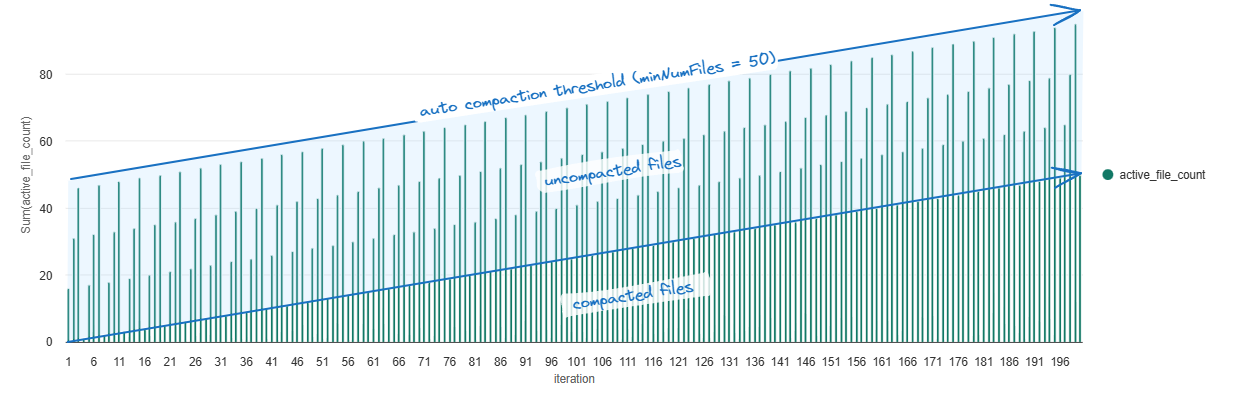
<blockquote>
  <s>⚠️ Due to [this bug](https://github.com/delta-io/delta/issues/4045) in OSS Delta (and therefore Fabric), for now I would recommend only using auto compaction for tables that are 1GB in size or smaller. Anything larger than this and auto compaction will run too frequently and therefore result in unnessesary write overhead. Until then, I recommend continuing to schedule compaction jobs for tables &gt; 1GB in size. BUT **good news**, I submitted a PR to fix the issue in [OSS Delta](https://github.com/delta-io/delta/pull/4178) and the fix is also soon to be shipping in Fabric Spark.</s>
  <p>This bug is <strong>FIXED</strong> in the Fabric Spark Runtime, the OSS Delta fix is still pending.</p>
</blockquote>

<p>Below is the behavior that we see with the bugfix in place: <em>as the number of compacted files increases, the frequency of compaction wouldn’t increase, instead you would see that the maximum active file count would slowly increase over time. Once a write operation puts the number of uncompacted files over the minNumFiles threshold (50 files by default), auto compaction is triggered.</em></p>

<p><img src="/assets/img/posts/Compaction/auto-compaction-expected-1m.excalidraw.png" alt="alt text" /></p>

<p>Below are the results with the bugfix in Fabric, again we see that Auto Compaction does wonders to maintain the performance of both writes and reads, even as the amount of data we process scales. Two observations:</p>
<ul>
  <li>As we scale to merge more data the benefit of avoiding needing to later compact small files is evident, Optimized Write provided the best results with the combination of Auto Compaction + Optimized Write coming close behind.</li>
  <li>At this scale, since each write operation gets us relaively close to our ideal file size (with Optimized Write enabled), Auto Compaction doesn’t yet provide much performance benefit in comparison to Optimized Write alone, however it does act as insurance to prevent the accumulation of too many small files which would surely occur and start to impact performance if this process was run for another few hundred or even a thousand iterations.</li>
  <li>Scheduled Compaction slightly outperformed Automatic Compaction. This is purely a factor of Automatic Compaction evaluating to run at a more frequent interval compared the Scheduled Compaction based on the default configs, the result of which is more consistent and better read performance, but at the cost of slower writes due to more compaction operations being triggered.</li>
</ul>

<p><img src="/assets/img/posts/Compaction/results-1m.png" alt="alt text" /></p>

<h1 id="how-to-enable-auto-compaction">How to Enable Auto Compaction</h1>
<p>At the session level:</p>
<div class="language-python highlighter-rouge"><div class="highlight"><pre class="highlight"><code><span class="n">spark</span><span class="p">.</span><span class="n">conf</span><span class="p">.</span><span class="nb">set</span><span class="p">(</span><span class="s">'spark.databricks.delta.autoCompact.enabled'</span><span class="p">,</span> <span class="s">'true'</span><span class="p">)</span>
</code></pre></div></div>

<p>At the table level:</p>
<div class="language-sql highlighter-rouge"><div class="highlight"><pre class="highlight"><code><span class="k">CREATE</span> <span class="k">TABLE</span> <span class="n">dbo</span><span class="p">.</span><span class="n">ac_enabled_table</span>
<span class="n">TBLPROPERTIES</span> <span class="p">(</span><span class="s1">'delta.autoOptimize.autoCompact'</span> <span class="o">=</span> <span class="s1">'true'</span><span class="p">)</span>
</code></pre></div></div>

<p>It can also be enabled on existing tables with:</p>
<div class="language-sql highlighter-rouge"><div class="highlight"><pre class="highlight"><code><span class="k">ALTER</span> <span class="k">TABLE</span> <span class="n">dbo</span><span class="p">.</span><span class="n">ac_enabled_table</span>
<span class="k">SET</span> <span class="n">TBLPROPERTIES</span> <span class="p">(</span><span class="s1">'delta.autoOptimize.autoCompact'</span> <span class="o">=</span> <span class="s1">'true'</span><span class="p">)</span>
</code></pre></div></div>

<h2 id="tuning-auto-compaction">Tuning Auto Compaction</h2>
<p>The behavior of auto compaction can be adjusted via changing the two properties:</p>

<table>
  <thead>
    <tr>
      <th>Property</th>
      <th>Description</th>
      <th>Default Value</th>
      <th>Session Config</th>
      <th>Table Property</th>
    </tr>
  </thead>
  <tbody>
    <tr>
      <td><strong>maxFileSize</strong></td>
      <td>The target maximum file size in bytes for compacted files.</td>
      <td>134217728b (128Mb)</td>
      <td>spark.databricks.delta.autoCompact.maxFileSize</td>
      <td><em>Not available</em></td>
    </tr>
    <tr>
      <td><strong>minFileSize</strong></td>
      <td>The minimum file size in bytes for a file to be considered compacted. Anything below this threshold will be considered for compaction and counted towards the <code class="language-plaintext highlighter-rouge">minNumFiles</code> threshold.</td>
      <td><em>Unset</em> by default, it is calculated as 1/2 of the <code class="language-plaintext highlighter-rouge">maxFileSize</code> unless you explicitly set a value.</td>
      <td>spark.databricks.delta.autoCompact.minFileSize</td>
      <td><em>Not available</em></td>
    </tr>
    <tr>
      <td><strong>minNumFiles</strong></td>
      <td>The minimum number that must exist under the max file size threshold for a mini-compaction operation to be triggered.</td>
      <td>50</td>
      <td>spark.databricks.delta.autoCompact.minNumFiles</td>
      <td><em>Not available</em></td>
    </tr>
  </tbody>
</table>

<p>Here are the use cases for when I would tweak these properties:</p>
<ul>
  <li><strong>minNumFiles</strong>: assuming you can tollerate higher standard deviation in query execution times, make this value larger if I want auto compaction to be triggered less frequently.</li>
  <li><strong>maxFileSize</strong>: adjust this value to align with the ideal file size for your tables. In the below chart you can see the relationship between the size of a table and the ideal size of each file. This helps to minimize I/O cycles to read data into memory as well as optimizes file skipping opportunities (too few files means suboptimal file skipping).
  <img src="/assets/img/posts/Compaction/ideal-file-size.png" alt="alt text" /></li>
</ul>

<h1 id="key-takeaways">Key Takeaways</h1>
<ul>
  <li><strong>Auto compaction removes complexity</strong>: the “how often should I run <code class="language-plaintext highlighter-rouge">OPTIMIZE</code>” question was completely eliminated. In my benchmark, after having analyzed the results, I realized that I ran the scheduled compaction too often. While running <code class="language-plaintext highlighter-rouge">OPTIMIZE</code> every 20 iterations was beneficial for the 1K row batch size, as my data volumes increased, less small files were written and a full compaction being run that often was somewhat inefficient. Also, I could’ve better designed the process to only compact files added since the last compaction operation was run.</li>
  <li><strong>Scheduled or Ad-Hoc Compaction Might Still Be Necessary</strong>: While auto compaction seems to win at all data volumes that I tested, would this continue after 1,000 or even 10,000 iterations? While a 128Mb file size target for auto compaction seems to work well, at some point you may need to compact these into 500Mb or even up to 1Gb files. While I would typically rely on auto compaction for short-term maintenance, in the long term you may need to selectively run an ad-hoc <code class="language-plaintext highlighter-rouge">OPTIMIZE</code> operation since the two different methods have different <em>maxFileSize</em> thresholds.</li>
</ul>

<h1 id="closing-thoughts">Closing Thoughts</h1>
<p>Given the results of the three options that I tested, I would enable auto compaction in almost all use cases. It’s just too easy to enable and produces consistent results at various workload sizes. Sure, you might be able to schedule an incremental compaction job based on workload metadata that might match auto compaction results, but why overcomplicate things? It’s one (or more) less job to support, tune, and execute. With additional settings to control thresholds which impact the frequency of run and file size considered, for many workloads, it’s a no-brainer.</p>

<p>I was just recently in the scenario where I had a scheduled process that would frequently insert a smallish number of rows into a table (similar to my 1K row test) and noticed considerable slowness when querying the log table where queries would take 30+ seconds to return. Rather than scheduling a maintenance job or ad-hoc running <code class="language-plaintext highlighter-rouge">OPTIMIZE</code> for agile dev/test work I was doing, I just enabled auto compaction on the table. The next run of the process cleaned up the small files and I was back to 1-2 second latency when querying the table to analyze results.</p>

<hr />

<h1 id="bonus-bits">Bonus Bits!</h1>
<p>I’ve presented on this topic a few times and received some interesting questions that I’ll share answers to below:</p>
<ul>
  <li><strong>How can I tell what files are part of the active Delta version being queried?</strong>: you can use the <code class="language-plaintext highlighter-rouge">inputFiles()</code> DataFrame method to evaluate the parquet files that would be read to return the query result.
    <div class="language-python highlighter-rouge"><div class="highlight"><pre class="highlight"><code>  <span class="n">spark</span><span class="p">.</span><span class="n">sql</span><span class="p">(</span><span class="s">"SELECT * FROM dbo.table"</span><span class="p">).</span><span class="n">inputFiles</span><span class="p">()</span>
</code></pre></div>    </div>
  </li>
  <li><strong>How can I tell when Auto Compaction is actually run?</strong>: use the below PySpark. Auto Compaction operations show up as regular <code class="language-plaintext highlighter-rouge">OPTIMIZE</code> jobs in the transaction log but have an additional <em>auto</em> flag which is logged in <em>operationParameters</em>.
    <div class="language-python highlighter-rouge"><div class="highlight"><pre class="highlight"><code>  <span class="n">history_df</span> <span class="o">=</span> <span class="n">spark</span><span class="p">.</span><span class="n">sql</span><span class="p">(</span><span class="s">"DESCRIBE HISTORY dbo.table_with_ac_enabled"</span><span class="p">)</span>
  <span class="n">filtered_history</span> <span class="o">=</span> <span class="n">history_df</span> \
      <span class="p">.</span><span class="nb">filter</span><span class="p">(</span><span class="n">history_df</span><span class="p">.</span><span class="n">operation</span> <span class="o">==</span> <span class="s">"OPTIMIZE"</span><span class="p">)</span> \
      <span class="p">.</span><span class="nb">filter</span><span class="p">(</span><span class="n">history_df</span><span class="p">.</span><span class="n">operationParameters</span><span class="p">.</span><span class="n">auto</span> <span class="o">==</span> <span class="s">"true"</span><span class="p">)</span>
  <span class="n">display</span><span class="p">(</span><span class="n">filtered_history</span><span class="p">)</span>
</code></pre></div>    </div>
  </li>
  <li><strong>How can I estimate the appropriate target file size for my Delta tables?</strong>: You can use <code class="language-plaintext highlighter-rouge">DESCRIBE DETAIL</code> to get the size of the latest version of your Delta table in bytes and then use this number to estimate the ideal target file size based on my prior referenced sizing chart.
    <div class="language-python highlighter-rouge"><div class="highlight"><pre class="highlight"><code>  <span class="n">spark</span><span class="p">.</span><span class="n">sql</span><span class="p">(</span><span class="s">"DESCRIBE DETAIL dbo.table_with_ac_enabled"</span><span class="p">)</span>
</code></pre></div>    </div>
  </li>
</ul>]]></content><author><name></name></author><category term="Data-Engineering" /><category term="Fabric" /><category term="Spark" /><category term="Lakehouse" /><category term="Delta Lake" /><summary type="html"><![CDATA[If there anything that data engineers agree about, it’s that table compaction is important. Often one of the first big lessons that folks will learn early on is that not compacting tables can present serious performance issues: you’ve gotten your lakehouse pilot approved and it’s been running for a couple months in production and you find that both reads and writes are increasingly getting slower and slower while your data volumes have not increased drastically. Guess what, you almost surely have a “small file problem”.]]></summary></entry><entry><title type="html">Automating V-Order: A Targeted Approach for Direct Lake Models</title><link href="https://mwc360.github.io/data-engineering/2025/01/31/Auto-V-Order.html" rel="alternate" type="text/html" title="Automating V-Order: A Targeted Approach for Direct Lake Models" /><published>2025-01-31T00:00:00+00:00</published><updated>2025-01-31T00:00:00+00:00</updated><id>https://mwc360.github.io/data-engineering/2025/01/31/Auto-V-Order</id><content type="html" xml:base="https://mwc360.github.io/data-engineering/2025/01/31/Auto-V-Order.html"><![CDATA[<p>I’ve previously blogged in detail about <a href="https://milescole.dev/data-engineering/2024/09/17/To-V-Order-or-Not.html">V-Order optimization</a>. In this post, I want to revisit the topic and demonstrate how V-Order can be strategically enabled in a programmatic fashion.</p>

<p>Since V-Order provides the most benefit and consistent improvement for Direct Lake Semantic Models, why not leverage platform metadata to enable it automatically—but only for Delta tables used by these models?</p>

<p>This will be a short blog—let’s get straight to the concept, the source code, and then move on to more strategic use of this feature.</p>

<h1 id="how-to-implement">How to Implement</h1>

<ol>
  <li>
    <p><strong>Unset the V-Order Session Config</strong><br />
By default, the Spark config <code class="language-plaintext highlighter-rouge">spark.sql.parquet.vorder.default</code> is set to <code class="language-plaintext highlighter-rouge">true</code>, meaning V-Order is enabled automatically for the <code class="language-plaintext highlighter-rouge">DataFrameWriter</code> class. This takes precedence if the <code class="language-plaintext highlighter-rouge">spark.sql.parquet.vorder.enabled</code> session config is unset (default), causing write operations to enable V-Order. Additionally, the <code class="language-plaintext highlighter-rouge">spark.microsoft.delta.parquet.vorder.property.autoset.enabled</code> session config ensures the Delta table V-Order property is automatically applied.</p>

    <p>To prevent V-Order from being applied universally, we either need to unset or disable <code class="language-plaintext highlighter-rouge">spark.sql.parquet.vorder.default</code>, ensuring that no write operation automatically writes V-Ordered data. As a result, the table property won’t be automatically applied.</p>
    <div class="language-python highlighter-rouge"><div class="highlight"><pre class="highlight"><code> <span class="n">spark</span><span class="p">.</span><span class="n">conf</span><span class="p">.</span><span class="n">unset</span><span class="p">(</span><span class="s">'spark.sql.parquet.vorder.default'</span><span class="p">)</span>
</code></pre></div>    </div>
    <p>You should ensure that all your data engineering jobs either unset this session config or explicitly set it to <code class="language-plaintext highlighter-rouge">false</code> in your environment configurations.</p>
  </li>
  <li><strong>Remove the V-Order Table Property from Existing Tables</strong><br />
This step is optional but useful if you have multiple tables with V-Order enabled that are not used in Direct Lake Semantic Models. While I may provide a bulk removal script later, for now, you can manually list your tables and run an <code class="language-plaintext highlighter-rouge">ALTER TABLE</code> command to remove the property.
    <div class="language-sql highlighter-rouge"><div class="highlight"><pre class="highlight"><code> <span class="k">ALTER</span> <span class="k">TABLE</span> <span class="n">dbo</span><span class="p">.</span><span class="n">vordered_table</span> <span class="n">UNSET</span> <span class="n">TBLPROPERTIES</span> <span class="p">(</span><span class="s1">'delta.parquet.vorder.enabled'</span><span class="p">)</span>
</code></pre></div>    </div>
    <p>This doesn’t rewrite existing data to remove V-Order—it simply removes the feature from the table properties. Future writes will not use V-Order as long as the session config from the previous step remains unset or disabled.</p>
  </li>
  <li><strong>Schedule an Automatic V-Order Maintenance Script</strong><br />
The script provided below should be scheduled (e.g., weekly) to automatically update tables used in Direct Lake Semantic Models, selectively enabling the V-Order Delta table property only for relevant tables.</li>
</ol>

<hr />

<p>While this functionality may eventually be packaged into a formal Python library, for now, I’m sharing it as a <a href="https://gist.github.com/mwc360/e2ca91667c8fb95f75435f32aa3c27bb">GitHub Gist</a>. Just copy and paste the code into your preferred notebook (Python, not Spark), update the workspace scope filtering, schedule it, and you’re all set!</p>

<blockquote>
  <p><strong>Why Python instead of Spark?</strong><br />
<em>This workload is a great example of where plain Python shines. Since we’re just calling APIs and performing lightweight metadata updates, there’s no need for the overhead of Spark. Running this job in Spark would be much slower.</em></p>
</blockquote>

<blockquote>
  <p><strong>Why do I need to provide a list of workspaces?</strong><br />
<em>Your Semantic Models could be hosted in a different workspace than your Lakehouses. Scoping to multiple workspaces allows you to bridge this separation. As long as you have write access to the source Lakehouse, you’ll be able to automatically set the table property. If no workspace list is provided, it defaults to the current workspace.</em></p>
</blockquote>

<script src="https://gist.github.com/mwc360/e2ca91667c8fb95f75435f32aa3c27bb.js"></script>

<hr />

<p>With this approach, there’s no need to enable V-Order by default across the board or manually analyze which tables need it. Just run this script, and any table used in a Direct Lake Semantic Model will have V-Order automatically enabled. The next time data is written to these tables, new data will be V-Ordered.</p>

<p>For older data, you may want to run a full <code class="language-plaintext highlighter-rouge">OPTIMIZE</code> operation to ensure all data benefits from the optimization.</p>

<p>Cheers!</p>]]></content><author><name></name></author><category term="Data-Engineering" /><category term="Fabric" /><category term="Spark" /><category term="Lakehouse" /><category term="Delta Lake" /><summary type="html"><![CDATA[I’ve previously blogged in detail about V-Order optimization. In this post, I want to revisit the topic and demonstrate how V-Order can be strategically enabled in a programmatic fashion.]]></summary></entry><entry><title type="html">Mastering Spark: Session vs. DataFrameWriter vs. Table Configs</title><link href="https://mwc360.github.io/data-engineering/2024/12/20/Understanding-Session-and-Table-Configs.html" rel="alternate" type="text/html" title="Mastering Spark: Session vs. DataFrameWriter vs. Table Configs" /><published>2024-12-20T00:00:00+00:00</published><updated>2024-12-20T00:00:00+00:00</updated><id>https://mwc360.github.io/data-engineering/2024/12/20/Understanding-Session-and-Table-Configs</id><content type="html" xml:base="https://mwc360.github.io/data-engineering/2024/12/20/Understanding-Session-and-Table-Configs.html"><![CDATA[<p>With Spark and Delta Lake, just like with Hudi and Iceberg, there are several ways to enable or disable settings that impact how tables are created. These settings may affect data layout or table format features, but it can be confusing to understand why different methods exist, when each should be used, and how property inheritance works.</p>

<p>While platform defaults should account for most use cases, Spark provides flexibility to optimize various workloads, whether adjusting for read or write performance, or for hot or cold path data processing. Inevitably, the need to adjust configurations from the default will arise. So, how do we do this effectively?</p>

<h1 id="spark-session-vs-delta-table-configurations">Spark Session vs. Delta Table Configurations</h1>
<h2 id="configuration-scopes-explained">Configuration Scopes Explained</h2>
<p>I decided to blog about this topic after encountering a job writing to partitioned tables that ran 10x slower than expected and queries that were over 6x slower. I obviously had a <em>“small-file”</em> problem at hand. Initially, I thought the issue could be resolved by enabling Optimize Write at the table level, assuming it would always be leveraged. However, I soon realized that the session-level config was disabled which takes precedence, meaning the Delta table property I added had no functional effect.</p>

<h2 id="hierarchy-of-precedence-and-scopes">Hierarchy of Precedence and Scopes</h2>
<p>The following order determines which configuration is applied when there’s a conflict:</p>
<ol>
  <li><strong>Spark Session-Level Configurations</strong> (Highest Priority): (e.g., spark.databricks.delta.optimizeWrite.enabled) are global for the duration of the Spark session.
    <ul>
      <li><strong>Scope</strong>: These configurations apply globally across all operations within the active Spark session but can be overriden by some DataFrameWriter options.</li>
      <li><strong>Use Cases</strong>: Ideal for cluster-wide defaults or platform-level behavior, ensuring consistency across multiple jobs.</li>
    </ul>

    <div class="language-python highlighter-rouge"><div class="highlight"><pre class="highlight"><code> <span class="n">spark</span><span class="p">.</span><span class="n">conf</span><span class="p">.</span><span class="nb">set</span><span class="p">(</span><span class="s">'spark.databricks.delta.autoCompact.enabled'</span><span class="p">,</span> <span class="s">'true'</span><span class="p">)</span>
</code></pre></div>    </div>
    <p>or</p>
    <div class="language-sql highlighter-rouge"><div class="highlight"><pre class="highlight"><code> <span class="k">SET</span> <span class="n">spark</span><span class="p">.</span><span class="k">sql</span><span class="p">.</span><span class="n">parquet</span><span class="p">.</span><span class="n">vorder</span><span class="p">.</span><span class="n">enabled</span> <span class="o">=</span> <span class="k">TRUE</span>
</code></pre></div>    </div>
  </li>
  <li><strong>DataFrameWriter Options</strong>: Settings applied directly in the DataFrameWriter (e.g., .option(“optimizeWrite”, “true”)). Some writer options override both session-level and table-level configurations.
    <ul>
      <li><strong>Scope</strong>: Apply only during the execution of a specific write operation.</li>
      <li><strong>Use Cases</strong>: Best for ad-hoc or one-off scenarios where temporary overrides are needed without altering global or table-level settings.</li>
    </ul>

    <p><em>Example</em>:</p>
    <div class="language-python highlighter-rouge"><div class="highlight"><pre class="highlight"><code> <span class="n">df</span><span class="p">.</span><span class="n">write</span><span class="p">.</span><span class="n">option</span><span class="p">(</span><span class="s">'optimizeWrite'</span><span class="p">,</span> <span class="s">'true'</span><span class="p">).</span><span class="n">saveAsTable</span><span class="p">(</span><span class="s">'dbo.t1'</span><span class="p">)</span>
</code></pre></div>    </div>
  </li>
  <li><strong>Table-level properties</strong> (e.g., delta.autoOptimize.optimizeWrite) are settings tied to the specific table. Tables have three functional types of properities:
    <ol>
      <li>
        <p><strong>Persistent</strong>: Applied permanently, will be enforced across any writer (or reader) until the feature is dropped. Session and DataFrameWriter configs do not override the function of the feature.</p>

        <p><em>Examples</em>:</p>
        <ul>
          <li>delta.enableChangeDataFeed</li>
          <li>delta.enableDeletionVectors</li>
          <li>delta.logRetentionDuration</li>
          <li>delta.checkpointInterval</li>
        </ul>
      </li>
      <li>
        <p><strong>Transient</strong>: Features that apply by default if a session or DataFrameWriter setting does not override it.</p>

        <p><em>Examples</em>:</p>
        <ul>
          <li>delta.parquet.vorder.enabled</li>
          <li>delta.autoOptimize.optimizeWrite</li>
          <li>delta.autoOptimize.autoCompact</li>
          <li>delta.schema.autoMerge.enabled</li>
        </ul>
      </li>
      <li>
        <p><strong>Symbolic</strong>: Any arbitrary key-value pair, these don’t determine the function of the table but enrich the table with supporting metadata.</p>
      </li>
    </ol>

    <div class="language-sql highlighter-rouge"><div class="highlight"><pre class="highlight"><code> <span class="k">CREATE</span> <span class="k">TABLE</span> <span class="n">dbo</span><span class="p">.</span><span class="n">table_with_properties</span>
 <span class="n">TBLPROPERTIES</span> <span class="p">(</span>
     <span class="s1">'delta.enableChangeDataFeed'</span> <span class="o">=</span> <span class="s1">'true'</span><span class="p">,</span> <span class="c1">--persistent</span>
     <span class="s1">'delta.autoOptimize.autoCompact'</span> <span class="o">=</span> <span class="s1">'true'</span><span class="p">,</span> <span class="c1">--transient</span>
     <span class="s1">'foo'</span> <span class="o">=</span> <span class="s1">'bar'</span> <span class="c1">--symbolic</span>
 <span class="p">)</span>
</code></pre></div>    </div>

    <p>Any table property can be retrieved via running:</p>
    <div class="language-sql highlighter-rouge"><div class="highlight"><pre class="highlight"><code> <span class="k">SHOW</span> <span class="n">TBLPROPERTIES</span> <span class="n">dbo</span><span class="p">.</span><span class="n">table_with_properties</span>
</code></pre></div>    </div>

    <p><strong>Why the deliniation between persistent and default?</strong>:</p>
    <ul>
      <li><strong>Persistent Table Properties</strong>: Designed for features that are core to table behavior and must persist across sessions and jobs.</li>
      <li><strong>Transient Table Properties</strong>: Offer runtime flexibility based on workload types, allowing configurations to be customized for specific Spark jobs.</li>
    </ul>
  </li>
</ol>

<h3 id="why-do-multiple-scope-exist">Why Do Multiple Scope Exist?</h3>
<ul>
  <li><strong>Flexibility</strong>: Different workloads require different optimization strategies, and multiple scopes allow fine-tuning.</li>
  <li><strong>Isolation</strong>: Ensures that provided that global settings don’t set a precedence, table-specific requirements are respected and isolated.</li>
  <li><strong>Compatibility</strong>: Supports the evolving needs of distributed systems where various users and tools interact with the same datasets.</li>
</ul>

<h2 id="key-configurations">Key Configurations</h2>

<table>
  <thead>
    <tr>
      <th>Feature</th>
      <th>Session-Level Config</th>
      <th>DataFrameWriter Option</th>
      <th>Table-Level Config</th>
    </tr>
  </thead>
  <tbody>
    <tr>
      <td>Optimize Write</td>
      <td>spark.databricks.delta.optimizeWrite.enabled</td>
      <td>option(‘optimizeWrite’, ‘true’)</td>
      <td>delta.autoOptimize.optimizeWrite</td>
    </tr>
    <tr>
      <td>Auto Compaction</td>
      <td>spark.databricks.delta.autoCompact.enabled</td>
      <td>option(‘autoCompact’, ‘true’)</td>
      <td>delta.autoOptimize.autoCompact</td>
    </tr>
    <tr>
      <td>Change Data Feed (CDC)</td>
      <td>spark.databricks.delta.properties.defaults.enableChangeDataFeed</td>
      <td> </td>
      <td>delta.enableChangeDataFeed</td>
    </tr>
    <tr>
      <td>Schema Auto-Merge</td>
      <td>spark.databricks.delta.schema.autoMerge.enabled</td>
      <td>option(‘mergeSchema’, ‘true’)</td>
      <td>delta.schema.autoMerge.enabled</td>
    </tr>
    <tr>
      <td>Log Retention Duration</td>
      <td>spark.databricks.delta.logRetentionDuration</td>
      <td> </td>
      <td>delta.logRetentionDuration</td>
    </tr>
    <tr>
      <td>Checkpoint Interval</td>
      <td>spark.databricks.delta.checkpointInterval</td>
      <td> </td>
      <td>delta.checkpointInterval</td>
    </tr>
    <tr>
      <td>Deletion Vectors</td>
      <td>spark.databricks.delta.properties.defaults.enableDeletionVectors</td>
      <td> </td>
      <td>delta.enableDeletionVectors</td>
    </tr>
    <tr>
      <td>V-Order</td>
      <td>spark.sql.parquet.vorder.[enabled/default]</td>
      <td>option(‘parquet.vorder.enabled’, ‘true’)</td>
      <td>delta.parquet.vorder.enabled</td>
    </tr>
  </tbody>
</table>

<p>You’ll notice the DataFrameWriter options only eixsts for transient writer settings.</p>

<h2 id="precedence-rules-what-happens-when-they-conflict">Precedence Rules: What Happens When They Conflict</h2>
<h3 id="optimized-write-example">Optimized Write Example</h3>
<p>What happens when the session-level config for <em>Optimize Write</em> is disabled, but the Delta table property <code class="language-plaintext highlighter-rouge">delta.autoOptimize.optimizeWrite</code> is enabled?</p>
<div class="language-python highlighter-rouge"><div class="highlight"><pre class="highlight"><code><span class="n">spark</span><span class="p">.</span><span class="n">conf</span><span class="p">.</span><span class="nb">set</span><span class="p">(</span><span class="s">'spark.databricks.delta.optimizeWrite.enabled'</span><span class="p">,</span> <span class="s">'false'</span><span class="p">)</span>

<span class="n">spark</span><span class="p">.</span><span class="n">sql</span><span class="p">(</span><span class="s">"""
    CREATE TABLE dbo.ow_is_not_enabled PARTITIONED BY (country_sk)
    TBLPROPERTIES ('delta.autoOptimize.optimizeWrite' = 'true')
    AS SELECT 1 as country_sk
"""</span><span class="p">)</span>
</code></pre></div></div>
<p>As hinted earlier, the session-level config takes precedence. Although the table has the Optimized Write property enabled, writes to the table will <strong>not</strong> use the Optimized Write feature. To control this setting on a table-by-table basis, we should <strong>unset</strong> the session-level config so that we can selectively enable the setting only for partitioned tables.</p>

<div class="language-python highlighter-rouge"><div class="highlight"><pre class="highlight"><code><span class="n">spark</span><span class="p">.</span><span class="n">conf</span><span class="p">.</span><span class="n">unset</span><span class="p">(</span><span class="s">'spark.databricks.delta.optimizeWrite.enabled'</span><span class="p">)</span>

<span class="n">spark</span><span class="p">.</span><span class="n">sql</span><span class="p">(</span><span class="s">"""
    CREATE TABLE dbo.ow_is_now_enabled PARTITIONED BY (country_sk)
    TBLPROPERTIES ('delta.autoOptimize.optimizeWrite' = 'true')
    AS SELECT 1 as country_sk
"""</span><span class="p">)</span>
</code></pre></div></div>
<h3 id="v-order-example">V-Order Example</h3>
<p>There are exceptions to the standard precedence rule for transient writer configs. In the example below, we have V-Order enabled at the session level, but when writing to a table using the DataFrameWriter, we attempt to disable V-Order. The result is that the table is still written with the V-Order optimization. This is an exception where the session-level config <strong>always takes precedence</strong> when set.</p>

<div class="language-python highlighter-rouge"><div class="highlight"><pre class="highlight"><code><span class="n">spark</span><span class="p">.</span><span class="n">conf</span><span class="p">.</span><span class="nb">set</span><span class="p">(</span><span class="s">'spark.sql.parquet.vorder.enabled'</span><span class="p">,</span> <span class="s">'true'</span><span class="p">)</span>

<span class="n">df</span><span class="p">.</span><span class="n">write</span><span class="p">.</span><span class="n">option</span><span class="p">(</span><span class="s">'parquet.vorder.enabled'</span><span class="p">,</span> <span class="s">'false'</span><span class="p">).</span><span class="n">saveAsTable</span><span class="p">(</span><span class="s">'dbo.vorder_is_enabled'</span><span class="p">)</span>
</code></pre></div></div>

<p>To allow for defining V-Order for individual tables on an <em>opt-in</em> basis, Runtime 1.2 required unsetting the <code class="language-plaintext highlighter-rouge">spark.sql.parquet.vorder.enabled</code> session-level config, however Runtime 1.3 uses <code class="language-plaintext highlighter-rouge">spark.sql.parquet.vorder.default</code> instead which no longer requires unsetting the property just to have table level control. The <code class="language-plaintext highlighter-rouge">spark.sql.parquet.vorder.default</code> session-level config enables V-Order as a DataFrameWriter option if it is not already set.</p>
<div class="language-python highlighter-rouge"><div class="highlight"><pre class="highlight"><code><span class="n">spark</span><span class="p">.</span><span class="n">conf</span><span class="p">.</span><span class="n">get</span><span class="p">(</span><span class="s">'spark.sql.parquet.vorder.enabled'</span><span class="p">)</span> <span class="c1"># NONE | session-level config which overrides DataFrameWriter and Table Properties | priority #1
</span><span class="n">spark</span><span class="p">.</span><span class="n">conf</span><span class="p">.</span><span class="n">get</span><span class="p">(</span><span class="s">'spark.sql.parquet.vorder.default'</span><span class="p">)</span> <span class="c1"># TRUE | session-level config which sets V-Order as default for the DataFrameWriter option | priority #2, takes precedence if the prior config is unset and the DataFrameWriter option is not defined
</span>
<span class="c1"># SCENARIO 1
</span><span class="n">df</span><span class="p">.</span><span class="n">write</span><span class="p">.</span><span class="n">saveAsTable</span><span class="p">(</span><span class="s">'dbo.vorder_is_enabled'</span><span class="p">)</span> <span class="c1"># ENABLED since the DataFrameWriter will default to enabling V-Order
</span>
<span class="c1"># SCENARIO 2
</span><span class="n">spark</span><span class="p">.</span><span class="n">conf</span><span class="p">.</span><span class="n">unset</span><span class="p">(</span><span class="s">'spark.sql.parquet.vorder.default'</span><span class="p">)</span>
<span class="n">df</span><span class="p">.</span><span class="n">write</span><span class="p">.</span><span class="n">saveAsTable</span><span class="p">(</span><span class="s">'dbo.vorder_is_not_enabled'</span><span class="p">)</span> <span class="c1"># NOT ENABLED since we didn't define the DataFrameWriter option and the session-level default was unset
</span>
<span class="c1"># SCENARIO 3
</span><span class="n">df</span><span class="p">.</span><span class="n">write</span><span class="p">.</span><span class="n">option</span><span class="p">(</span><span class="s">'parquet.vorder.enabled'</span><span class="p">,</span> <span class="s">'true'</span><span class="p">).</span><span class="n">saveAsTable</span><span class="p">(</span><span class="s">'dbo.vorder_is_enabled2'</span><span class="p">)</span> <span class="c1"># ENABLED since we specified the DataFrameWriter option as enabled
</span>
<span class="c1"># SCENARIO 4
</span><span class="n">spark</span><span class="p">.</span><span class="n">sql</span><span class="p">(</span><span class="s">"""
    CREATE TABLE dbo.vorder_is_enabled
    TBLPROPERTIES ('delta.parquet.vorder.enabled' = 'true')
    AS SELECT 1 as c1
"""</span><span class="p">)</span> <span class="c1"># ENABLED since we specified the table property and the session-level config `spark.sql.parquet.vorder.enabled` defaults to being unset
</span></code></pre></div></div>

<h2 id="best-practices-for-config-management">Best Practices for Config Management</h2>
<p>Given the precedence hierarchy, evaluate which configurations should be applied table-by-table or as a default behavior for writers and sessions.</p>

<p>For writer features that do not automatically enable the feature as a table property, these configs should always be defined as table properties. V-Order is an example of a feature that automatically enables the table property if set at the session or DataFrameWriter level:</p>
<div class="language-python highlighter-rouge"><div class="highlight"><pre class="highlight"><code><span class="n">spark</span><span class="p">.</span><span class="n">conf</span><span class="p">.</span><span class="n">get</span><span class="p">(</span><span class="s">'spark.microsoft.delta.parquet.vorder.property.autoset.enabled'</span><span class="p">)</span> <span class="c1"># if a table is written to with V-Order optimizations and the table property is not already set, it will enable it
</span></code></pre></div></div>
<h3 id="why-this-matters">Why This Matters</h3>
<p>Some properties do not automatically apply as table properties, risking inconsistent writes from other sessions or writers. Optimized Write and Auto Compaction are examples where enabling them via session or DataFrameWriter options does not persist the setting as a table property. This can cause serious issues.</p>
<h4 id="example-risk-of-inconsistent-writes">Example: Risk of Inconsistent Writes</h4>
<ul>
  <li><strong>Session 1</strong>:
    <div class="language-python highlighter-rouge"><div class="highlight"><pre class="highlight"><code>  <span class="n">df</span><span class="p">.</span><span class="n">write</span><span class="p">.</span><span class="n">option</span><span class="p">(</span><span class="s">"optimizeWrite"</span><span class="p">,</span> <span class="s">"true"</span><span class="p">).</span><span class="n">partitionBy</span><span class="p">(</span><span class="s">"country_sk"</span><span class="p">).</span><span class="n">saveAsTable</span><span class="p">(</span><span class="s">"dbo.partitioned_table"</span><span class="p">)</span>
</code></pre></div>    </div>
  </li>
  <li><strong>Session 2</strong>:
    <div class="language-python highlighter-rouge"><div class="highlight"><pre class="highlight"><code>  <span class="n">spark</span><span class="p">.</span><span class="n">conf</span><span class="p">.</span><span class="n">unset</span><span class="p">(</span><span class="s">'spark.databricks.delta.optimizeWrite.enabled'</span><span class="p">)</span> <span class="c1"># OR spark.conf.set('spark.databricks.delta.optimizeWrite.enabled', 'false')
</span>
  <span class="n">df</span><span class="p">.</span><span class="n">writeTo</span><span class="p">(</span><span class="s">"dbo.partitioned_table"</span><span class="p">).</span><span class="n">append</span><span class="p">()</span>

  <span class="n">spark</span><span class="p">.</span><span class="n">sql</span><span class="p">(</span><span class="s">'OPTIMIZE dbo.partitioned_table'</span><span class="p">)</span>
</code></pre></div>    </div>
  </li>
</ul>

<p><strong>What Happens?</strong></p>
<ul>
  <li>Session 1 successfully creates a partitioned table using Optimized Write.</li>
  <li>Session 2, with different session-level defaults, appends without Optimized Write.</li>
  <li>The OPTIMIZE command rewrites the entire table, worsening the small file problem.</li>
</ul>

<h3 id="the-solution-use-table-properties">The Solution: Use Table Properties</h3>
<p>Rely on table properties where possible and avoid session-level defaults for settings that won’t be used consistently across your environment.</p>

<h4 id="corrected-example-using-table-properties">Corrected Example Using Table Properties:</h4>
<ul>
  <li><strong>Session 1</strong>:
    <div class="language-python highlighter-rouge"><div class="highlight"><pre class="highlight"><code>  <span class="n">spark</span><span class="p">.</span><span class="n">sql</span><span class="p">(</span><span class="s">"""
      CREATE TABLE dbo.partitioned_table PARTITIONED BY (country_sk)
      TBLPROPERTIES ('delta.autoOptimize.optimizeWrite' = 'true')
      AS SELECT * from df_tempview
  """</span><span class="p">)</span>
</code></pre></div>    </div>
  </li>
  <li><strong>Session 2</strong>:
    <div class="language-python highlighter-rouge"><div class="highlight"><pre class="highlight"><code>  <span class="n">spark</span><span class="p">.</span><span class="n">conf</span><span class="p">.</span><span class="n">unset</span><span class="p">(</span><span class="s">'spark.databricks.delta.optimizeWrite.enabled'</span><span class="p">)</span> <span class="c1"># OR spark.conf.set('spark.databricks.delta.optimizeWrite.enabled', 'false')
</span>
  <span class="n">df</span><span class="p">.</span><span class="n">writeTo</span><span class="p">(</span><span class="s">"dbo.partitioned_table"</span><span class="p">).</span><span class="n">append</span><span class="p">()</span>

  <span class="n">spark</span><span class="p">.</span><span class="n">sql</span><span class="p">(</span><span class="s">'OPTIMIZE dbo.partitioned_table'</span><span class="p">)</span>
</code></pre></div>    </div>
    <p>In this scenario, since the Delta table itself has the transient <code class="language-plaintext highlighter-rouge">delta.autoOptimize.optimizeWrite</code> feature enabled, Session 2, which does not define whether Optimized Write is used at the session or DataFrameWriter level, the optimization is still applied due to the Delta table property.</p>
  </li>
</ul>

<blockquote>
  <p>When properties like Optimized Write and Auto Compaction are enabled at the table level, Spark automatically applies them when the DataFrameWriter or session configs are unset. This ensures consistent writes and simplifies troubleshooting by making table metadata a source of truth for data layout properties.</p>
</blockquote>

<h3 id="general-best-practices">General Best Practices</h3>
<p><strong>Use Table Properties for Long-Term Consistency</strong></p>
<ul>
  <li><strong>Why</strong>: Table properties persist across sessions, ensuring consistent behavior across all jobs and writers.</li>
  <li><strong>Best Practice</strong>: Always set critical features like <code class="language-plaintext highlighter-rouge">delta.autoOptimize.autoCompact</code> or <code class="language-plaintext highlighter-rouge">delta.autoOptimize.optimizeWrite</code> as table properties to avoid reliance on consistent session configurations across various writers.</li>
</ul>

<p><strong>Minimize Session-Level Configs</strong></p>
<ul>
  <li><strong>Why</strong>: Session-level configs only apply to the current Spark session and can cause unexpected results if forgotten or if other writers use different session configs in combindation with transient table properties.</li>
  <li><strong>Best Practice</strong>: Use session-level configs only for temporary testing or persistent configurations that should be applied platform-wide.</li>
</ul>

<p><strong>Use DataFrameWriter Options Selectively</strong></p>
<ul>
  <li><strong>Why</strong>: DataFrameWriter options only apply to the current write operation and do not persist across sessions.</li>
  <li><strong>Best Practice</strong>: Only use DataFrameWriter options if the feature supports automatically enabling the corresponding table property (e.g., delta.parquet.vorder.enabled for V-Order). Otherwise, restrict their use to testing or ad-hoc writes, where applying the same feature for future writes does not matter.</li>
</ul>

<h2 id="retrieving-active-configs">Retrieving Active Configs</h2>
<p>Given that it is important to understand what session-level configurations are set and what the active values are, the below function can be extremely handy as it will return a dictionary of key-value pairs which can easily be viewed in whole or queried. Kuddos to this <a href="https://stackoverflow.com/questions/76986516/how-to-retrieve-all-spark-session-config-variables">Stack Overflow Post</a> for the source code.</p>

<div class="language-python highlighter-rouge"><div class="highlight"><pre class="highlight"><code><span class="k">def</span> <span class="nf">get_spark_session_configs</span><span class="p">()</span> <span class="o">-&gt;</span> <span class="nb">dict</span><span class="p">:</span>
    <span class="n">scala_map</span> <span class="o">=</span> <span class="n">spark</span><span class="p">.</span><span class="n">conf</span><span class="p">.</span><span class="n">_jconf</span><span class="p">.</span><span class="n">getAll</span><span class="p">()</span>
    <span class="n">spark_conf_dict</span> <span class="o">=</span> <span class="p">{}</span>

    <span class="n">iterator</span> <span class="o">=</span> <span class="n">scala_map</span><span class="p">.</span><span class="n">iterator</span><span class="p">()</span>
    <span class="k">while</span> <span class="n">iterator</span><span class="p">.</span><span class="n">hasNext</span><span class="p">():</span>
        <span class="n">entry</span> <span class="o">=</span> <span class="n">iterator</span><span class="p">.</span><span class="nb">next</span><span class="p">()</span>
        <span class="n">key</span> <span class="o">=</span> <span class="n">entry</span><span class="p">.</span><span class="n">_1</span><span class="p">()</span>
        <span class="n">value</span> <span class="o">=</span> <span class="n">entry</span><span class="p">.</span><span class="n">_2</span><span class="p">()</span>
        <span class="n">spark_conf_dict</span><span class="p">[</span><span class="n">key</span><span class="p">]</span> <span class="o">=</span> <span class="n">value</span>
    <span class="k">return</span> <span class="n">spark_conf_dict</span>
</code></pre></div></div>

<p>With this function we can now create a dictionary variable that encompasses all session configs and easily query the dictionary to check for how configs are set:</p>

<div class="language-python highlighter-rouge"><div class="highlight"><pre class="highlight"><code><span class="n">spark_configs</span> <span class="o">=</span> <span class="n">get_spark_session_configs</span><span class="p">()</span>

<span class="k">print</span><span class="p">(</span><span class="n">spark_configs</span><span class="p">[</span><span class="s">'spark.databricks.delta.optimizeWrite.enabled'</span><span class="p">])</span> <span class="c1"># if we want to throw an error if the config is not set
</span>
<span class="k">print</span><span class="p">(</span><span class="n">spark_configs</span><span class="p">.</span><span class="n">get</span><span class="p">(</span><span class="s">'spark.databricks.delta.optimizeWrite.enabled'</span><span class="p">,</span> <span class="s">'unset'</span><span class="p">))</span> <span class="c1"># if we want to gracefully handle configs not being set
</span></code></pre></div></div>]]></content><author><name></name></author><category term="Data-Engineering" /><category term="Fabric" /><category term="Spark" /><category term="Lakehouse" /><category term="Delta Lake" /><summary type="html"><![CDATA[With Spark and Delta Lake, just like with Hudi and Iceberg, there are several ways to enable or disable settings that impact how tables are created. These settings may affect data layout or table format features, but it can be confusing to understand why different methods exist, when each should be used, and how property inheritance works.]]></summary></entry><entry><title type="html">Should You Ditch Spark for DuckDb or Polars?</title><link href="https://mwc360.github.io/data-engineering/2024/12/12/Should-You-Ditch-Spark-DuckDB-Polars.html" rel="alternate" type="text/html" title="Should You Ditch Spark for DuckDb or Polars?" /><published>2024-12-12T00:00:00+00:00</published><updated>2024-12-12T00:00:00+00:00</updated><id>https://mwc360.github.io/data-engineering/2024/12/12/Should-You-Ditch-Spark-DuckDB-Polars</id><content type="html" xml:base="https://mwc360.github.io/data-engineering/2024/12/12/Should-You-Ditch-Spark-DuckDB-Polars.html"><![CDATA[<p>There’s been a lot of excitement lately about single-machine compute engines like DuckDB and Polars. With the recent release of pure Python Notebooks in Microsoft Fabric, the excitement about these lightweight native engines has risen to a new high. Out with Spark and in with the new and cool animal-themed engines— is it time to finally migrate your small and medium workloads off of Spark?</p>

<p>Before writing this blog post, honestly, I couldn’t have answered with anything besides a gut feeling largely based on having a confirmation bias towards Spark. With recent folks in the community posting their own benchmarks highlighting the power of these lightweight engines, I felt it was finally time to pull up my sleeves and explore whether or not I should abandon everything I know and become a DuckDB and/or Polars convert.</p>

<h1 id="the-methodology">The Methodology</h1>

<p>While performance can be the most important driver in selecting an engine, the reality is that performance alone does not make a technology worthy of a spot in your architecture landscape. In this analysis, I’ve chosen to build a benchmark suite that aims to evaluate the following based on real-world-type test cases:</p>

<ul>
  <li><strong>Performance</strong></li>
  <li><strong>Execution Cost</strong></li>
  <li><strong>Development Cost</strong></li>
  <li><strong>Engine Maturity and Compatibility</strong></li>
</ul>

<h2 id="the-test-cases">The Test Cases</h2>

<p>If I can find any complaint with benchmarks that people post, it’s that they don’t always reflect real-world use cases. The recent <a href="https://fabric.guru/delta-lake-tables-for-optimal-direct-lake-performance-in-fabric-python-notebook">blog</a> by my colleague Sandeep Pawar is fantastic, as it highlights how optimizing row group sizes can allow single-machine engines to approach V-Order-like performance. In terms of the Spark comparison, as I shared with Sandeep, the use of the <code class="language-plaintext highlighter-rouge">LIMIT</code> operator in his benchmark resulted in Spark running a <em>CollectLimit</em> operation, which forces all data on worker nodes to be collected and then filtered at the driver level. This resulted in unnecessary data movement from workers to the driver as well as a single-threaded write operation, which constrained the possible parallelism and performance. While using <code class="language-plaintext highlighter-rouge">LIMIT</code> to interactively return a small result set to the console is a real-world use case, returning 50M rows to the console OR using the <code class="language-plaintext highlighter-rouge">LIMIT</code> operation in typical ELT processes (i.e., building a fact table) is not. Therefore, it doesn’t make sense to draw serious conclusions about Spark based on this test.</p>

<p>For my test cases, I aimed to comprehensively cover the basic ELT use cases in a Lakehouse architecture, evaluated at both the 10GB and 100GB levels based on a sampling of TPC-DS tables generated via the <a href="https://github.com/databricks/spark-sql-perf">Databricks DS-DGEN-based library</a> (the largest was the <em>store_sales</em> table):</p>

<ol>
  <li>
    <p><strong>Read Parquet, Write Delta (5x)</strong>: I’ve selected five tables from the TPC-DS schema. This test simply measures the time to read the source Parquet data and write a Delta table for each of the five tables.</p>
  </li>
  <li>
    <p><strong>Create Fact Table</strong>: This test measures the time to create a fact table based on the aggregation of data from the five source TPC-DS tables. A simple <code class="language-plaintext highlighter-rouge">CREATE TABLE AS SELECT</code> operation is run.</p>
  </li>
  <li>
    <p><strong>Merge 0.1% into Fact Table (3x)</strong>: This test measures the time to take a 0.1% sampling of records from the core transaction source table, join them with dimension tables, randomize values, and then merge them into the target fact table created in the prior step. This is run three times to simulate having multiple incremental loads.</p>
  </li>
  <li>
    <p><strong>VACUUM (0 Hours)</strong>: This measures the time to clean up old Parquet files that are no longer in the latest Delta commit. I ran with 0 hours of history retained (not recommended for production workloads) so that it would clean up the maximum number of files.</p>
  </li>
  <li>
    <p><strong>OPTIMIZE</strong>: Nothing fancy about this, just the time to perform compaction.</p>
  </li>
  <li>
    <p><strong>Ad-hoc Query (Small Result Aggregation)</strong>: The time to perform a simple aggregated <code class="language-plaintext highlighter-rouge">SELECT</code> statement that returns a small result set. This imitates the type of ad-hoc query that would be run interactively and displayed for analysis.</p>
  </li>
</ol>

<p>Based on my experience consulting where I built many Lakehouse architectures, these are the types of operations that would be generally representative of end-to-end data engineering work. No APIs or semi-structured data to make things too complex—just the typical operations that would result if you had Parquet files being delivered as a starting place and the goal was to build a dimensional model to support reporting and ad-hoc queries.</p>

<h2 id="compute-configurations">Compute Configurations</h2>

<p>I elected to use the smallest possible compute size for each respective engine for both the 10GB and 100GB benchmarks. For DuckDB and Polars, using Python Notebooks, this was the default 2-vCore VM size. For Spark, the smallest possible compute size is a Single-Node 4-vCore Spark cluster (one single Small node VM). While the starting node size for Spark is 2x bigger, Fabric Single-Node clusters allocate 50% of cores to the driver, meaning the Spark job effectively only has 2 vCores available for typical Spark tasks.</p>

<ul>
  <li>The 10GB benchmark was run on 2, 4, and 8-vCore machines (all single-node configurations for Spark and single-VMs running Python for DuckDB and Polars).</li>
  <li>The 100GB benchmark was run on 2, 4, 8, 16, and 32-vCore compute configurations:
    <ul>
      <li>For Spark, I used single-node configurations for 4 and 8-vCores.</li>
      <li>For 16-vCores, I used a cluster with three 4-vCore worker nodes (4 driver vCores + 12 worker vCores).</li>
      <li>For 32-vCores, I used a cluster with three 8-vCore worker nodes (8 driver vCores + 24 worker vCores).</li>
      <li>For DuckDB and Polars, single-VMs running Python were used.</li>
    </ul>
  </li>
</ul>

<p>For Spark, I used the Native Execution Engine (NEE), as this is a native C++ vectorized engine that makes vanilla Spark faster. There’s no additional CU rate multiplier, so there’s no reason not to use it, particularly when trying to optimize for both cost and performance.</p>

<h3 id="engine-versions">Engine Versions</h3>

<table>
  <thead>
    <tr>
      <th><strong>Engine</strong></th>
      <th>Version</th>
    </tr>
  </thead>
  <tbody>
    <tr>
      <td><strong>Spark</strong></td>
      <td>Fabric Runtime 1.3 (Spark 3.5, Delta 3.2)</td>
    </tr>
    <tr>
      <td><strong>DuckDB</strong></td>
      <td>1.1.3</td>
    </tr>
    <tr>
      <td><strong>Polars</strong></td>
      <td>1.6.0</td>
    </tr>
  </tbody>
</table>

<h3 id="delta-lake-writer-configs">Delta Lake Writer Configs</h3>

<p>I used the best practice Delta Lake writer configs available in each engine.</p>

<ul>
  <li>For the Spark tests, I enabled deletion vectors. See my <a href="https://milescole.dev/data-engineering/2024/11/04/Deletion-Vectors.html">blog</a> on this topic to understand the value proposition.</li>
  <li>For both DuckDB and Polars, since they depend on the Rust-based <a href="https://delta-io.github.io/delta-rs/">DeltaLake Python library</a> for writes, which does not support deletion vectors, this setting could not be enabled. However, at this small scale, deletion vectors would only have a marginal impact on performance, so this does not skew the results in any meaningful way.</li>
</ul>

<blockquote>
  <p>The Native Execution Engine (NEE) doesn’t yet natively support deletion vectors. When DVs are included, it results in mixed execution query plans with fallback to Spark row-based execution. Depending on the workload, DVs can still improve performance where merge-on-read results in less data being written. In this benchmark, DVs resulted in NEE completing ~3% faster.</p>
</blockquote>

<h3 id="polars-benchmark-sampling-mod">Polars Benchmark Sampling Mod</h3>

<p>After running the benchmark with Polars and getting OOM errors below 16-vCores, I identified that Polars does not support lazy evaluation for data sampling. This meant that to run the <em>Merge 0.1% into Fact Table (3x)</em> test, Polars needed to read the entire source Delta table into memory and then take an in-memory sampling of data. Spark and DuckDB, on the other hand, are able to sample directly on top of the source data, eliminating the need to load the entire table into memory.</p>

<p>Since sampling a large table as the source for an incremental load is not something you’d typically see in production and was only used for data generation purposes, I decided to run a second version of the benchmark for Polars. This version, labeled as <strong>Polars (Mod)</strong>, uses DuckDB to perform the more efficient sampling operation (<code class="language-plaintext highlighter-rouge">sampled_table = duckdb.sql("SELECT * FROM delta_scan('abfss://...') USING SAMPLE 0.1%").record_batch()</code>) before processing the data further with Polars.</p>

<h1 id="benchmark-analysis">Benchmark Analysis</h1>

<blockquote>
  <p>ℹ️ After reading this blog, see my <a href="https://milescole.dev/data-engineering/2025/06/30/Spark-v-DuckDb-v-Polars-v-Daft-Revisited.html">refresh of this benchmark</a> updated on 6/30/2025 which covers new insights, includes Daft in the mix, and an intro to <a href="https://github.com/mwc360/LakeBench">LakeBench</a>, the benchmark behind this blog post.</p>
</blockquote>

<h2 id="performance">Performance</h2>

<h3 id="10gb-scale">10GB Scale</h3>
<ul>
  <li>At 2-vCores, <em>Polars (Mod)</em> was the fastest engine, followed by DuckDB, and then Polars without the benchmark modification.</li>
  <li>At 4-vCores, DuckDB takes the win followed by Polars and lastly Spark. DuckDB was ~1.6x faster than Spark w/ NEE.</li>
  <li>At 8-vCores, DuckDB finishes only slightly faster than Spark w/ NEE. Both Polars scenarios come last.</li>
</ul>

<p><img src="/assets/img/posts/Engine-Benchmark/10g_results2.png" alt="10GB Results" /></p>

<h3 id="100gb-scale">100GB Scale</h3>
<ul>
  <li>No engine completed the benchmark with only 2-vCores (Fabric doesn’t offer a 2-vCore node size for Spark so this wasn’t tested).</li>
  <li>DuckDB was the fastest engine when using 4-vCores, taking a slight edge over Spark w/ NEE.</li>
  <li>Spark w/ NEE was fastest at 8, 16, and 32-vCores.</li>
  <li>Polars ran into out-of-memory (OOM) and wasn’t able to finish tests at 4 or 8 vCores. Polars was much slower than DuckDB and Spark at 16 and 32-vCores.</li>
</ul>

<p><img src="/assets/img/posts/Engine-Benchmark/100g_results2.png" alt="100GB Results" /></p>

<p>Note: In all of these tests, Spark has access to fewer total vCores for data processing work yet was able to keep up and even exceed the others.</p>

<h3 id="which-phases-did-different-engines-excel-at">Which Phases Did Different Engines Excel At?</h3>

<ol>
  <li><strong>Read Parquet, Write Delta (5x)</strong>
    <ul>
      <li><em>10GB:</em> While Polars took the win at 2-vCores, DuckDB had an edge at 4-vCores.</li>
      <li><em>100GB:</em> Spark was over 2x faster than both DuckDB and Polars.</li>
    </ul>
  </li>
  <li><strong>Create Fact Table</strong>
    <ul>
      <li><em>10GB:</em> DuckDB was ~2x faster than every other engine, with the other engines performing very similarly.</li>
      <li><em>100GB:</em> DuckDB and Spark w/ NEE tied, with both Polars variants running almost 6x longer.</li>
    </ul>
  </li>
  <li><strong>Merge 0.1% into Fact Table (3x)</strong>
    <ul>
      <li><em>10GB:</em> <em>Polars (Mod)</em> was the fastest at 4-vCores, with the other engines closely clustered.</li>
      <li><em>100GB:</em> Spark w/ NEE was ~2x faster than DuckDB and significantly faster than both Polars variants.</li>
    </ul>
  </li>
  <li><strong>VACUUM (0 Hours)</strong>
    <ul>
      <li>Neither DuckDB nor Polars have a native <code class="language-plaintext highlighter-rouge">VACUUM</code> command; however, the DeltaLake Python library based on Delta-rs was significantly faster than the native <code class="language-plaintext highlighter-rouge">VACUUM</code> command in Spark.</li>
    </ul>
  </li>
  <li><strong>OPTIMIZE</strong>
    <ul>
      <li>Same as <code class="language-plaintext highlighter-rouge">VACUUM</code>, neither DuckDB nor Polars have a native <code class="language-plaintext highlighter-rouge">OPTIMIZE</code> command, but the Delta-rs-based library again was significantly faster than the native <code class="language-plaintext highlighter-rouge">OPTIMIZE</code> command in Spark.</li>
    </ul>
  </li>
  <li><strong>Ad-hoc Query (Small Result Aggregation)</strong>
    <ul>
      <li>As expected, this is where engines like DuckDB and Polars provide mind-blowing, super-low-latency performance. Depending on the scale, DuckDB and Polars were between 2-6x faster than Spark w/ NEE.</li>
    </ul>
  </li>
</ol>

<h4 id="10gb-results--4-vcores">10GB Results @ 4-vCores</h4>
<p><img src="/assets/img/posts/Engine-Benchmark/10g_phase_results2.png" alt="10GB Phase Results" /></p>

<h4 id="100gb-results--16-vcores">100GB Results @ 16-vCores</h4>
<p><img src="/assets/img/posts/Engine-Benchmark/100g_phase_results2.png" alt="100GB Phase Results" /></p>

<hr />
<p>Since the performance difference for <code class="language-plaintext highlighter-rouge">VACUUM</code>, <code class="language-plaintext highlighter-rouge">OPTIMIZE</code>, and <em>Ad-hoc/Interactive Queries</em> tends to be overshadowed by longer-running ELT processes, here’s an isolated view of the 10GB 4-vCore benchmark highlighting how much faster DuckDB and Polars (with Delta-rs) are for these workloads.</p>

<p><img src="/assets/img/posts/Engine-Benchmark/10g_phase_result_isolation2.png" alt="10GB Phase Isolation" /></p>

<hr />

<h2 id="execution-cost">Execution Cost</h2>

<p>Since I logged the vCores used for each run, translating to CU seconds and then the approximate dollar cost for the job was straightforward. Now that I’ve established that vanilla Spark can compete, going forward I will highlight results comparing Spark w/ NEE and deletion vectors enabled compared to DuckDB and Polars.</p>

<h3 id="10gb-cost">10GB Cost</h3>
<ul>
  <li>Both DuckDB and <em>Polars (Mod)</em> were about 50% cheaper compared to Spark.</li>
  <li>With 8-vCores, Spark w/ NEE and DuckDB have very close job costs ($0.019 vs $0.017).</li>
</ul>

<p><img src="/assets/img/posts/Engine-Benchmark/10g_cost_results2.png" alt="10GB Cost Results" /></p>

<h3 id="100gb-cost">100GB Cost</h3>

<ul>
  <li>With 4-vCores, the <strong>DuckDB and Spark jobs cost the same at ~ $0.08</strong>.</li>
  <li>With 8-vCores, the cost of the Spark job is unchanged ($0.08) but we were able to cut ~10 minutes off the processing time. Spark was the cheapest.</li>
  <li>As the allocated cores increase, the relative performance gain for Spark is much higher compared to DuckDB and Polars:
    <ul>
      <li><em>Spark</em>: <strong>Compared to the 4-vCore run, Spark w/ 32-vCores was 4.5x faster while the job only costs 2x more.</strong></li>
      <li><em>DuckDB</em>: Compared to the 4-vCore run, DuckDB w/ 32-vCores was only 2.4x faster while the job costs 3.5x more.</li>
      <li><em>Polars</em>: Compared to the 16-vCore run, Polars w/ 32-vCores was only ~1.1x faster while costing ~1.9x more.</li>
    </ul>
  </li>
</ul>

<p><img src="/assets/img/posts/Engine-Benchmark/100g_cost_results2.png" alt="100GB Cost Results" /></p>

<hr />

<h2 id="development-cost">Development Cost</h2>

<p>Selecting a compute engine isn’t just about raw performance—it’s also about how easily and quickly developers can implement solutions. In this evaluation, I focused on two key aspects of development agility: features that impact implementation time and the real-world experience of implementing this benchmark. While the feature evaluation is relatively objective, the implementation evaluation is based on my experience and prior background, making it subjective.</p>

<h3 id="key-features-impacting-development-cost">Key Features Impacting Development Cost</h3>

<table>
  <thead>
    <tr>
      <th><strong>Engine</strong></th>
      <th>SQL Interface</th>
      <th>DataFrame API</th>
      <th>Native Delta Reader</th>
      <th>Native Delta Writer</th>
      <th>Local Development</th>
      <th>Live Monitoring Capabilities</th>
      <th>OneLake Auth Setup</th>
    </tr>
  </thead>
  <tbody>
    <tr>
      <td><strong>Spark</strong></td>
      <td>Yes</td>
      <td>Yes</td>
      <td>Yes</td>
      <td>Yes</td>
      <td>Great</td>
      <td>Good but w/ a steep learning curve</td>
      <td>Excellent</td>
    </tr>
    <tr>
      <td><strong>DuckDB</strong></td>
      <td>Yes</td>
      <td>Yes††</td>
      <td>Yes <em>(via Delta Kernel)</em></td>
      <td>No</td>
      <td>Great</td>
      <td>Poor</td>
      <td>Ok</td>
    </tr>
    <tr>
      <td><strong>Polars</strong></td>
      <td>Yes†</td>
      <td>Yes</td>
      <td>Yes</td>
      <td>Yes <em>(via Delta-rs)</em></td>
      <td>Great</td>
      <td>Very Poor</td>
      <td>Partial</td>
    </tr>
  </tbody>
</table>

<blockquote>
  <p><em>† Corrected 12/16/24, Polars does support a SQL interface. This has been decently mature since 0.17.0 (June 2023).</em></p>
</blockquote>

<blockquote>
  <p><em>†† Corrected 12/16/24: DuckDB supports a DataFrame-like API through its <a href="https://duckdb.org/docs/api/python/relational_api">Relational API</a> and <a href="https://duckdb.org/docs/api/python/expression">Expression API</a>, introduced in version 0.7.0 (August 2022). Additionally, DuckDB is developing an experimental <a href="https://duckdb.org/docs/api/python/spark_api">Spark API</a>, enabling Spark users to run workloads using the DuckDB engine while leveraging the familiar Spark DataFrame API. This feature facilitates seamless migration of lightweight Spark jobs to DuckDB with near-zero code changes, while also allowing users to start with the DuckDB Spark API and transition to the Spark engine as data scales beyond DuckDB’s optimal range.</em></p>
</blockquote>

<blockquote>
  <p><em>† Updated 7/17/25, I’d rate local development with Spark as beeing ‘great’ with caveats. After recently working on a contribution to OSS Delta-Spark, I really didn’t know how powerful IntelliJ made developing in Spark. Rich debugging, fantastic linting, dependency tracking, code navigation, etc., it’s quite amazing. The only caveat is that it’s not relevant for PySpark development. I love VS Code, but it’s not quite as rich and out-of-the-box for developing in Spark.</em></p>
</blockquote>

<h4 id="my-analysis">My Analysis</h4>
<ul>
  <li>
    <p><strong>SQL and DataFrame API</strong>: <del>While you can use a DataFrame abstraction library like Ibis or SQLFrame, Spark is the only engine I benchmarked that natively supports both SQL and a DataFrame API. Having both presents tremendous flexibility in building data engineering pipelines. Most Spark developers I know heavily use both the SparkSQL and the DataFrame API.</del> <em>Corrected 12/16/24: All engines support both a SQL interface and a DataFrame API, enabling programmatic chaining of transformations that can be executed via lazy evaluation. Spark offers the most robust capabilities through SparkSQL and its DataFrame API. However, Polars (DataFrame-first) and DuckDB (SQL-first) are both making significant progress in enhancing their secondary query construction models. Notably, DuckDB is actively developing a <a href="https://duckdb.org/docs/api/python/spark_api">Spark API</a>, allowing Spark users to leverage DuckDB with familiar syntax while providing a seamless path (_fingers crossed, this is still experimental</em>) to switch to Spark’s distributed compute engine as data volumes scale._</p>
  </li>
  <li><strong>Native Delta Writer</strong>:
    <ul>
      <li><em>DuckDB</em> only supports writing to Delta tables by converting DuckDB DataFrames to another memory format and then using the DeltaLake Python library to perform the write operation. This should be natively supported in time, but today this experience of needing to convert DataFrames and use another writer was quite surprising and took some time to figure out the most optimal way to do it. I first started by converting DuckDB DataFrames to Arrow Tables via <code class="language-plaintext highlighter-rouge">arrow()</code> and ran into OOM issues below 16-vCore. Mim then jumped in and helped me understand that I should be using <code class="language-plaintext highlighter-rouge">record_batch()</code> to make this a streaming Arrow DataFrame so that the data gets processed in batches and doesn’t require the full dataset to fit into memory.</li>
      <li><em>Polars</em> supports a native Delta Lake writer via Delta-rs bindings.</li>
      <li>Since both DuckDB and Polars are dependent on the Delta-rs-based DeltaLake Python library for full-featured writes, both are limited by features that have yet to be implemented in Delta-rs, namely deletion vectors. This feature request was reported almost two years ago and is still <a href="https://github.com/delta-io/delta-rs/issues/1094">open</a>. Since deletion vectors are not supported, this means that while DuckDB can read from DV-enabled tables, since both DuckDB and Polars are dependent on Delta-rs, neither can write to such tables. See my post on <a href="https://milescole.dev/data-engineering/2024/11/04/Deletion-Vectors.html">deletion vectors</a> to understand the importance of merge-on-read.</li>
    </ul>
  </li>
  <li>
    <p><strong>Local Development</strong>: DuckDB and Polars both win in the ‘local development’ category as the engines are super lightweight and can be run on a local computer with a simple PIP command. Spark is more complex, as it’s not possible to run the Fabric Spark Runtime locally. Therefore, you must connect remotely to a Fabric Spark cluster in VS Code (local or web) to get Fabric Spark-specific features. This experience is getting better every day but is not nearly as simple as running the actual engine locally.</p>
  </li>
  <li>
    <p><strong>Live Monitoring Capabilities</strong>: When doing development and you run something, you often might need to check to see what is actually happening. With Spark, you can look in the Spark UI or Fabric UI surfaced telemetry. It’s not perfect by any means, and the learning curve is steep, but once you have the basics figured out, it’s easy enough to check what is running, triage where something might be stuck, or evaluate live running query plans. With DuckDB, there’s a nice <em>tqdm</em>-style progress bar, while with Polars, you’re left to guess what might be going on and when your job might be done.</p>
  </li>
  <li><strong>OneLake Auth Setup</strong>: <em>Note, this is not a critique of the engine itself; this is an evaluation of how natively the engine is integrated to authenticate to OneLake (or ADLS) in Fabric.</em>
    <ul>
      <li><em>Spark</em>: Easy—you don’t do anything; it just works.</li>
      <li><em>DuckDB</em>: In hopes of avoiding more complex auth methods, I tried to get token authentication to work. I was blocked on this for a few hours until my colleague Mim Djouallah (he has some great <a href="https://datamonkeysite.com">blogs</a> on DuckDB) saved the day and noted that I needed to upgrade to DuckDB version 1.1.3 to use this newer auth method. Once I got this one line of code, everything seamlessly works.</li>
      <li><em>Polars</em>: At first, I couldn’t get any Polars authentication to work, then Sandeep Pawar showed me that <code class="language-plaintext highlighter-rouge">scan_delta()</code> works with ABFSS paths without needing to specify auth (since it gets a token from env vars). ABFSS does not currently work with <code class="language-plaintext highlighter-rouge">scan_parquet()</code>, <code class="language-plaintext highlighter-rouge">read_parquet()</code>, and other similar methods. David Browne, however, pointed out that while ABFSS does not work for all methods, relative file paths do work: <code class="language-plaintext highlighter-rouge">/lakehouse/default/Files</code> since it interacts with the OneLake directory via a mount point instead of directly making ABFSS endpoint calls. I got everything working eventually, but this was frustrating to say the least.</li>
    </ul>
  </li>
</ul>

<h3 id="implementation-cost-comparison">Implementation Cost Comparison</h3>

<table>
  <thead>
    <tr>
      <th><strong>Engine</strong></th>
      <th>Learning Curve</th>
      <th>Implementation Speed / Workflow Integration</th>
    </tr>
  </thead>
  <tbody>
    <tr>
      <td><strong>Spark</strong></td>
      <td>Medium</td>
      <td>Excellent</td>
    </tr>
    <tr>
      <td><strong>DuckDB</strong></td>
      <td>Medium</td>
      <td>Ok</td>
    </tr>
    <tr>
      <td><strong>Polars</strong></td>
      <td>High</td>
      <td>Ok</td>
    </tr>
  </tbody>
</table>

<h4 id="my-analysis-1">My Analysis</h4>

<ul>
  <li>
    <p><strong>Learning Curve</strong></p>

    <ul>
      <li>
        <p><strong><em>Spark</em></strong>: For myself, and I think for most people as well, learning distributed computing concepts that are critical to being successful with Spark is not a simple task. But once you get the basics, Spark is so mature that it can be hard to get too stuck. Plus, Spark supports SparkSQL, which is one of the best SQL dialects there is.</p>
      </li>
      <li><strong><em>DuckDB</em></strong>: I was quite surprised how long it took me to get going with DuckDB. I couldn’t figure out how to authenticate to OneLake until Mim told me I had to update DuckDB to the latest version (1.1.3). Once I was authenticated, I was challenged by how far from straightforward it was to take my PySpark code and refactor it as DuckDB. Beyond the below challenges I stumbled through, DuckDB is almost all SQL, and thus very easy to navigate once you get going:
        <ul>
          <li>No support for natively writing to Delta tables. This includes inserts, running optimize or vacuum. You can only write to Delta tables by converting your DuckDB DataFrame to an Arrow DataFrame and then using the <a href="https://delta-io.github.io/delta-rs/usage/appending-overwriting-delta-lake-table/#delta-lake-append-transactions">Delta-rs Python library</a> to do the actual write to Delta.</li>
          <li>No support for natively reading from Hive Meta Store. You can use <code class="language-plaintext highlighter-rouge">delta_scan()</code> or register Delta tables as views. Not hard once you understand this.</li>
          <li>I originally used the <code class="language-plaintext highlighter-rouge">arrow()</code> method to convert DuckDB DataFrames to Arrow Tables prior to writing to Delta and experienced OOM issues. Mim thankfully showed me that the <code class="language-plaintext highlighter-rouge">record_batch()</code> method should be used instead so that the data is streamed into Arrow format in batches. Quite a cool feature as this allows you to run on very constrained compute and prevent OOM. That said, this was not intuitive and I have yet to find the documentation on this specific method. Is there a reason why you’d use <code class="language-plaintext highlighter-rouge">arrow()</code> over <code class="language-plaintext highlighter-rouge">record_batch()</code>? I have no idea at this point, but it seems like <code class="language-plaintext highlighter-rouge">record_batch()</code> makes more sense to prevent OOM.</li>
        </ul>
      </li>
      <li><strong><em>Polars</em></strong>: Polars is a DataFrame API-centric engine, which is good news for those already comfortable with the Spark DataFrame API. That said, Polars adds additional (and possibly unnecessary?) complexity through the nuance of being able to control the evaluation model based on what methods you use. For example, <code class="language-plaintext highlighter-rouge">read_parquet()</code> is an eager evaluation method, while <code class="language-plaintext highlighter-rouge">scan_parquet()</code> is lazily evaluated. Calling the native <code class="language-plaintext highlighter-rouge">write_delta()</code> method to save data to a Delta table will throw an error if you chain it on top of a lazy-evaluated step, so you need to run <code class="language-plaintext highlighter-rouge">collect()</code> first before running <code class="language-plaintext highlighter-rouge">write_delta()</code> (but why can’t it just automatically do that???). Oh, and if you want to have the data be streamed for batch processing so that you can process data that is larger than your VM memory, you need to specify <code class="language-plaintext highlighter-rouge">collect(streaming=True)</code>. I can see this level of control being fantastic if you live and breathe Polars, but this makes the learning curve pretty steep.</li>
    </ul>
  </li>
  <li>
    <p><strong>Workflow Integration / Implementation Speed</strong>: I’d define this category as how well the engine works to fit into a typical data engineering workflow. How well is it integrated into the platform? How do features of the engine impact how fast you can get work done, and do the features work with typical data engineering patterns? How complete is the engine itself, or does it feel more like a bolt-on capability?</p>
    <ul>
      <li><strong><em>Spark</em></strong>: I live and breathe Spark, so the actual implementation was fast for me. For the average user, I’d still suggest it can be pretty fast since things like auth, evaluation, and both reader and writer capabilities are extremely robust. Spark is a standalone, full-featured data processing engine. AL/ML, Graph, structured, semi-structured—Spark can do it all at any data size.</li>
      <li><strong><em>DuckDB</em></strong>: Ok. Could I swap some DuckDB into normal workflows? Certainly. Would I take additional time to refactor things since DuckDB doesn’t natively support Hive Meta Store and in-memory database concepts are fundamentally different? Yes. The necessity to pass DataFrames from DuckDB to the DeltaLake Writer and so forth is not hard when you get used to it, but the user experience of having to do this isn’t great and does impact the time to implement solutions.</li>
      <li><strong><em>Polars</em></strong>: Ok. The positive here is that Polars offers a native Delta Lake writer method built on Delta-rs, which provides full-featured writes (including a merge operator), and authentication for OneLake was out-of-the-box—<em>for Delta tables</em>. The downside is that users need to learn the nuances of having tasks evaluated with potentially both eager and lazy evaluation in the same DataFrame. This adds additional work to figure out the most optimal way to code things. That said, like DuckDB, Polars is blazing fast for querying Delta tables, and this is a big positive. I was about to give Polars an <em>OK+</em> rating but will leave off the plus since I could never get Polars to complete the tests below 16-vCores, even after successfully swapping in DuckDB for the data sampling and unsuccessfully trying to improve write performance for the large table by messing with write batch sizes.</li>
    </ul>
  </li>
</ul>

<p>I’d easily give Spark the win in this category.</p>

<h2 id="engine-maturity-and-oss-table-format-compatibility">Engine Maturity and OSS Table Format Compatibility</h2>

<p>With Polars, there’s no support for deletion vectors as it’s native Delta reader doesn’t yet support it and it’s writer uses Delta-rs bindings which don’t yet support it as well. While DuckDB does support reading from tables with deletion vectors enabled, via using Delta Kernel bindings, it’s dependency on Delta-rs for writing (after converting the DuckDB DataFrame to Arrow format) also blocks the ability to write to tables with deletion vectors enabled. Deletion vectors are a general best practice setting for Delta tables. If you want to use Polars or DuckDB to read or write to Delta tables, you need to weigh the impact of potential Delta compatibility issues which may block the ability to use newer/optimal Delta features. If your data is super small, not being able to use deletion vectors will have very minimal impact, but as your data volume increases, the potential impact can be significant.</p>

<p>In terms of engine maturity, Polars and DuckDB are both relatively new. In contrast, Spark has been around for over a decade, and we are now approaching GA of the 4th major release. Spark performance continues to improve, Spark capabilities are continuing to expand, and Spark is going nowhere. Just consider some of the upcoming Spark 4.0 features:</p>

<ul>
  <li>Stored Procedures</li>
  <li>SQL scripting constructs</li>
  <li>Data Source APIs (create your own spark.read class extension)</li>
  <li>Improved error logging</li>
  <li>Variant data types</li>
  <li>Collation support</li>
  <li>Structured logging</li>
</ul>

<p>…and so much more. All I’m trying to point out is that the Spark community is taking real action on pretty much everything that Spark doesn’t excel at or doesn’t support. In terms of performance, both Fabric and Databricks provide native C++ engines within Spark that allow Spark jobs to run much faster than natively possible with vanilla OSS Spark. Spark is here to stay and continues to improve, so get used to it. :)</p>

<p>New doesn’t mean bad, just that you should be cautious about APIs or syntax changes and that the engine is not going to be as full-featured as an engine like Spark that has been around for over a decade.</p>

<h1 id="considerations-when-choosing-data-processing-engines">Considerations when choosing data processing engines</h1>

<ul>
  <li>
    <p><strong>Future data growth</strong>: Avoid needing to refactor all code because your data went from small to medium and now you need to rewrite your code as PySpark. If you have small data today and a non-Spark engine only runs 2x faster, I would still use Spark simply so that I don’t have to migrate once my data gets large, as well as to take advantage of the more robust engine capabilities.</p>
  </li>
  <li>
    <p><strong>Skillset of team</strong>: Spark is synonymous with data processing. Tons of people know Python, more know basic SQL, but Spark supports both and since it’s been around longer, more people will have this experience. That said, I highly encourage people to learn additional languages, frameworks, and engines, so don’t rule out using DuckDB or Polars because of a potential skillset gap—just be aware there might be some time needed for cross-skilling.</p>
  </li>
  <li>
    <p><strong>Performance</strong>: To summarize my performance analysis, Spark can be just as fast, and even faster, for typical data engineering tasks. DuckDB and Polars can be much faster than Spark for lightweight exploration tasks and maintenance operations.</p>
  </li>
  <li>
    <p><strong>Cost</strong>: In my benchmark, Spark was as cheap as DuckDB and cheaper than all engines as the allocated vCores scaled. The only two tests where Spark was not the cheapest was the 10GB 2 and 4-vCore benchmarks. Remember that the cost of an engine goes beyond the direct invoice you get from your cloud provider—you should consider the cost of time to learn, the cost for your team to upskill and refactor code, and the cost of longer development cycles through the engine not being as tightly integrated as you’d like.</p>
  </li>
</ul>

<h1 id="where-would-i-use-each-engine">Where would I use each engine?</h1>

<p>Ok, I’ve done the benchmark, but where would I actually use each engine now that I’ve done some basic testing and can confidently say that I’m less ignorant when it comes to single-machine engines?</p>

<p>If I were to optimize for performance, cost, and engine maturity/compatibility, I would do the following (<em>with exceptions</em>):</p>

<h2 id="primary-spark-use-cases">Primary Spark Use Cases</h2>

<p>Any and all “data processing.” Think E.L.T., the steps to extract, load, and transform your data in the Lakehouse architecture.</p>

<h2 id="primary-duckdb-use-cases">Primary DuckDB Use Cases</h2>

<ul>
  <li>Interactive and ad-hoc queries</li>
  <li>Data exploration</li>
  <li>Data processing microservices</li>
</ul>

<h2 id="primary-polars-use-cases">Primary Polars Use Cases</h2>

<p>Honestly, with DuckDB generally outperforming Polars, with zero tuning effort, and less OneLake authentication issues, I’d probably start with DuckDB but certainly wouldn’t rule Polars out, particularly if the use case doesn’t require robust SQL capabilities (one area where DuckDB excels). Polars did win the 10GB 2-vCore test, I’d still give it a fair shot at the same use cases as DuckDB:</p>
<ul>
  <li>Interactive and ad-hoc queries</li>
  <li>Data exploration</li>
  <li>Data processing microservices</li>
</ul>

<h2 id="primary-deltalake-python-library-use-cases">Primary DeltaLake Python Library Use Cases</h2>

<p>I added this category since all of the <code class="language-plaintext highlighter-rouge">VACUUM</code> and <code class="language-plaintext highlighter-rouge">OPTIMIZE</code> operations in my benchmark for Polars and DuckDB technically were just using the DeltaLake Python library. Using a pure Python Notebook, I would use the DeltaLake library for:</p>

<ul>
  <li>Maintenance operations: Maintenance operations on this library were significantly faster compared to Spark. While you could use this library on a Spark cluster, there’s no need to have your worker nodes sit idle while you run lightweight jobs that only run on the driver node. Rather than running <code class="language-plaintext highlighter-rouge">VACUUM</code> and <code class="language-plaintext highlighter-rouge">OPTIMIZE</code> (where the table can fit into VM memory), I would split these maintenance jobs into a Python notebook (2-vCore for <code class="language-plaintext highlighter-rouge">VACUUM</code>) and have these jobs complete much faster, all while consuming much less compute.</li>
</ul>

<p>Here’s a quick visual to summarize where I think each engine makes sense for most Lakehouse architecture use cases.</p>

<p><img src="/assets/img/posts/Engine-Benchmark/engine-map.excalidraw.png" alt="alt text" /></p>

<p><em>Updated 12/16/24, I added Polars to the image above since it does support a basic SQL interface, thus making it a good candidate for ad-hoc analysis.</em></p>
<h1 id="my-key-takeaways">My Key Takeaways</h1>

<ol>
  <li><strong>Migrating off of Spark is all hype</strong>: I think the whole narrative that you should consider replacing your Spark workloads with DuckDB or Polars if your data is small is all hype. Yes, the engines have certainly earned their place at the table, however Spark is still reigns king for data processing any way you look at it. Sure, DuckDB and Polars can marginally outperform Spark at data processing at the 10GB scale on a 4-vCore (or smaller machine). I think the real story here is this:
    <ul>
      <li><strong>Each engine does something really well, so why not strategically mix and match them</strong> to take advantage of where each truly shines. Use Spark for ELT work, use the Rust-based DeltaLake Library on Python for maintenance operations, and use DuckDB or Polars for interactive queries on your small datasets.</li>
    </ul>
  </li>
  <li>
    <p><strong>I now have tremendous respect for Polars and DuckDB</strong>: While I prefer developing with Spark because I can seemlessly move between the extremely robust SparkSQL and the DataFrame API as needed, all while being able to scale to process massive amounts of data, DuckDB’s implementation of an in-memory SQL engine is remarkably powerful and supports many use cases—especially when access to a Spark cluster is not readily available. Polars, the newestkid on the block, is rapidly maturing. If its current capabilities are any indication, Polars will undoubtedly make the “which engine should I use” question even more challenging. DuckDB’s investment in developing a Spark API shows that they take Spark seriously and suggests they believe they can capture some of Spark’s market share by simplifying migration to DuckDB and making Spark devs feel at home. While this is likely to happen, I believe native vectorized engines that integrate with Spark and eliminate JVM inefficiencies—such as the Native Execution Engine (Velox &amp; Gluten) in Microsoft Fabric and Photon in Databricks—will continue to make staying within the Spark ecosystem compelling, even for small-data use cases.</p>
  </li>
  <li>
    <p><strong>Performance with Spark more consistently scales as compute scales</strong>: I was extremely surprised to find that the performance of DuckDB and Polars was barely impacted by throwing more cores and memory at the benchmark. I’m sure there’s some magic that could be worked to tune things and get more efficient compute utilization as cores are increased, but this just isn’t something you often need to consider with Spark.</p>
  </li>
  <li>
    <p><strong>Memory spill matters!</strong>: While you want to avoid it, by default, Spark can spill memory to disk if needed, making it resilient to out-of-memory (OOM) issues. With DuckDB and Polars, I ran into OOM issues (100GB @ 2-vCore for DuckDB and 2, 4, and 8-vCore for Polars) <del>, and neither engine supports memory spilling to disk to prevent the memory exhaustion causing the VM to crash.</del> <em>Corrected 12/16/24: Both Polars and DuckDB support memory spill to disc, that said, with both having OOM issues I’m guessing that something here is not as efficient (or out-of-the-box) as Spark. I need to do some more triaging here.</em> While memory spill causes Spark to run slower when it happens, it at least greatly reduces the risk of job failures and allows flexibility in compute sizing.</p>
  </li>
  <li>
    <p><strong>Distributed computing has compute overhead for task orchestration, but this adds fault tolerance</strong>: When DuckDB and Polars VMs crashed due to OOM, that was it—no automatic restart or ability to resume from where it left off. The same would happen with single-node Spark clusters. However, with multi-node Spark clusters (which most production workloads use), fault tolerance is built in. If a worker node crashes for any reason, the driver node maintains the task lineage and processing state so another VM can replace the worker and resume from where the crashed VM left off, without data loss. This may lead to some in-process transformations being reprocessed, but the engine guarantees that data writes are only performed once. See my blog on <a href="https://milescole.dev/data-engineering/2024/10/10/RDDs-vs-DataFrames.html">RDDs vs. DataFrames</a> for more details.</p>
  </li>
  <li><strong>Consider your specific workload</strong>: I designed my benchmark to reflect the typical lakehouse architecture that I see. Given that Spark has the biggest advantage for ELT-type data processing, if your use case involves infrequent small data loads (e.g., monthly), primarily interactive querying, or the necessity for an embedded in-memory database engine, DuckDB could be a great fit—especially for small data volumes.</li>
</ol>

<p><em>Lastly, this is just another benchmark—do your own testing.</em></p>]]></content><author><name></name></author><category term="Data-Engineering" /><category term="Fabric" /><category term="Spark" /><category term="Lakehouse" /><category term="Delta Lake" /><category term="DuckDB" /><category term="Polars" /><summary type="html"><![CDATA[There’s been a lot of excitement lately about single-machine compute engines like DuckDB and Polars. With the recent release of pure Python Notebooks in Microsoft Fabric, the excitement about these lightweight native engines has risen to a new high. Out with Spark and in with the new and cool animal-themed engines— is it time to finally migrate your small and medium workloads off of Spark?]]></summary></entry></feed>